
Multi-Agent Systems
Overview
In advanced scenarios, you can use multiple AI Agents to handle different domains of knowledge or task types. Each agent has its own instructions and set of tools - enabling modular, scalable workflows.
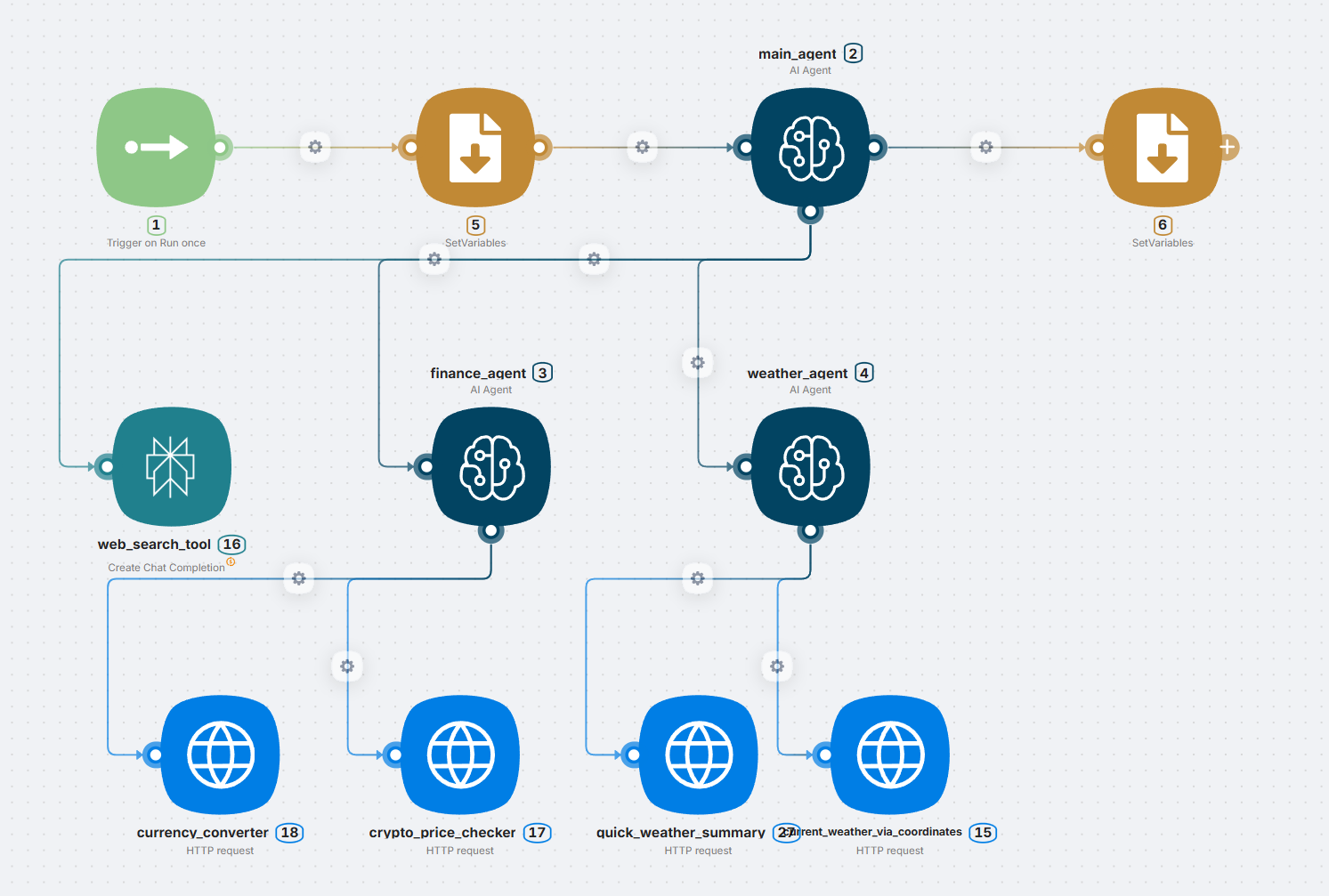
This setup improves clarity, separates responsibilities, and allows for more focused instruction design.
When to Use
Use multiple AI agents when:
- Your workflow spans distinct areas like weather, finance, or general web lookup
- You want to keep agent logic focused (no bloated all-in-one prompts)
- You need modular agents that are easier to test, reuse, or extend
- Different agents require different tools, models, or language settings
Agent Roles in This Example
| Agent | Task |
|---|---|
main_agent | Parses the user input and routes to the right sub-agent |
finance_agent | Handles currency conversion and crypto price checks |
weather_agent | Handles weather summaries and current condition lookups |
Each sub-agent is connected only to tools relevant to its domain (e.g., finance_agent → currency_converter, crypto_price_checker).
Tool Isolation
Keep each agent connected to only what it needs.
weather_agent→quick_weather_summary,current_weather_via_coordinatesfinance_agent→currency_converter,crypto_price_checkerweb_search_toolis accessible globally or frommain_agent
This way the main agent acts like a dispatcher, and the sub-agents remain focused.
Routing Between Agents
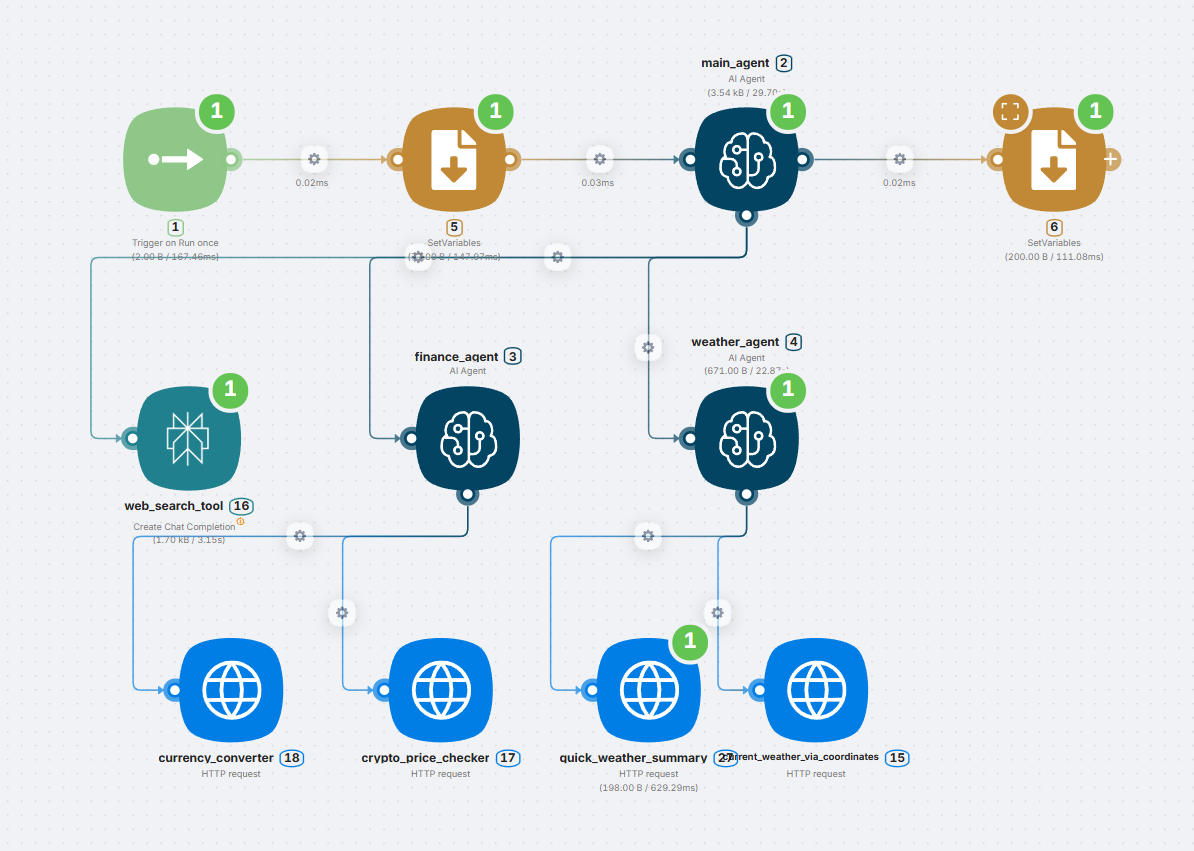
The main_agent can detect intent from the message itself and trigger the right branch of logic.
Best Practices
- Assign a clear responsibility to each agent
- Keep agent prompts short and purpose-specific
- Use tool descriptions and names that match their role
- Let the main agent route and orchestrate, not perform everything
- Test sub-agents independently