
Introduction
Each database in Latenode Tables has its own API docs. They are generated from the database's tables and fields, so you see the real field names, their IDs, and ready-made request examples. Open them when you want to work with the database directly over the API: connect it to an external system or write requests by hand. You don't need them for nodes in a Latenode scenario.
How to open
- Open table.latenode.com.
- Under Your workspaces, click ⋮ on the database card.
- Select View API Docs.
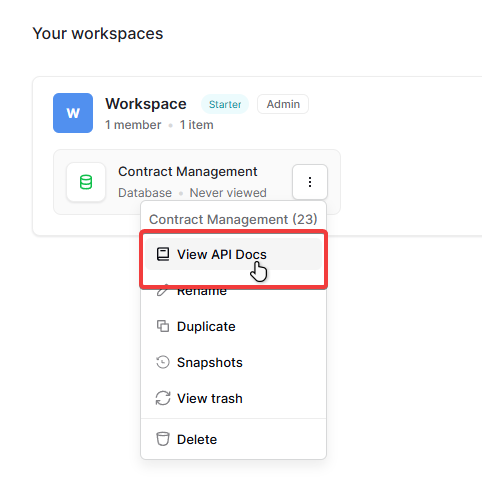
The menu header shows the database ID next to its name, for example "Contract Management (23)".
What's inside
On the left there is a section menu, in the center the description, and on the right a cURL request example.
- Introduction: the database ID and client examples: axios for JavaScript and requests for Python.
- Authentication: how to pass the token in a request. The token itself is created in the settings: Get an API token.
- Table … (id): a separate item for each table in the database. The table ID is in parentheses; you need it in almost every request.
- File uploads, List tables, Filters, HTTP errors: common sections, the same for any database.
The API is REST: data is sent as JSON, and results are reported with standard HTTP codes.
When the schema changes
If you add, rename, or delete a table or field, the database docs update automatically. Requests in your system don't change, so check them against the new version of the docs.
Need Help? Ask the community
If something on this page is missing or unclear, post on the Latenode community forum. Our team and other users usually reply quickly.