
Variables in JavaScript Node
With the JavaScript node, it is possible to manage local variables.
Сreate Variables
To create a variable using the JavaScript node, follow these steps:
- Add a JavaScript node to the scenario with the following code:
export default async function run({ execution_id, input, data, store }) {
 // Set Vars directly from JS
 // String are available
 const v_str = await store.setVariable("VarFromJs", "var value");

 return {
 }
}
This code represents an asynchronous function run. This function is designed to be executed in a web automation scenario and utilizes objects execution_id, input, data, and store.
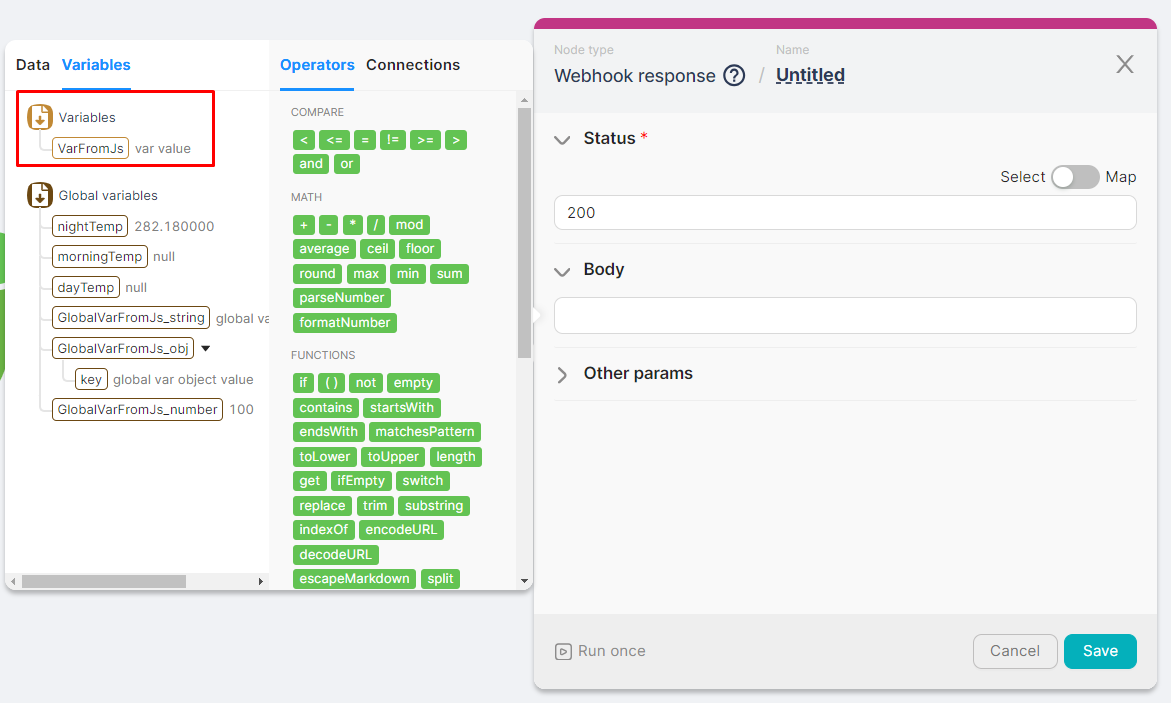
The function defines the variable VarFromJs and saves it using the store.setVariable method. This variable can only be used within the current scenario.
- Run the JavaScript node once and wait for its execution.
- Check for the existence of the new variable when populating parameters for any other node.
Getting Variables
To get a variable using the JavaScript node, follow these steps:
- Add a JavaScript node to the scenario with the following code:
export default async function run({ execution_id, input, data, store }) {

 // Get Vars
 const res_v_str = await store.getVariable("VarFromJs")

 return {
  res_v_str
 }
}
This code represents an asynchronous function run. This function is designed to be executed in a web automation scenario and utilizes objects execution_id, input, data, and store.
The code extracts the values of the variable using the store.getVariable method. This method returns the value of a previously set variable.
- Run the JavaScript node once and wait for its execution.
- Check the output data of the JavaScript node for the variable values: