
Legacy Usage Statistics
Archived documentation
This page describes credit-based usage statistics on legacy monthly plans. New Pay as You Go accounts should use Usage Statistics with CPU seconds.
Access the Statistics page to:
- View data about your tariff plan.
- Analyze statistics for all executed scenarios.
Key information
Each scenario consumes 1 credit every 30 seconds during its execution.
To ensure your scenarios run smoothly, monitor your current credit balance. If there are no available credits, the scenario will not execute.
The number of available credits depends on your selected pricing plan.
Running a single node does not require credits, enabling free scenario customization. When executing a scenario that includes a nested Latenode scenario node, credits are consumed based on the execution time of the main scenario. The execution time of the nested scenario itself is not counted towards credit usage.
If a scenario runs for less than 30 seconds, the number of credits used depends on your pricing plan:
- Starter: Minimum charge is 1 credit (30 seconds or less).
- Grow: Minimum charge is 0.5 credits (15 seconds or less).
- Prime: Minimum charge is 0.1 credits (3 seconds or less).
Rate plans
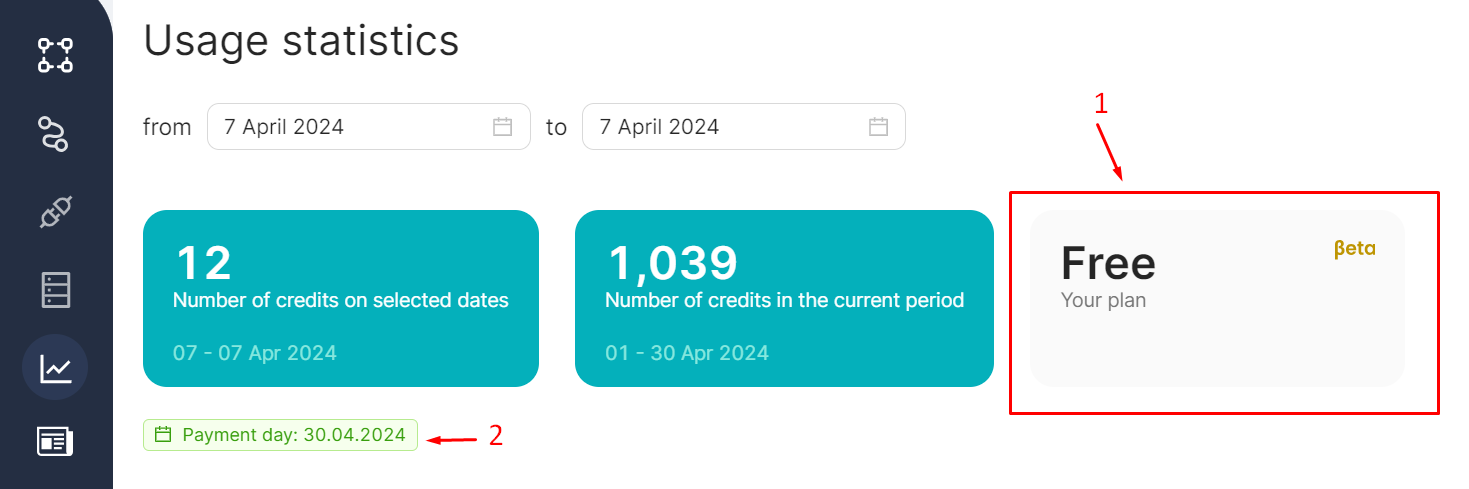
Your current tariff plan is displayed in the right widget (1). The payment day is shown just below it (2):
Understanding credits
A credit is a virtual currency used by scenarios during execution. One credit equals 30 seconds of scenario execution.
The number of nodes in a scenario does not directly impact credit consumption. For example, scenarios with 10 nodes and 2 nodes, each running for less than 30 seconds, will consume only one credit during execution.
Scenarios with many nodes generally take longer to execute than those with fewer nodes. Scenarios that transform or process large amounts of data also require more credits.
Example: credit consumption
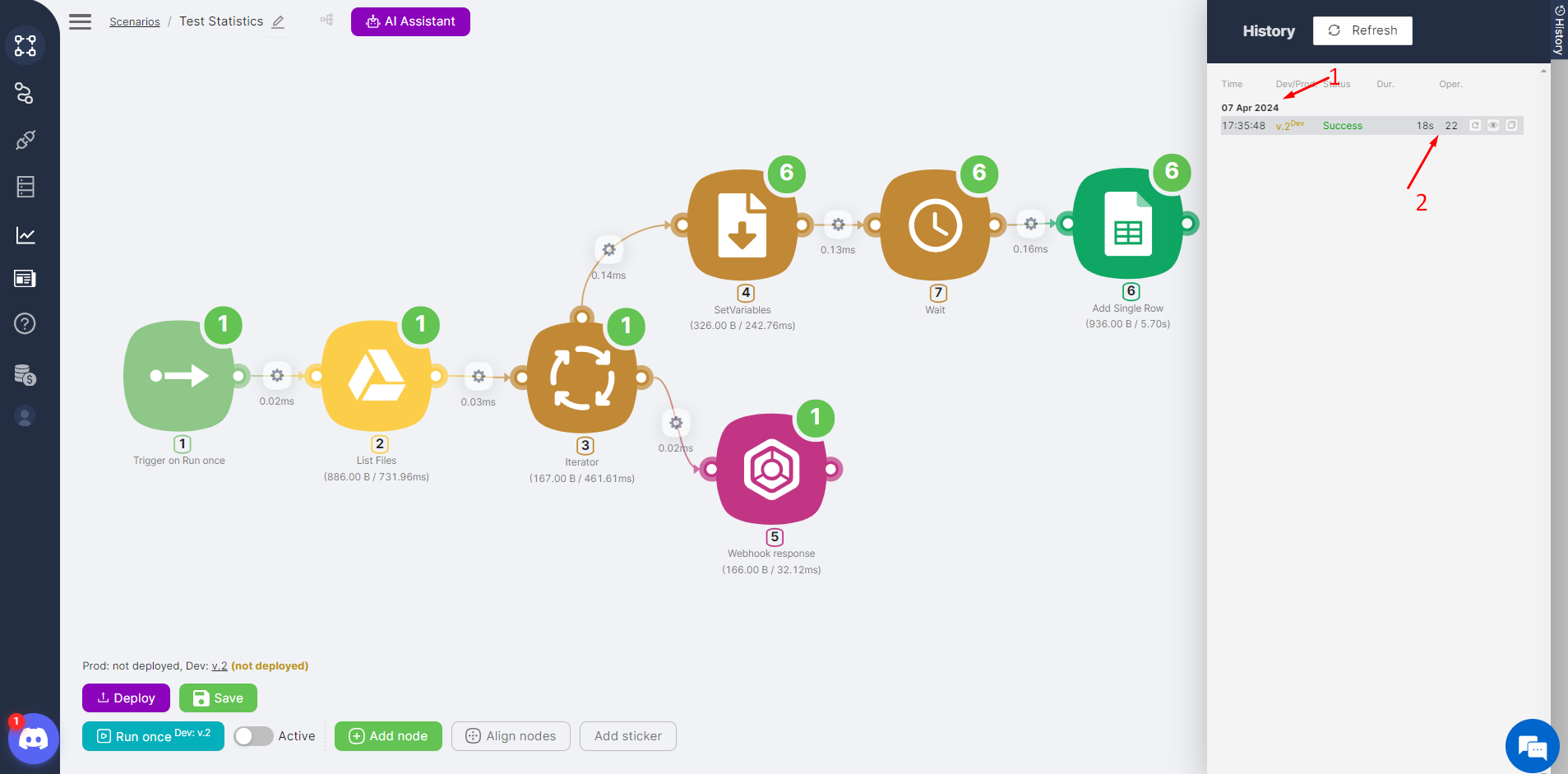
- Run the test scenario. In the execution history, the initial run (1) took eighteen seconds and performed 22 operations (2):
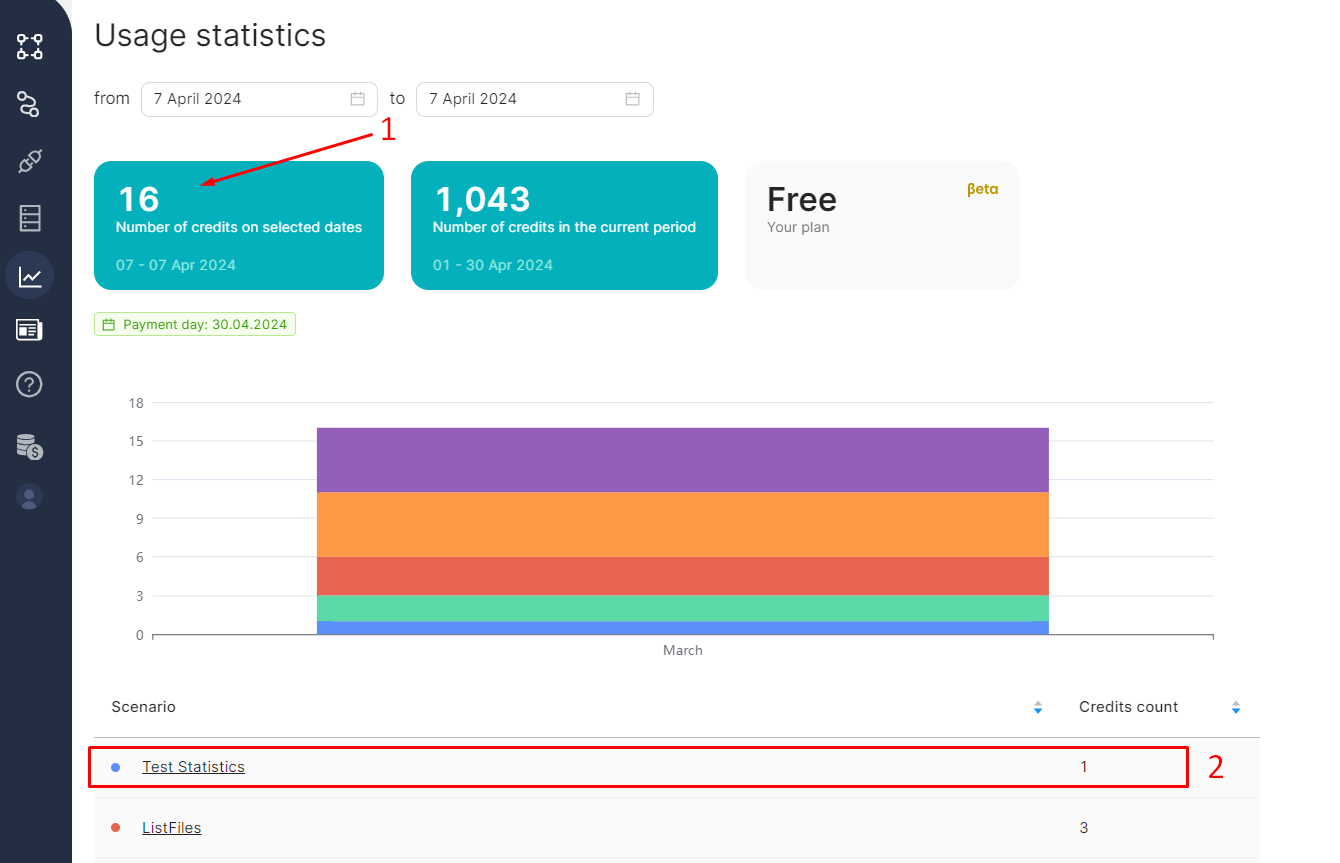
- On the statistics page, review the total number of credits spent and the credits used for the test scenario.
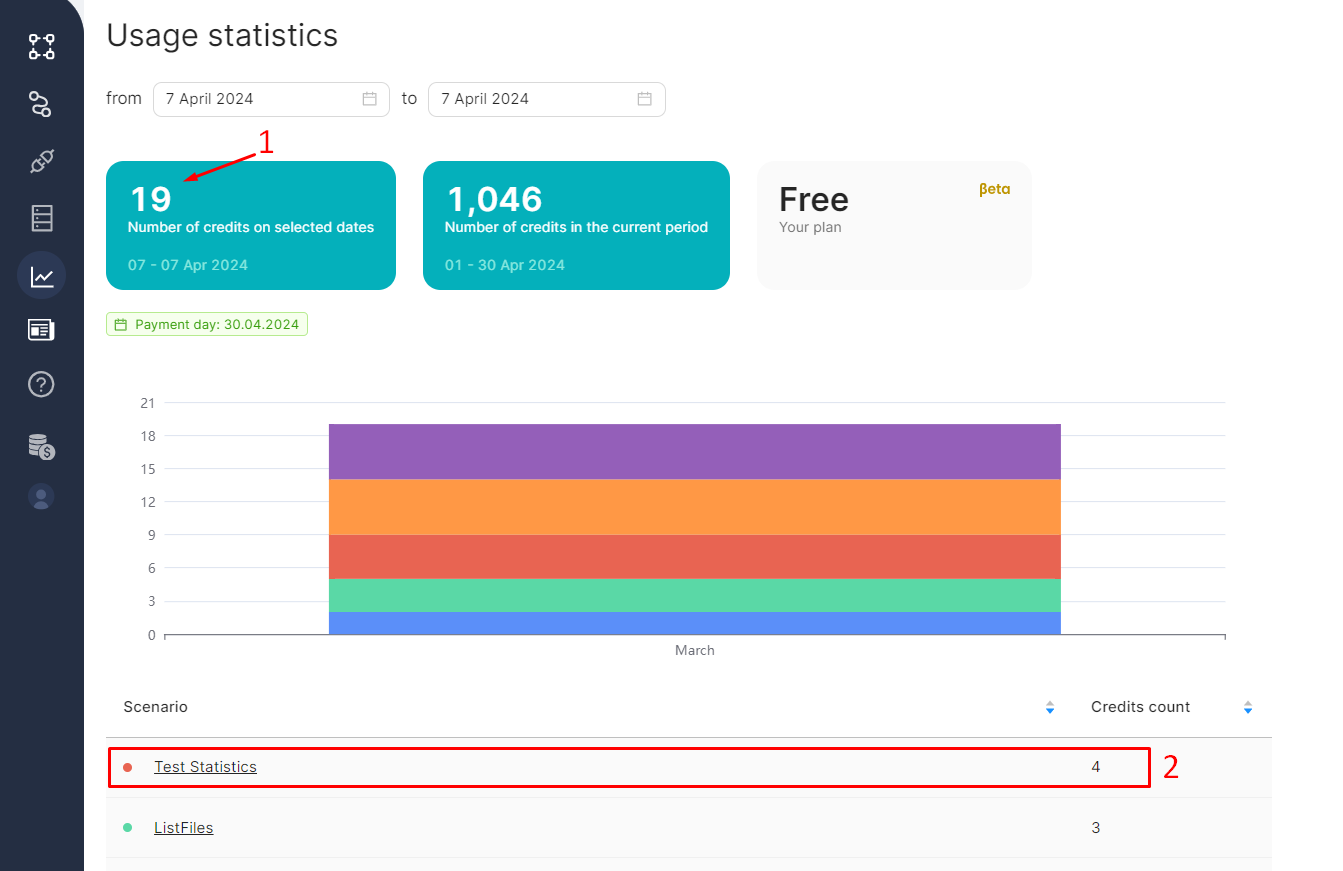
- The total number of credits is sixteen (1).
- One credit was spent on the test scenario (2).
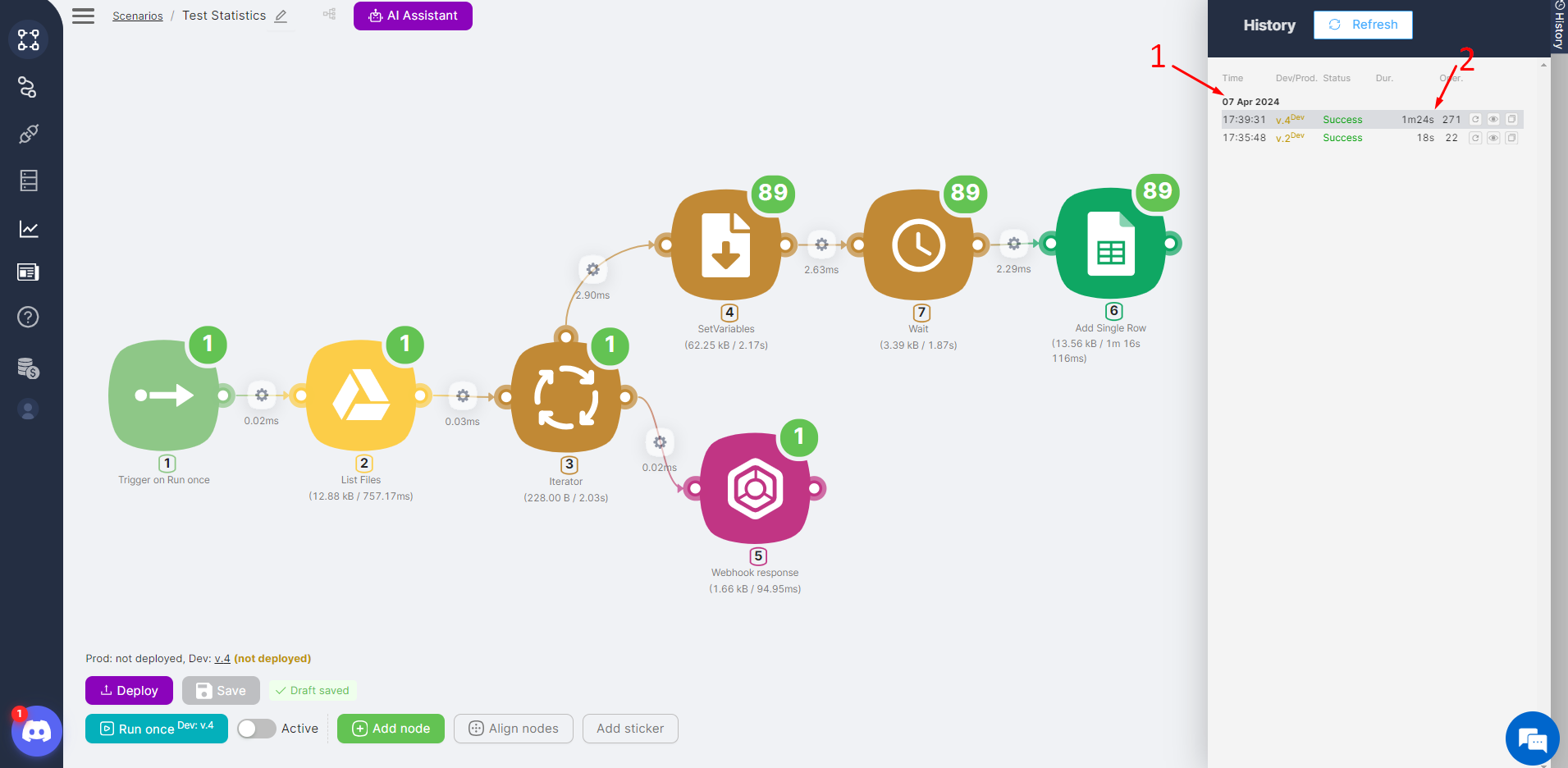
- Run the test scenario again with more processed data. The second run (1) took 1 minute and 24 seconds and performed 271 operations (2):
- On the statistics page, view the updated totals.
- The total number of credits is nineteen (1).
- Four credits were spent on the test scenario (2).
During the second run, three additional credits were consumed because the scenario ran for about a minute and a half.
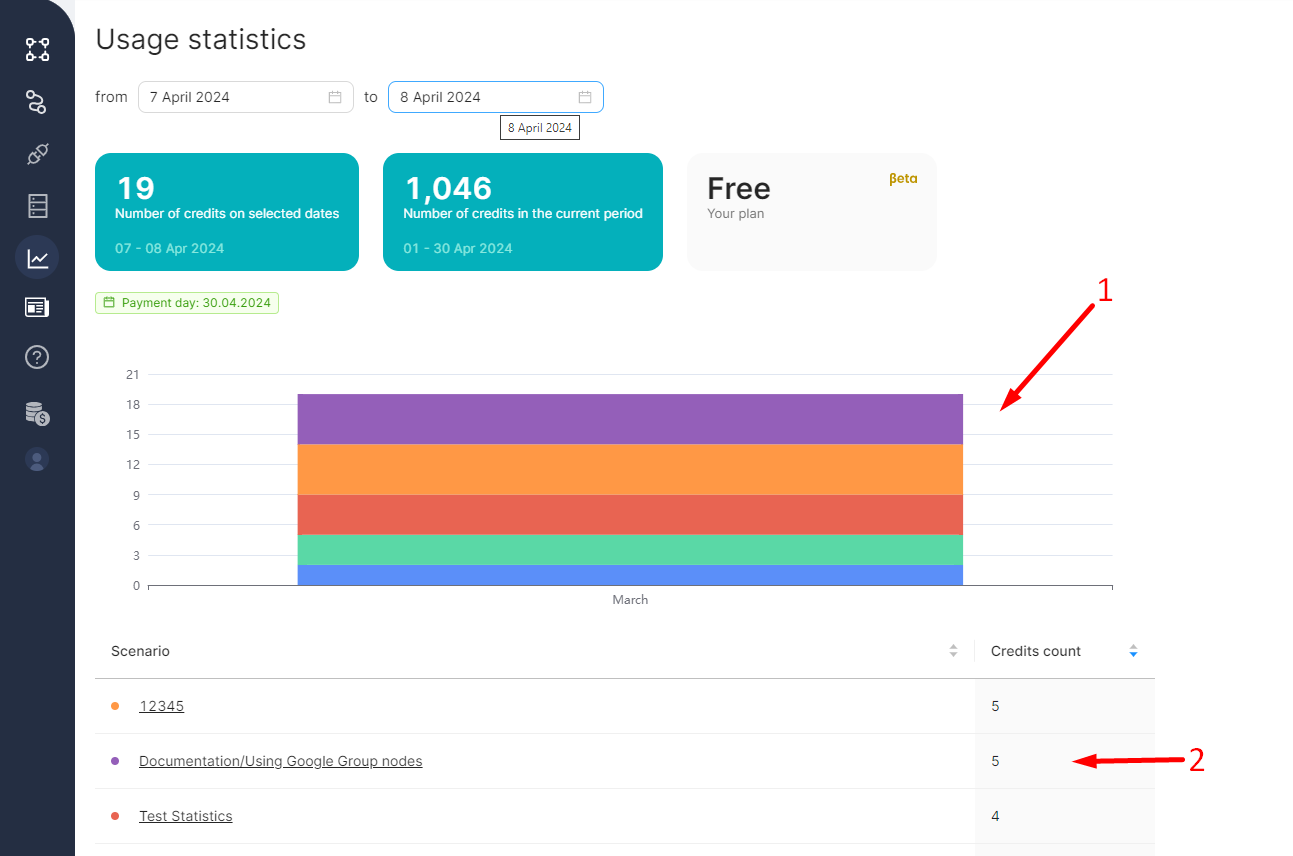
Statistics of credit consumption by scenarios
View credit consumption statistics for your scenarios by setting filters at the top of the page.
The graph (1) and the table (2) display the scenarios executed during the specified period and the corresponding credit usage for each. The table can be sorted by scenario name or credit consumption.
Click on a scenario name in the table to view detailed information about that scenario.
Need Help? Ask the community
If something on this page is missing or unclear, post on the Latenode community forum. Our team and other users usually reply quickly.