
Error Handling
All action nodes on Latenode include error handling settings in the advanced configuration. This feature allows you to automatically retry nodes when requests fail, and to repeatedly poll APIs until they return the expected result.
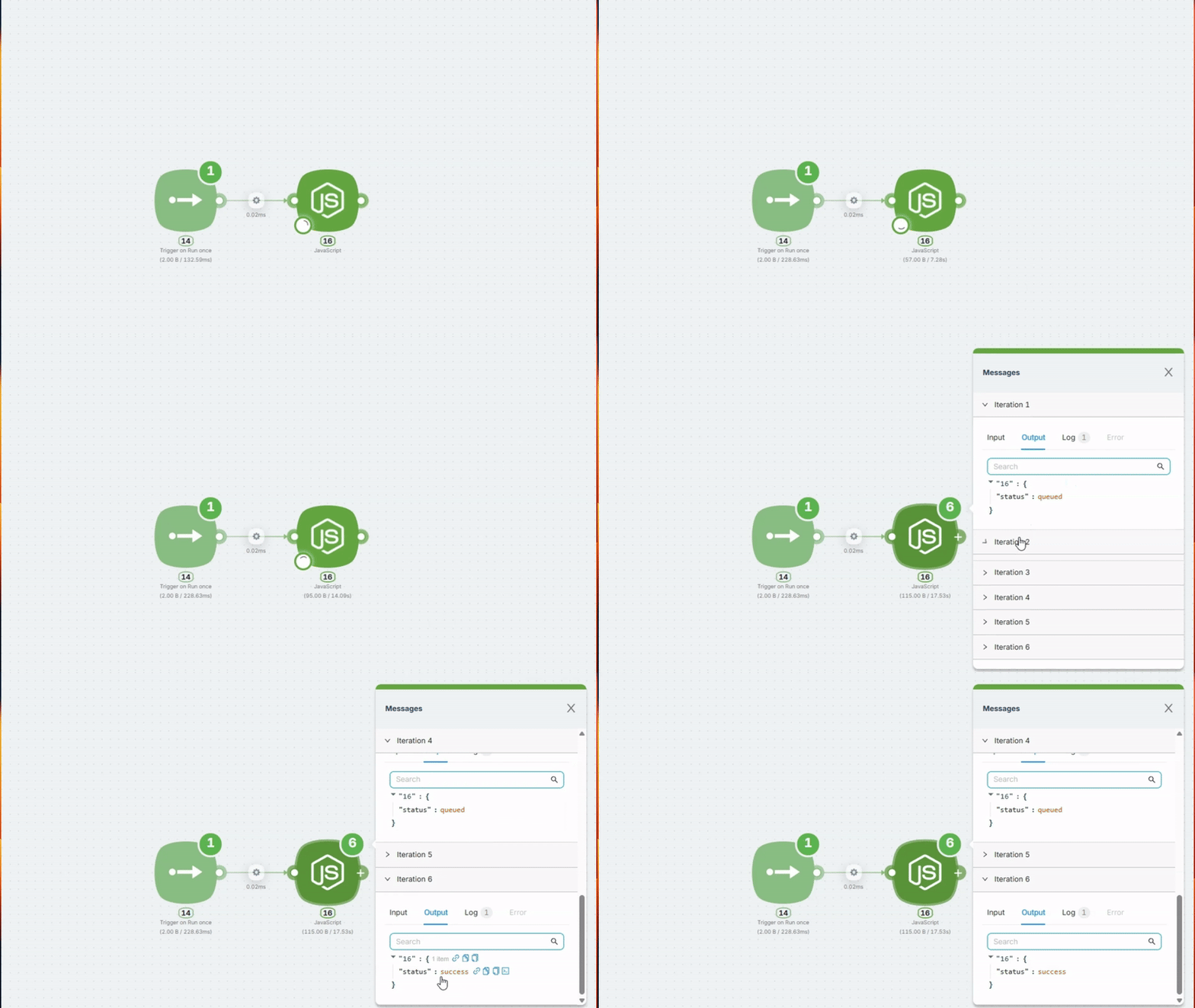
When You Need This
1. API Returns an Error
The service you're calling returns an error — 500, 503, timeout, 429 "Too Many Requests", etc.
Normally, this would stop your scenario. But with retry enabled, the system automatically repeats the request a specified number of times with a defined pause between attempts.
Enable: Retry if This Node Returns an Error
When to use this:
- API sometimes responds with 500 or 503
- Timeouts occur during high load
- Service returns 429 when rate limit is exceeded
2. API Isn't Ready to Return Data Yet
The API formally responds successfully (status 200), but the task is still processing. This is especially important for content generation — video, audio, images, documents.
When to use this:
- Working with "Get Result" type nodes, where one node starts the process and returns a launch ID, and another retrieves the result after some time
- Applicable to almost all AI services (except text-based ones)
Typical example — video generation API:
// First request — task queued
{"status": "queued", "id": "abc123"}

// After 5 seconds — processing
{"status": "processing", "id": "abc123"}

// After 10 seconds — done!
{"status": "completed", "url": "https://..."}
You need to wait for completed with a ready file link. You specify trigger words (queued, processing) — while they're present in the response, the node restarts after the specified time. Once completed arrives (without trigger words), the node completes successfully, and the result (file) is passed to the scenario for further processing.
Enable: Retry if This Node Returns Incorrect Data
For content generation (video, audio, images): use 5-10 attempts with 20-30 second delays. For regular API errors: use 2-3 attempts with 3-5 second delays.
Error Handling Settings
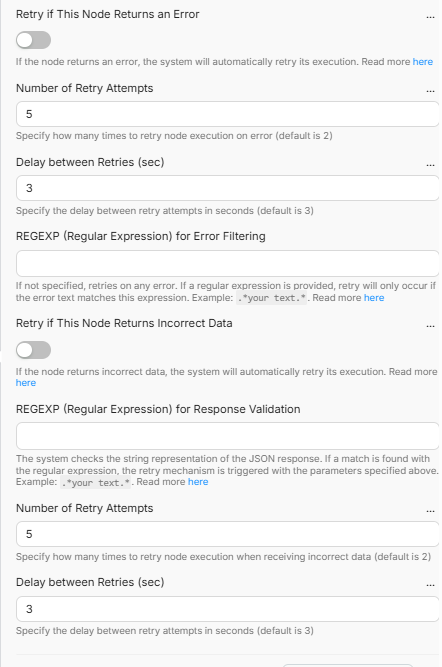
Retry if This Node Returns an Error — Enable automatic retry when the node throws an error.
Retry if This Node Returns Incorrect Data — Enable automatic retry when the response doesn't match the expected pattern.
Number of Retry Attempts — How many times to retry the request (default: 2)
Delay between Retries (sec) — Pause between attempts in seconds (default: 3)
REGEXP (Regular Expression) — Retry functionality is configured using regular expressions. Used for filtering errors and validating API responses.
RegExp (Regular Expressions)
You specify trigger words — if they're found in the response, the node restarts after the specified time. If no trigger words are found — it's a success, the node completes and passes the result to the next step in the scenario.
Important: Without .*, the pattern will only work if the entire response exactly matches your word. Always write .*(your_pattern).*
Pattern Examples:
| Use Case | Pattern |
|---|---|
Restart while status is queued | .*queued.* |
Restart while queued or pending | .*(queued|pending).* |
| Restart during processing | .*(queued|pending|processing|in_progress).* |
Restart while ready = false | .*"ready":\s*false.* |
Example: Waiting for Video Generation
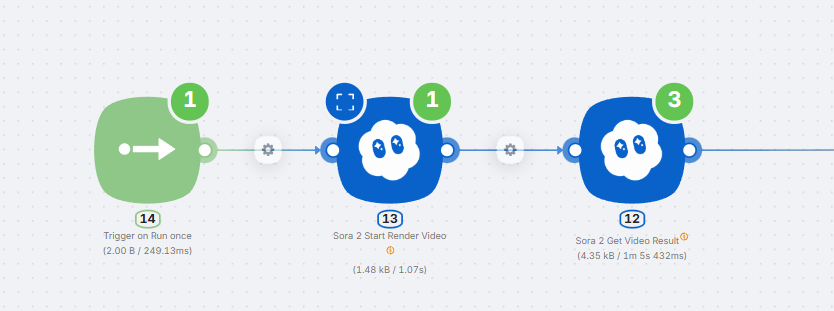
Task: A video generation API first returns in_progress, then queued, and finally completed with a ready link.
Configuration:
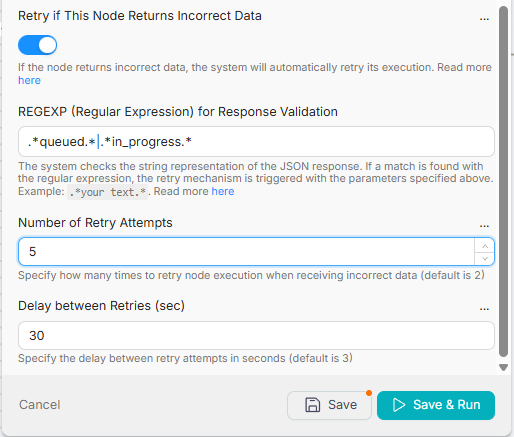
- Enable
Retry if This Node Returns Incorrect Data - REGEXP (Regular Expression):
.*(in_progress|queued).* - Number of Retry Attempts: 5
- Delay between Retries (sec): 30
How it works:
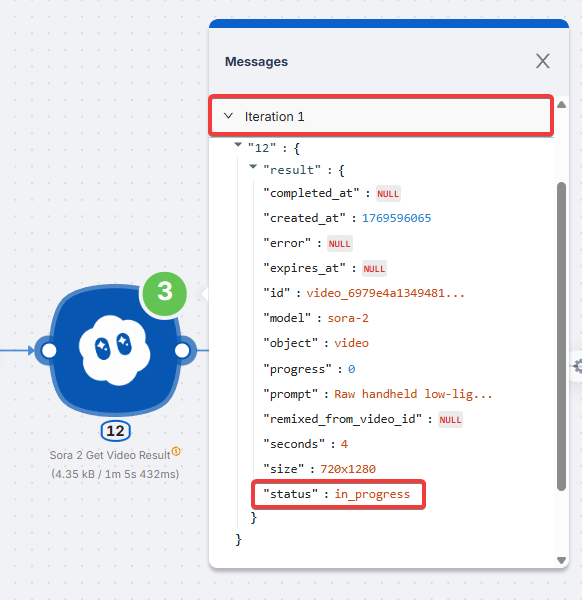
- Iteration 1:
"status": "in_progress"— Contains trigger word. Node restarts in 30 seconds.
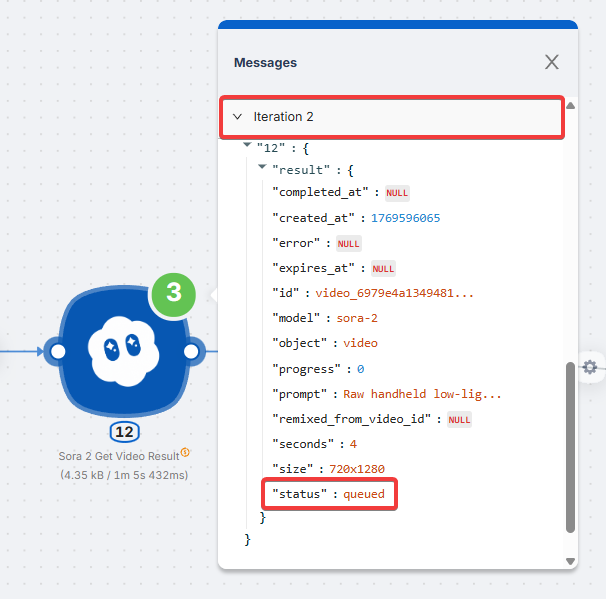
- Iteration 2:
"status": "queued"— Contains trigger word. Node restarts in 30 seconds.
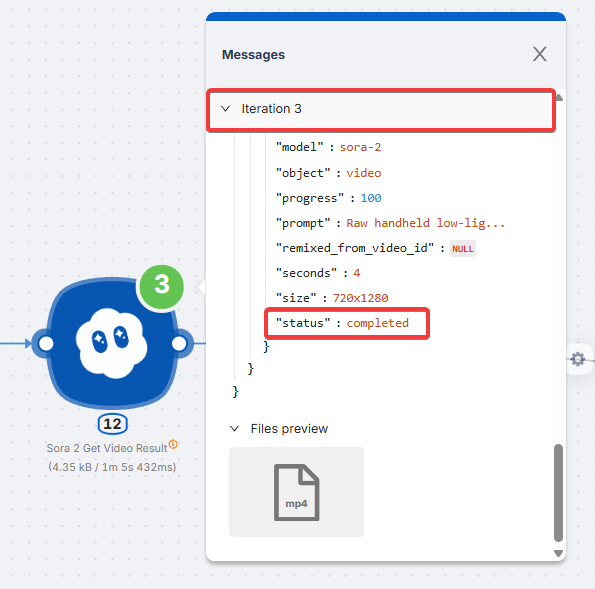
- Iteration 3:
"status": "completed"— No trigger words! Success. Node completes, result (video) is passed to the next node in the scenario.
Summary: The node restarts every 30 seconds until it receives a response without trigger words (queued, in_progress). While trigger words are present — data is NOT passed forward, the node restarts again. Once a successful response arrives (completed) — the file/data is passed to the scenario for further processing.
Technical Details
- Uses Go (RE2) regular expression engine
- Supported:
\d(digits),\s(whitespace),\w(word chars),|(or),()(groups) - Not supported: lookahead
(?=...)and lookbehind(?<=...)