
Node Restart on Incorrect Response (Polling)
The API responds successfully (status 200), but the task is still processing. With Retry if This Node Returns Incorrect Data enabled, the node restarts after a set delay while the response contains "trigger" words (e.g. queued, processing). Once the response no longer contains them, the node completes and passes the result forward.
This is especially useful for content generation — video, audio, images, documents.
When to Use This
- Working with "Get Result" type nodes: one node starts the process and returns an ID, another retrieves the result later
- Applicable to almost all AI services (except text-based ones)
Typical example — video generation API:
// First request — task queued
{"status": "queued", "id": "abc123"}

// After 5 seconds — processing
{"status": "processing", "id": "abc123"}

// After 10 seconds — done!
{"status": "completed", "url": "https://..."}
You need to wait for completed with a ready file link. You specify trigger words (queued, processing) — while they're present in the response, the node restarts after the specified time. Once completed arrives (without trigger words), the node completes successfully.
Enable: Retry if This Node Returns Incorrect Data
For content generation (video, audio, images): use 5–10 attempts with 20–30 second delays.
Configuration
Retry if This Node Returns Incorrect Data — enable automatic retry when the response doesn't match the expected pattern.
Number of Retry Attempts and Delay between Retries (sec) — how often to poll the API (see Node Restart on Error).
REGEXP (Regular Expression) — you specify trigger words: if they're found in the response, the node restarts after the specified time. If no trigger words are found — success, the node completes and passes the result forward.
Important: Without .*, the pattern only matches if the entire response exactly equals your word. Always write .*(your_pattern).*
Pattern Examples
| Use Case | Pattern |
|---|---|
Restart while status is queued | .*queued.* |
Restart while queued or pending | .*(queued|pending).* |
| Restart during processing | .*(queued|pending|processing|in_progress).* |
Restart while ready = false | .*"ready":\s*false.* |
Restart while field result is an empty string | .*"result":\s*"".* |
Restart while field result is an empty array | .*"result"\s*:\s*\[\].* |
null vs empty string or array. A pattern like .*null.* only matches if the response body actually contains the substring null. An empty string and an empty array look different in JSON, so use a fragment with quotes or brackets as in the table. Spacing around : can vary (including in pretty-printed output). If what you copy from the node does not match the real response body, inspect the raw body or relax the pattern with \s* (as in the empty-array example).
Example: Waiting for Video Generation
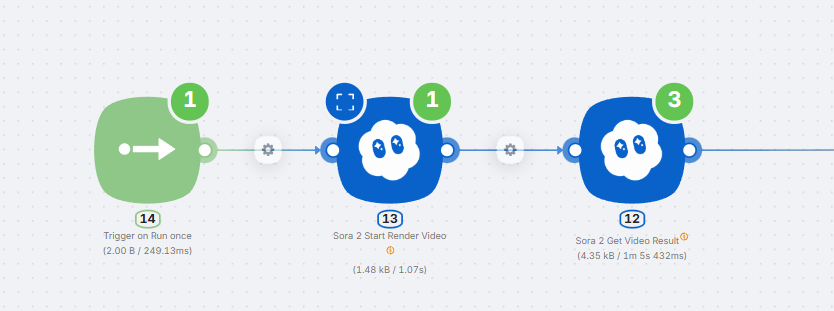
Task: A video generation API first returns in_progress, then queued, and finally completed with a ready link.
Configuration:
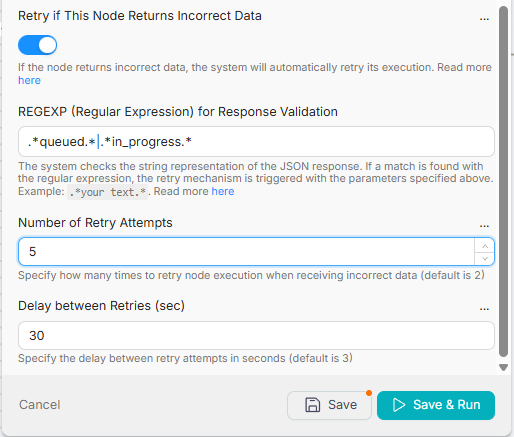
- Enable Retry if This Node Returns Incorrect Data
- REGEXP:
.*(in_progress|queued).* - Number of Retry Attempts: 5
- Delay between Retries (sec): 30
How it works:
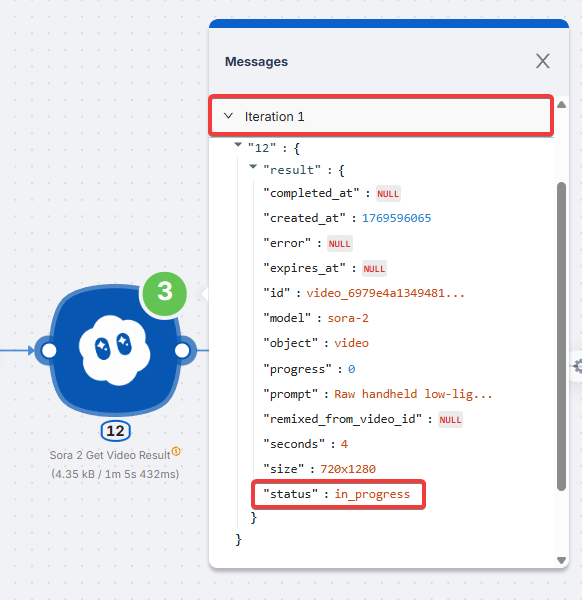
- Iteration 1:
"status": "in_progress"— contains trigger word. Node restarts in 30 seconds.
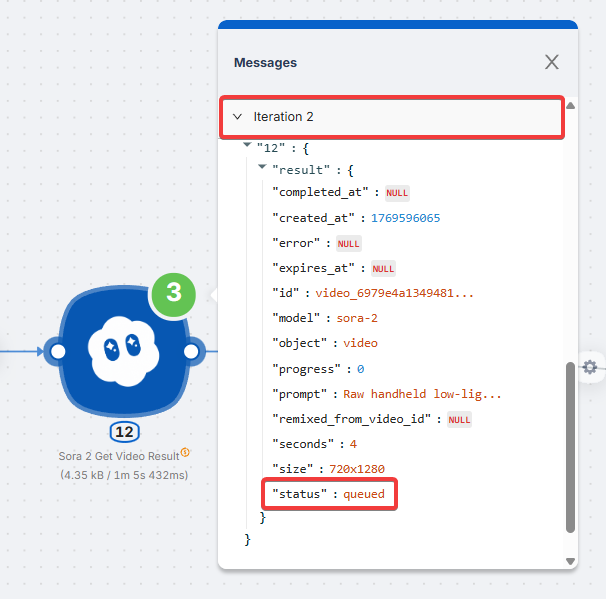
- Iteration 2:
"status": "queued"— contains trigger word. Node restarts in 30 seconds.
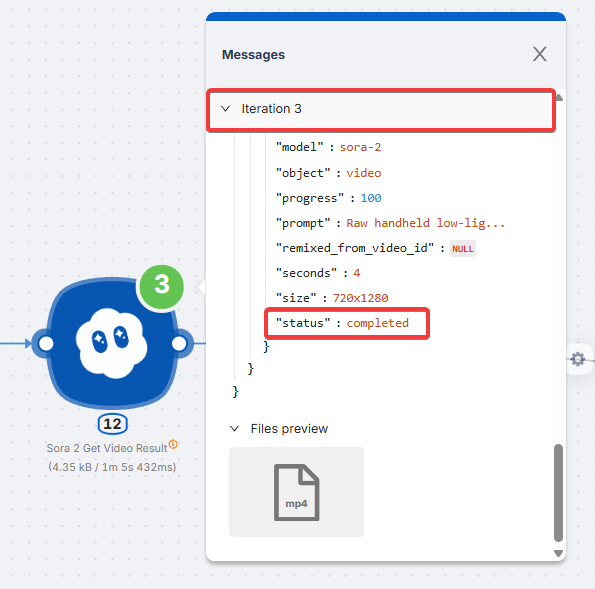
- Iteration 3:
"status": "completed"— no trigger words. Node completes, result (video) is passed to the next node.
The node restarts every 30 seconds until it receives a response without trigger words. Once a successful response arrives, data is passed to the scenario.
Technical Details
- Uses Go (RE2) regular expression engine
- Supported:
\d,\s,\w,|,() - Not supported: lookahead
(?=...)and lookbehind(?<=...)
What's Next
Node Restart on Error
Automatically retry the request when the API returns an error (500, 503, timeout, 429, etc.).
Ignoring Errors
Continue scenario execution when a node fails instead of stopping the run.
Need Help? Ask the community
If something on this page is missing or unclear, post on the Latenode community forum. Our team and other users usually reply quickly.