
Operators Basics
Operators in Latenode are like formulas in spreadsheets: they take input data and return a result.
Using operators to modify data
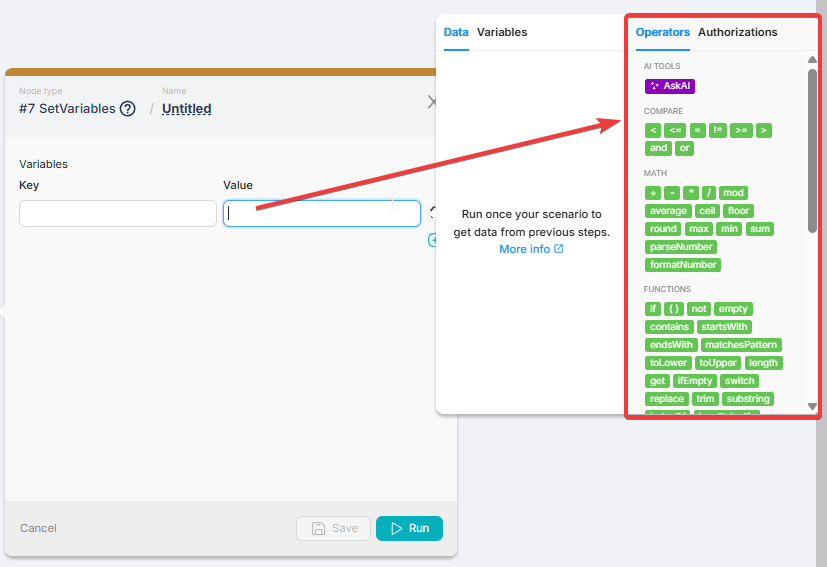
You can use operators in almost any input field across nodes to transform data before sending it next:
- Build or modify text (replace ,concatenate, trim, case conversion)
- Do math and formatting
- Extract values from JSON/arrays
- Apply conditional logic (choose one value or another)
Using operators in routes
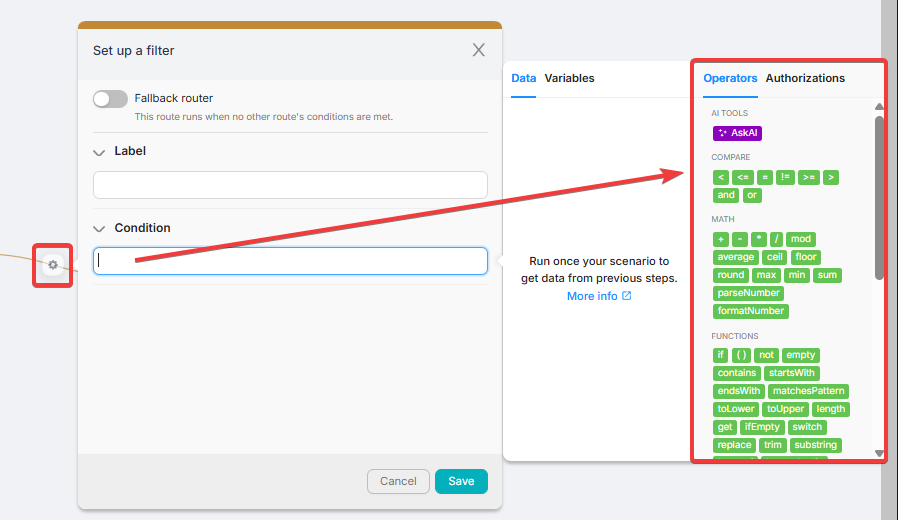 Routes use operators for filtering and branching.
When operators are used in Route > Condition, the condition must evaluate to a boolean: TRUE or FALSE.
Routes use operators for filtering and branching.
When operators are used in Route > Condition, the condition must evaluate to a boolean: TRUE or FALSE.
The result of any route filter is TRUE or FALSE
- If the filter condition is TRUE, the scenario execution continues through that route.
- If the filter condition is FALSE, that route is not selected and execution does not go there.
Fallback route
A fallback route triggers only if none of the outgoing routes from the node evaluates to TRUE.
Read more: Fallback routes
How to test and debug any filter
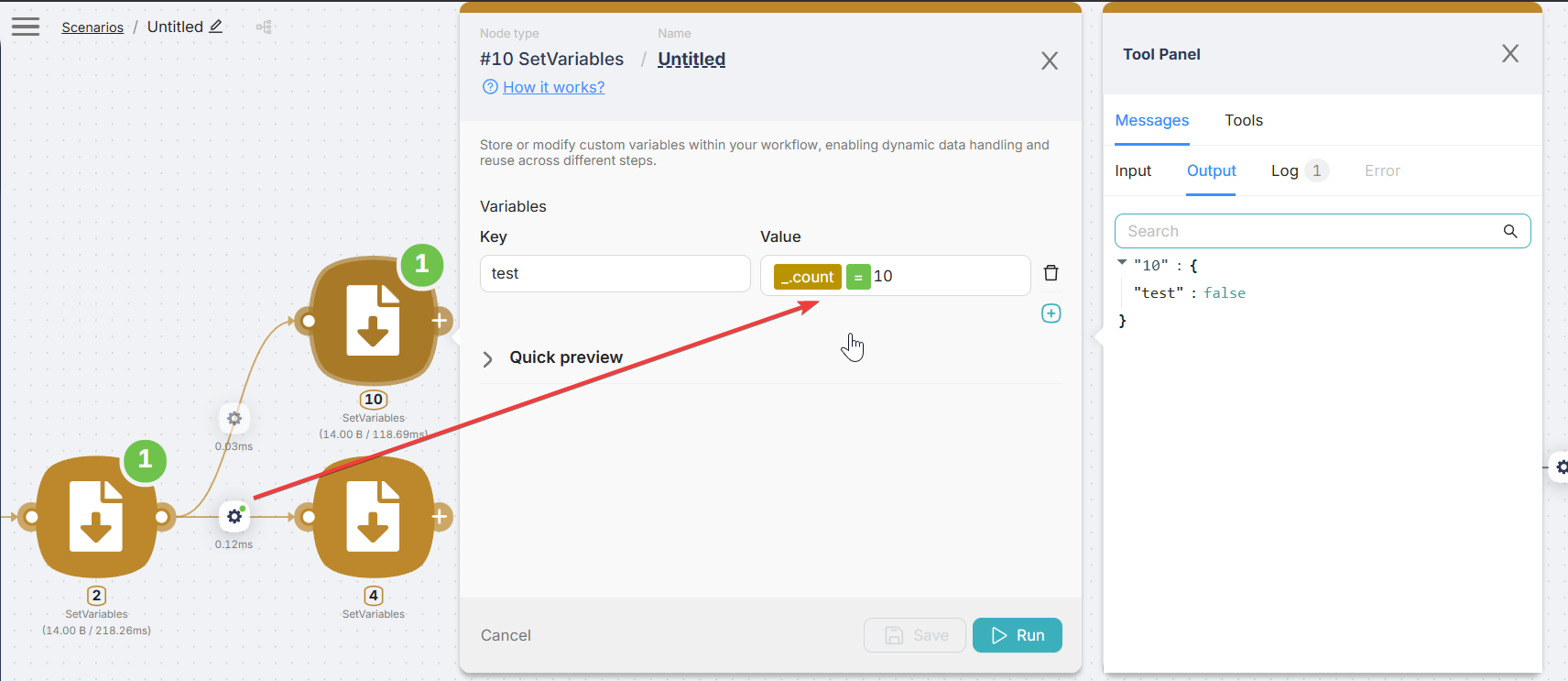
You can test any route filter by copying the same formula into a separate Set Variables node in a neighboring branch.
This makes debugging easier because you can see:
- the input values used by the expression
- the final result of the filter as true/false in the node output
Example: copy the route condition into Set Variables and store it into a variable (e.g. test) — then check the output.
Handling Files
How to work with files in Workflow Builder scenarios.
AI tools
Operators and placeholders for delegating field values to AI Agents and MCP clients.
Need Help? Ask the community
If something on this page is missing or unclear, post on the Latenode community forum. Our team and other users usually reply quickly.