
Add a Node
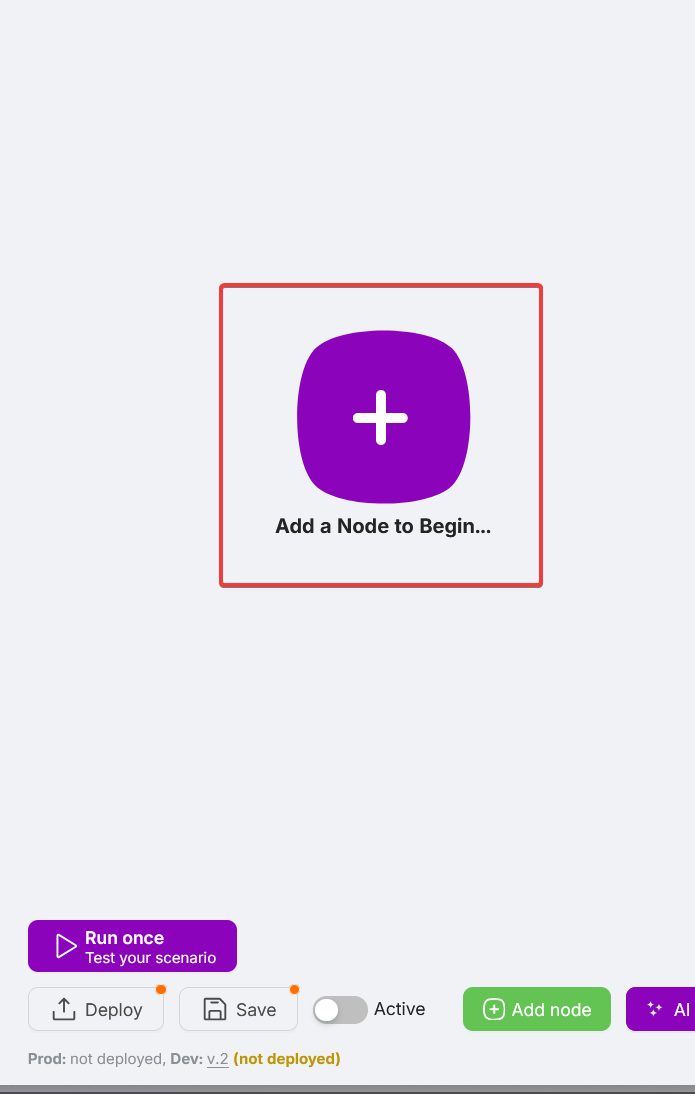
If your scenario is new and doesn't contain any nodes yet, click Add Node... in the center of the canvas to add the first one.
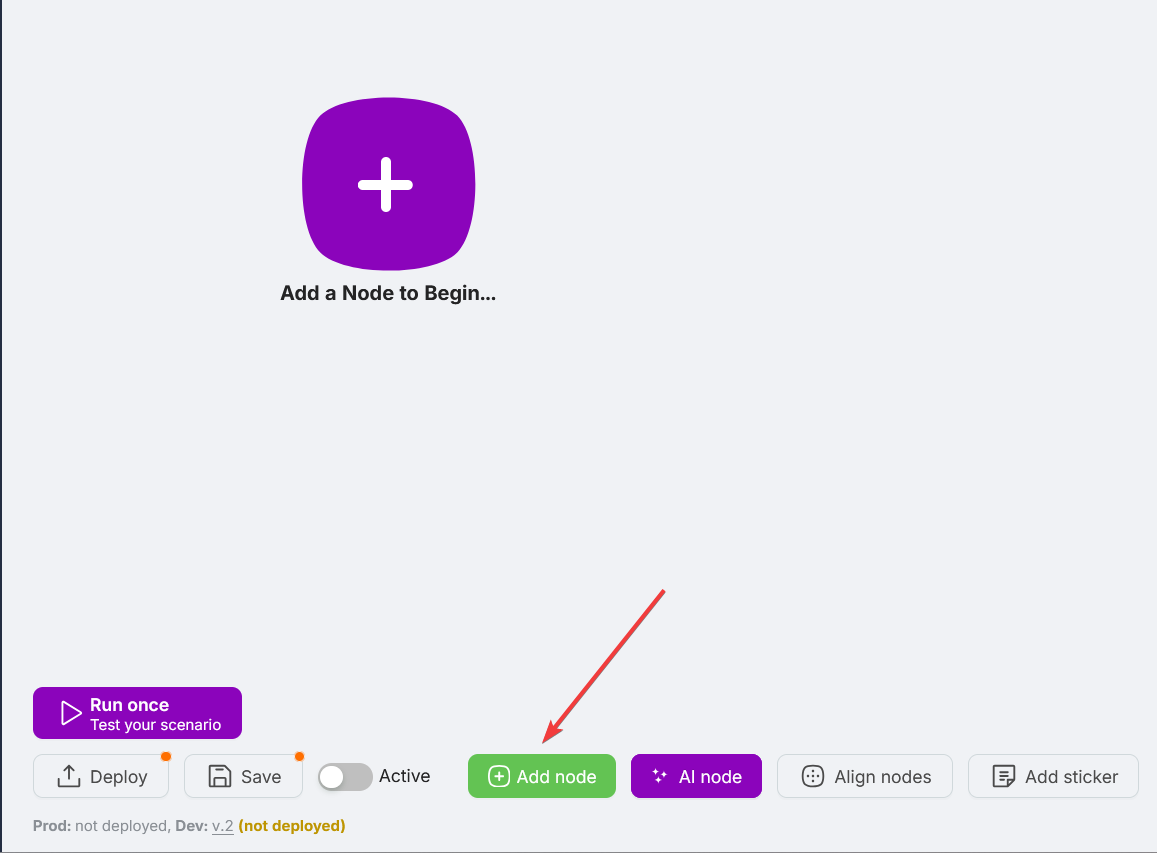
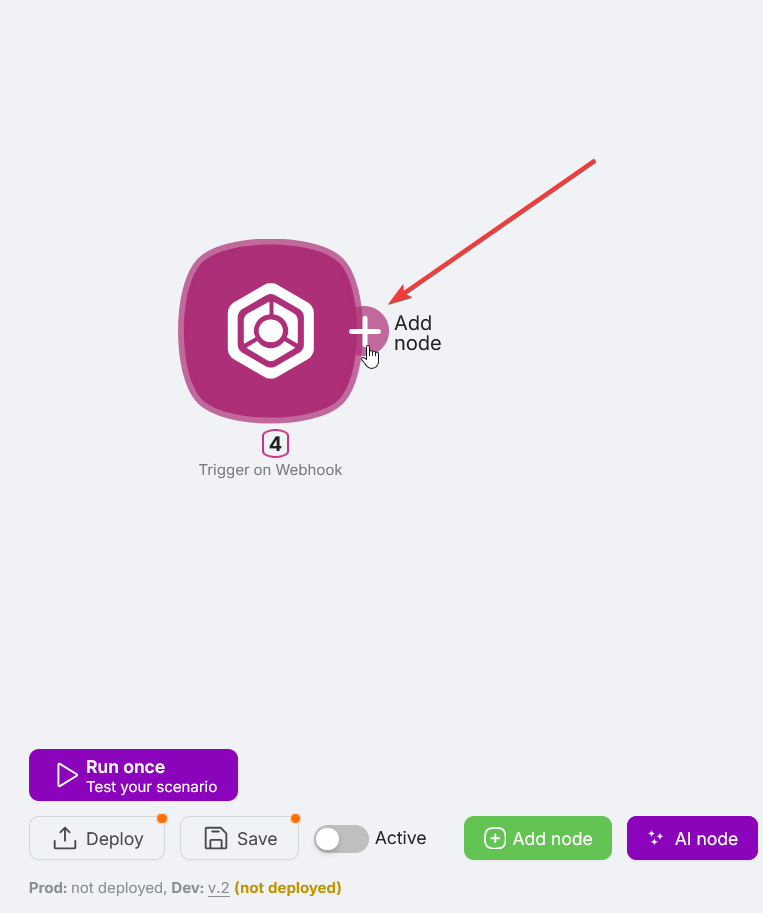
If there are already nodes in the scenario, you can add a new node by:
- Clicking the Add Node button in the bottom part of the interface;
- Clicking on the right route point of an already added node.
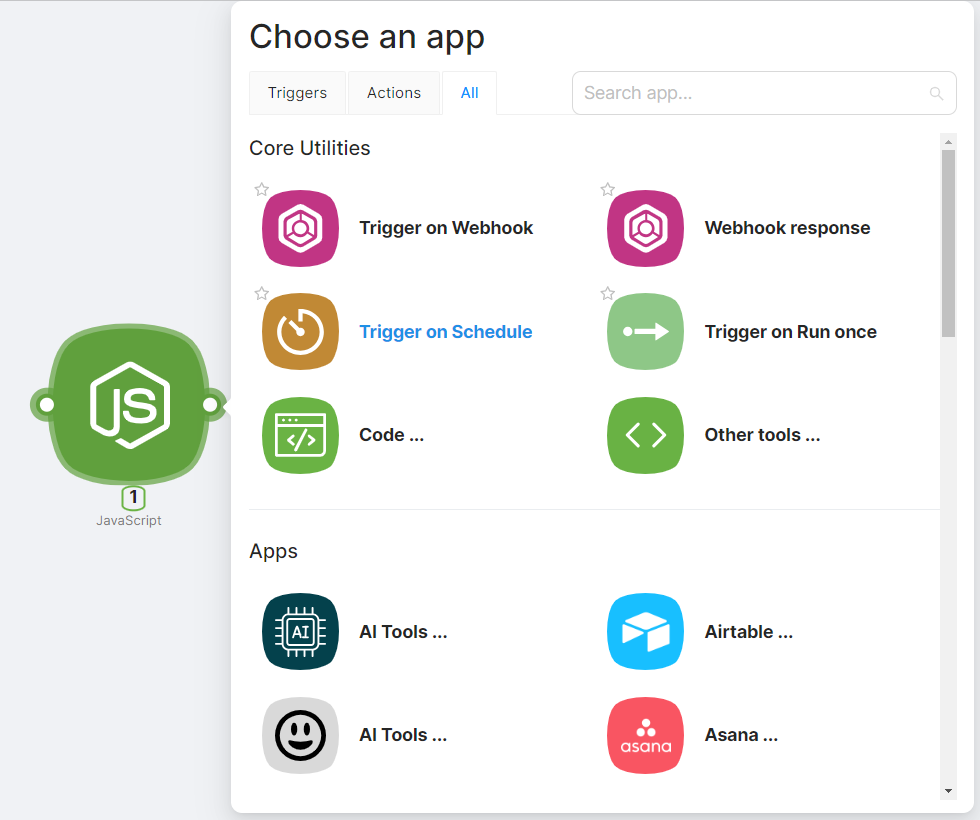
After clicking Add Node, select the desired node from the list in the Choose an app window.
Favorite nodes
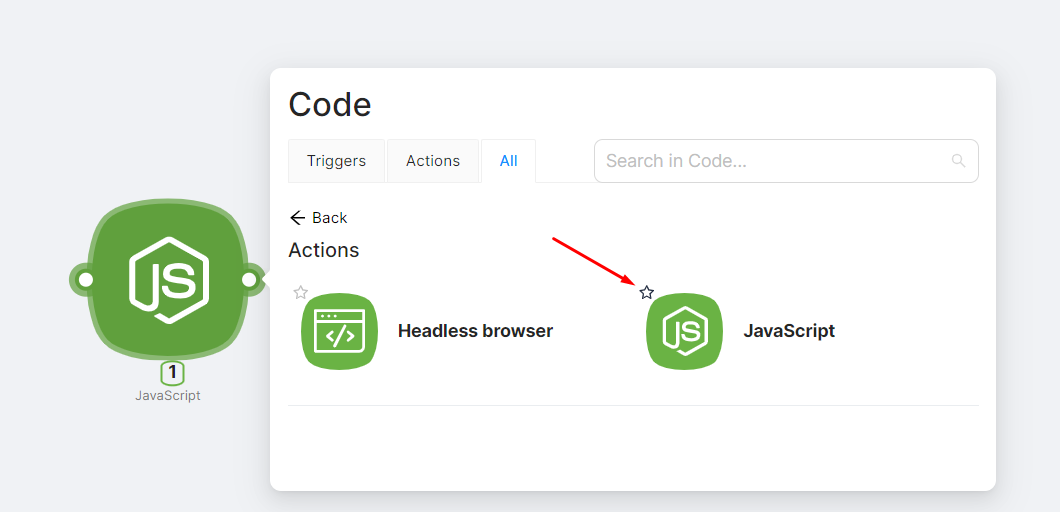
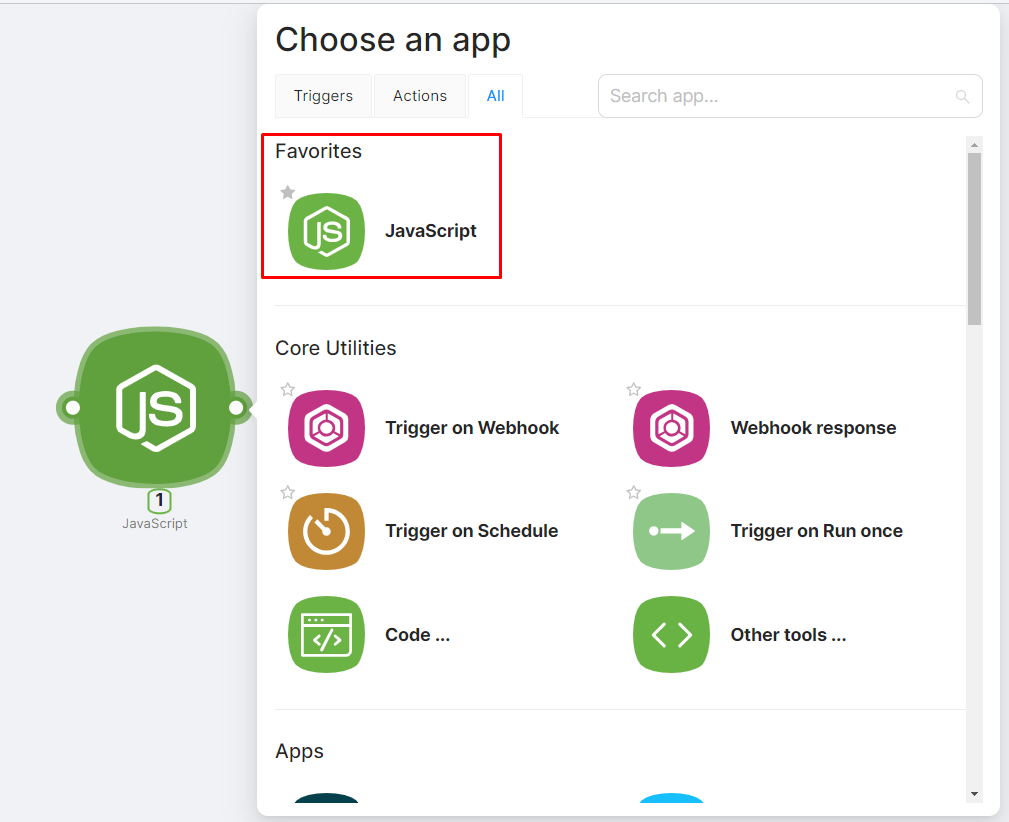
To pin frequently used nodes to the top of the Choose an app window:
- Mark the desired node with a "star";
- Check for the presence of the node in the Choose an app window under the Favorites section.
If quick access to the node is no longer needed, you can remove the "star" by clicking on it again.
Search by name
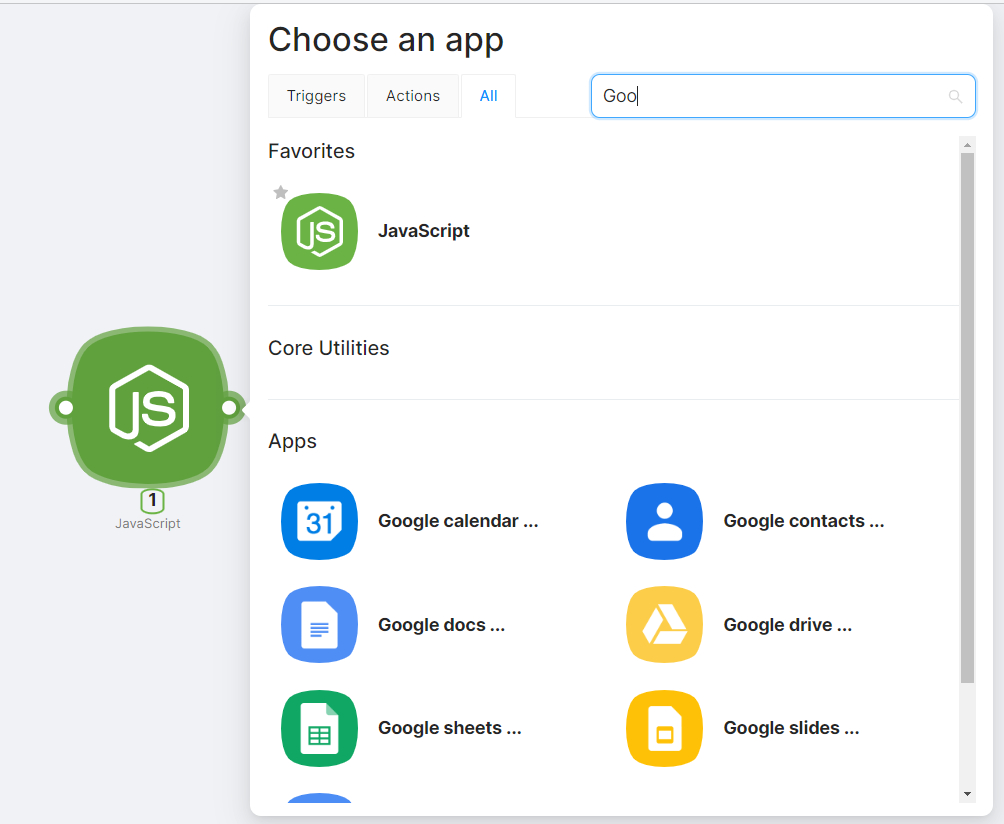
Use the search field at the top of the Choose an app window to find a node by name.
Platform Limits
Overview of platform usage limits and restrictions.
Configure & Run a Node
How to configure node settings and run a node.
Need Help? Ask the community
If something on this page is missing or unclear, post on the Latenode community forum. Our team and other users usually reply quickly.