
Enhanced Compute Resources (Engine Tier 1)
What is this?
We've added the ability to run scenarios using an engine with increased compute resources. This can be useful in situations where the standard resource allocation is insufficient for successful scenario execution.
Why is this needed?
By default, scenarios execute in a standard environment (Default), which is suitable for most use cases.
However, in some cases, the following problem may occur:
Your scenario doesn't have enough resources, specifically RAM.
Using Engine Tier 1 allows you to run such scenarios in an environment with enhanced resources.
How does it work?
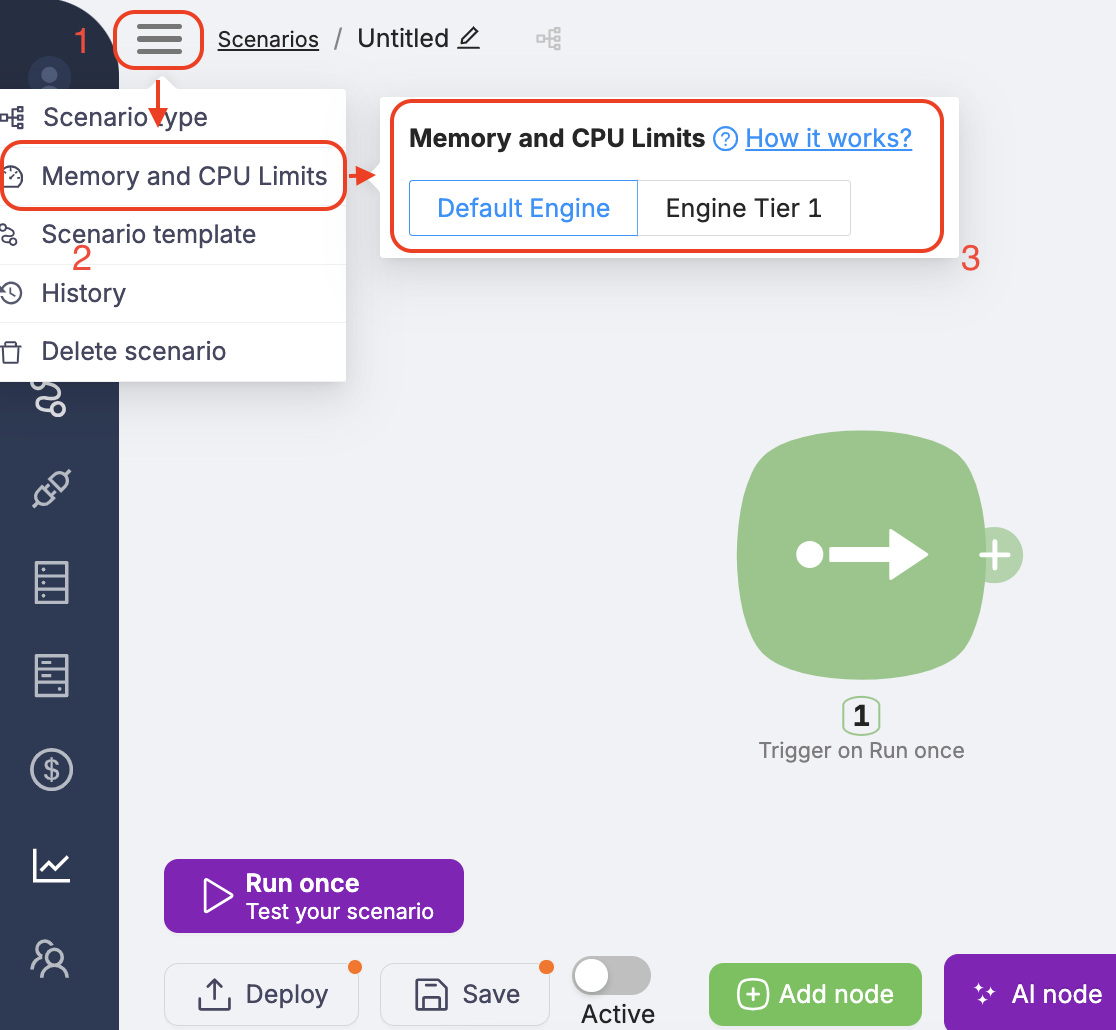
When running a scenario, you can specify the engine_type parameter to select the desired configuration:
- Default — standard engine (used by default)
- Engine tier 1 — engine with increased compute resources
How much does it cost?
Using Engine Tier 1 is billed separately.
Engine Tier 1 doubles the cost of scenario execution. In other words, running a scenario with Engine Tier 1 will cost twice as much as running it in Default mode.
This is because the system allocates additional infrastructure resources to support such executions.
When should you use Engine Tier 1?
We recommend using Engine Tier 1 if:
- your scenario is unstable in the standard environment;
- you see errors related to resource limits (e.g., Out of Memory);
- you know your scenario requires more RAM or CPU than usual;
- you're willing to pay for increased resource consumption.
Frequently Asked Questions
What resources are allocated for Engine Tier 1?
We don't disclose specific technical parameters, as configurations may change. The main goal is to ensure successful execution of scenarios that exceed standard resource limits.
Can I choose the engine type for each scenario?
Yes. You can select the engine mode for each scenario by setting the appropriate value in the engine_type parameter.
Troubleshooting
If your scenario fails with an error like:
Scenario execution needs more CPU/RAM resources. Try switching Memory and CPU Limits to Tier-1.
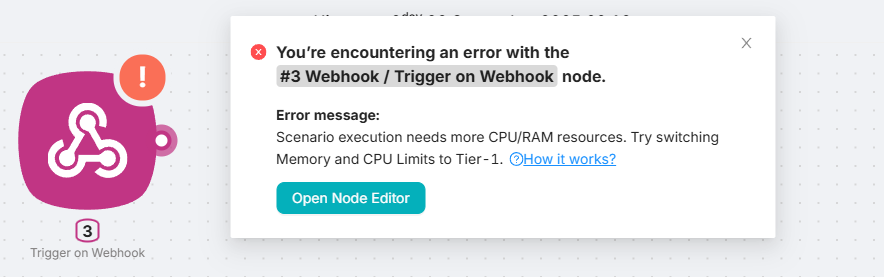
try restarting it with Engine Tier 1.
In most cases, such errors are caused by resource exhaustion (e.g., memory or CPU limits). Switching to an engine with enhanced resources typically resolves the issue.
Engine Tier 1 increases all available resources, except for the 32 MB file size limit, which remains unchanged. If you need to work with larger files, we recommend providing them via public URLs (e.g., file sharing services) instead of direct upload.
Import and Export
Importing and exporting scenarios.
Parallel Execution Limit
How many scenario runs can execute at the same time in your account, how the queue works, and execution modes.
Need Help? Ask the community
If something on this page is missing or unclear, post on the Latenode community forum. Our team and other users usually reply quickly.