
Parallel Execution Limit
The parallel execution limit is the value that defines how many scenario runs can execute at the same time across your whole account. The limit depends on your plan, and the execution mode (Parallel or Sequential) is configured in the scenario settings.
Want to increase the limit?
On Free, the limit is 1; Pay as You Go includes 5 by default. Add more with the Reserved parallel executions add-on on Billing.
How does it work?
While the number of executions running at the same time is below the limit, a new run starts immediately. Once the limit is reached, the next runs are queued. As soon as one of the running executions finishes, the next run is taken from the queue.
For example, your account limit is 10 parallel executions and 15 events arrive at almost the same time:
- 10 runs start immediately;
- the remaining 5 are queued;
- each of them starts when one of the previous runs finishes.
A queued run is not lost and not rejected: the platform does not return a 429 error because of this limit.
The limit applies to your whole account, so high-traffic scenarios can compete for it: if several of them receive many requests at the same time, some runs will wait in the queue.
The setting in the scenario limits that scenario only and does not raise the account limit.
Execution modes
Two modes are available in the scenario settings:
- Parallel (default): several runs of the scenario execute at the same time
- Sequential: a new run of the scenario starts only after the previous one finishes
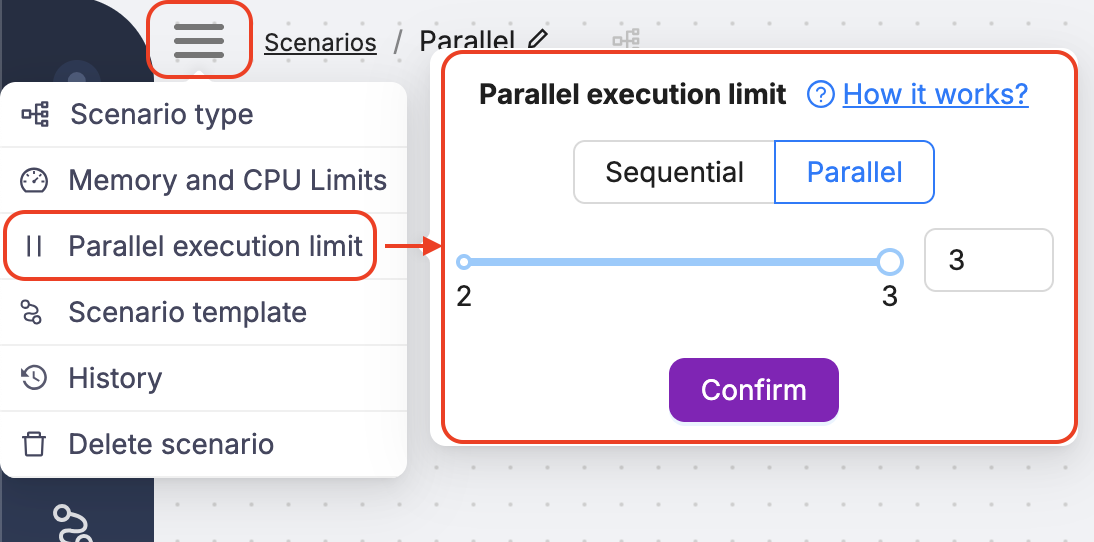
Parallel
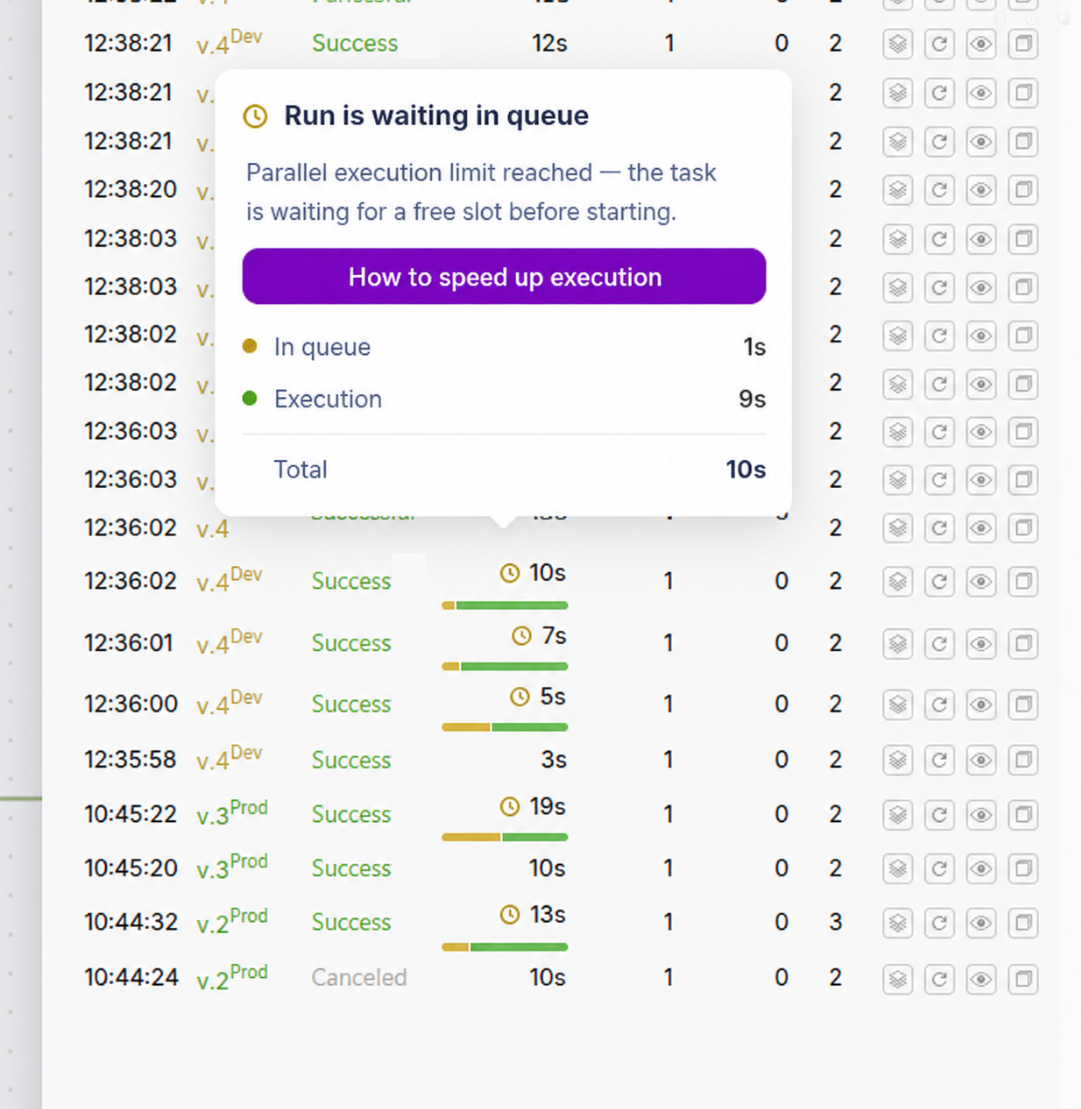
The scenario executes several runs at the same time until it reaches the account limit or the cap set in the scenario settings. The remaining runs wait in the queue. In Execution History you can see that a run was queued:
Sequential
Runs are processed strictly one by one, in FIFO (first-in, first-out) order. The queue has no size limit.
Use this mode if:
- your scenario modifies the same resource and you need to avoid conflicts
- you work with APIs that enforce strict rate limits
- execution order must be preserved
If a run is stuck in Queued, the next one does not start until it finishes or times out (30 minutes).
Execution behavior
- Each execution has a 30-minute timeout
- A failed execution counts as completed, so the next queued run starts right away
- No automatic retries are performed
Changing the mode
You can switch between modes at any time. Changes apply immediately: executions already in progress are not affected, and the new mode applies to the following runs.
Enhanced Compute Resources (Engine Tier 1)
Everything about enhanced compute resources for scenarios requiring more RAM or CPU.
Platform Limits
Overview of platform usage limits and restrictions.
Need Help? Ask the community
If something on this page is missing or unclear, post on the Latenode community forum. Our team and other users usually reply quickly.