
Setting up App Nodes
When an app node needs a file or folder, you get a list with paging and search. Below is how it looks using the Delete File node in Google Drive as an example.
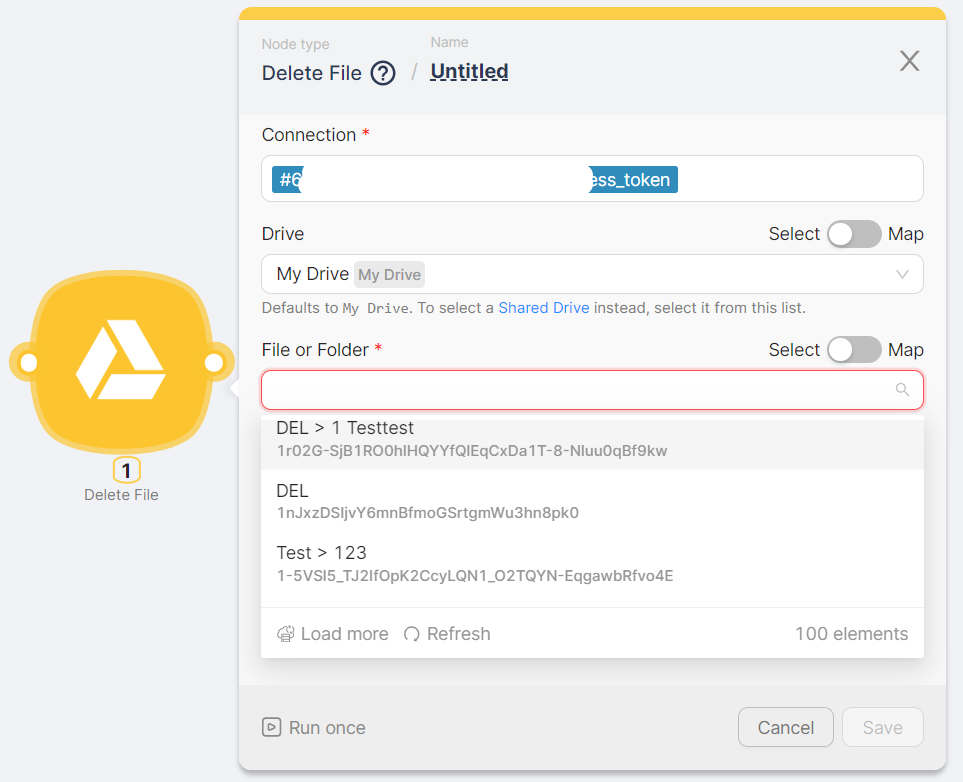
After you click the picker field:
File and Folder Display
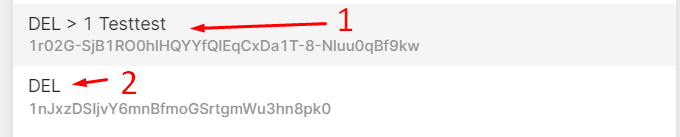
File and folder names are displayed, taking their identifiers into account:
- If a file is located within a folder, the name is displayed in the format Folder Name > File Name (1)
- If the file is located outside of a folder, the name is displayed without additional comments (2)
- The folder name is also displayed without additional comments
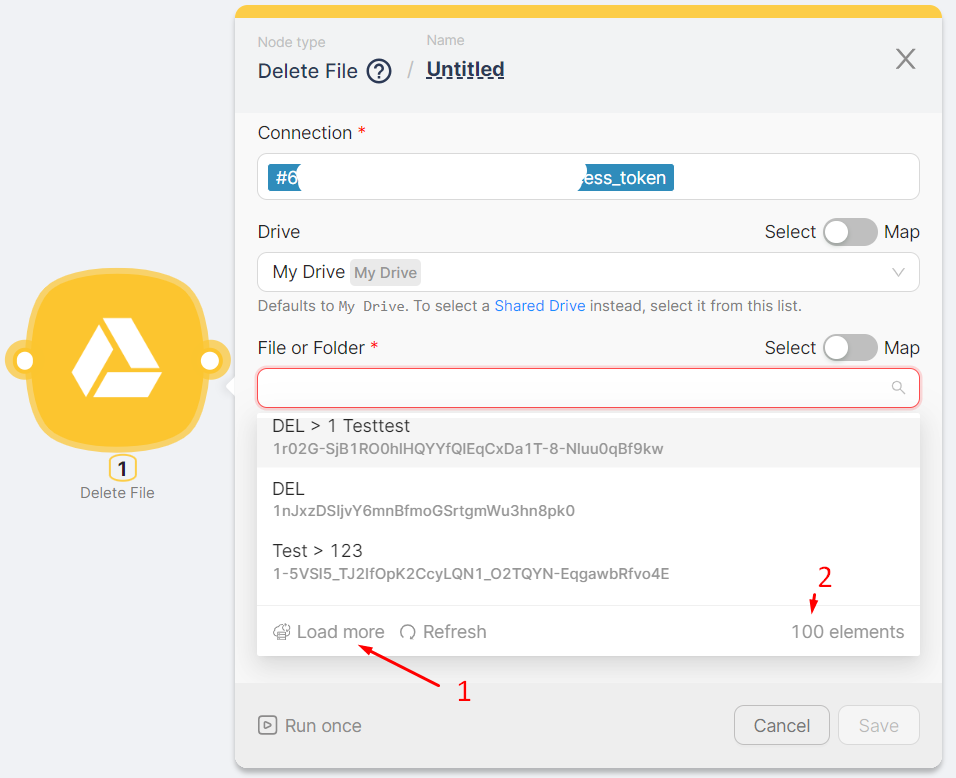
Loading More Items
The first 100 items of the dropdown list are displayed (2). By clicking the Load More button (1), the next 100 items in the list are loaded for selection. The Load More button disappears when the entire list of values has been loaded.
Search Functionality
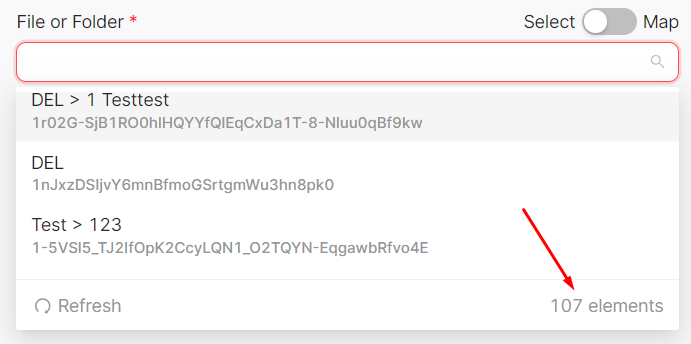
Text input for searching values is available:
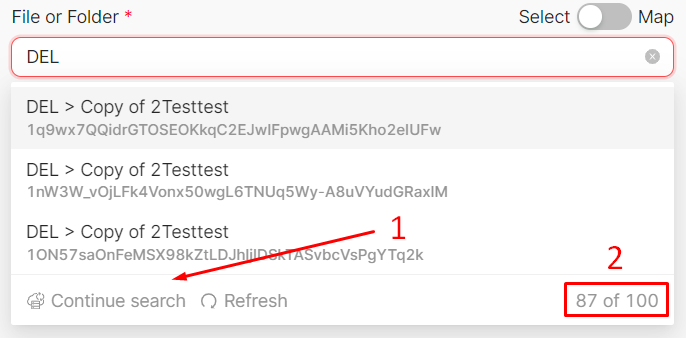
- When entering a search value (1), the number of found values out of the total number of loaded values is displayed (2), and unsuitable values disappear.
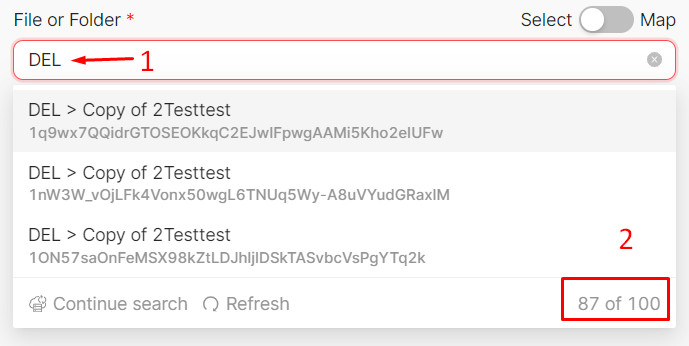
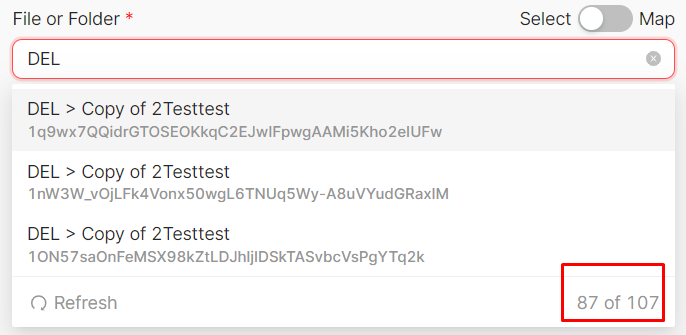
- The search is conducted within the loaded values, for example, within 100 values (2) out of the existing 107. By clicking the Continue Search button (1), a search is performed for the next hundred values. The Continue Search button disappears when the search has been conducted across the entire list of values.
Zoom
Automating meeting scheduling and notifications.
Custom LLM Connection
Call OpenAI-compatible APIs with your own key and base URL from a single node.
Need Help? Ask the community
If something on this page is missing or unclear, post on the Latenode community forum. Our team and other users usually reply quickly.