
Trigger on Schedule
Trigger on Schedule is a node that lets you configure automatic runs for your scenarios on a schedule you define.
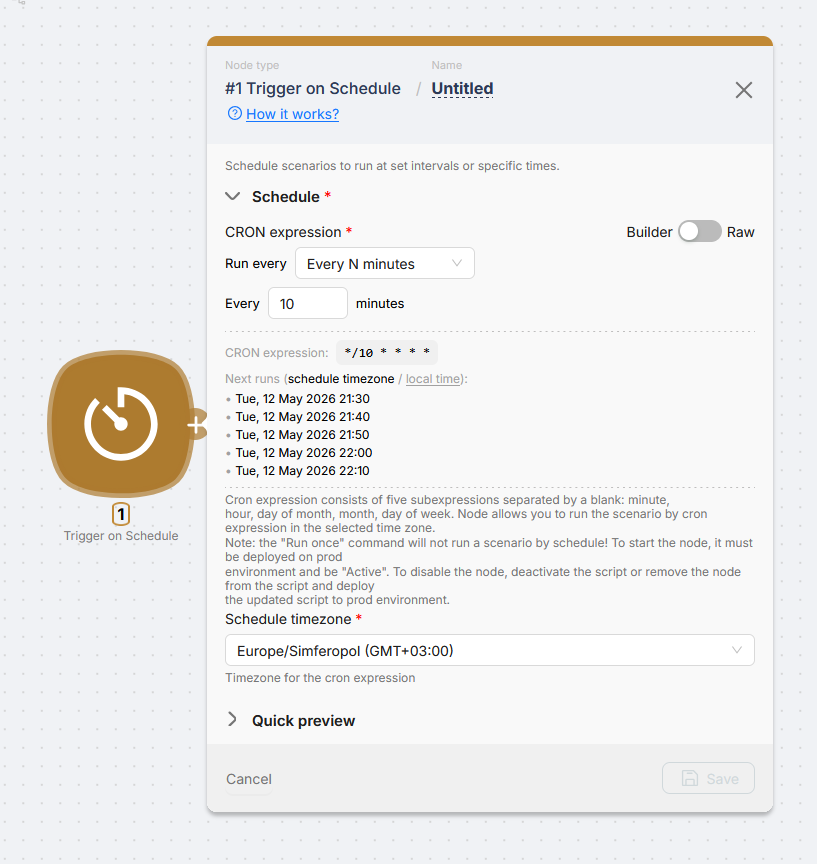
Builder mode
In the node panel, pick Schedule timezone, leave Builder / Raw on Builder, and set the schedule using the controls (for example every N minutes with a minute value). The panel shows the generated CRON string and upcoming runs in the selected timezone.
Raw mode
If Builder does not fit, switch Builder / Raw to Raw and type your CRON expression manually. The upcoming runs list recalculates the same way so you can validate the string before saving.
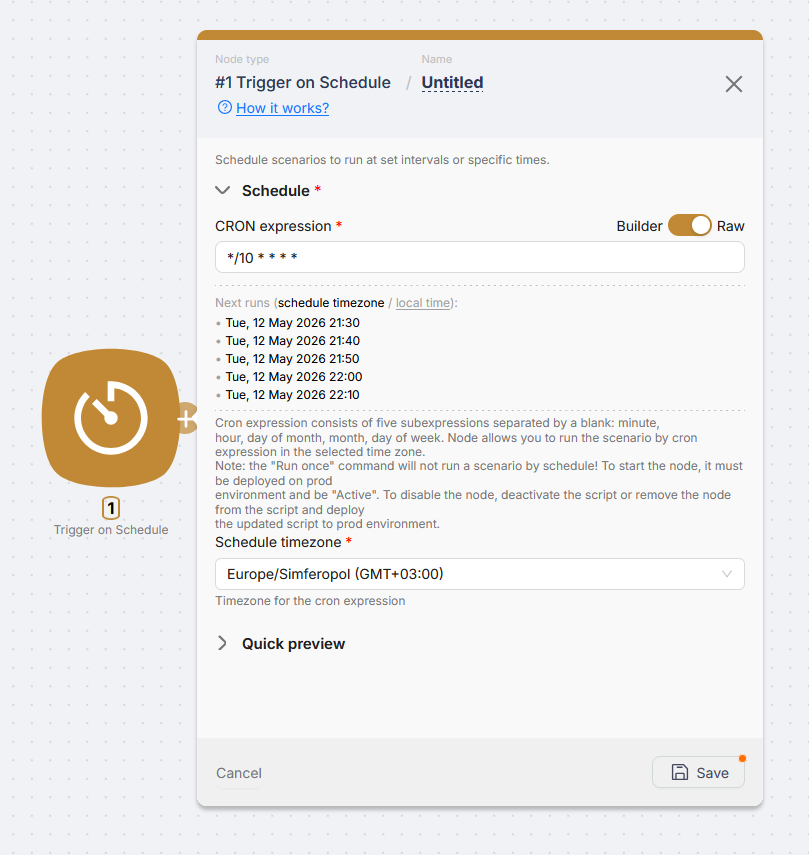
The inline help summarizes the five CRON fields (minute, hour, day of month, month, day of week) and when the trigger actually fires in Production.
In Builder, the CRON string is built automatically from your selections. In Raw, you type the CRON string yourself.
The scenario runs on the schedule only when it is deployed to Production, the scenario is active (not Paused), and the trigger node is enabled. Run once does not simulate the schedule firing.
To stop scheduled runs, turn off Activity, pause the scenario, or remove the Trigger on Schedule node.
Trigger on Run once
Executing a one-time automation scenario
HTTP Request
Sending and receiving HTTP requests for API communication
Need Help? Ask the community
If something on this page is missing or unclear, post on the Latenode community forum. Our team and other users usually reply quickly.