
Trigger on Webhook
Node Description
Trigger on Webhook is a trigger node that serves as the entry point of a scenario. When a request is sent to the node's URL, the scenario starts executing.
Node Configuration
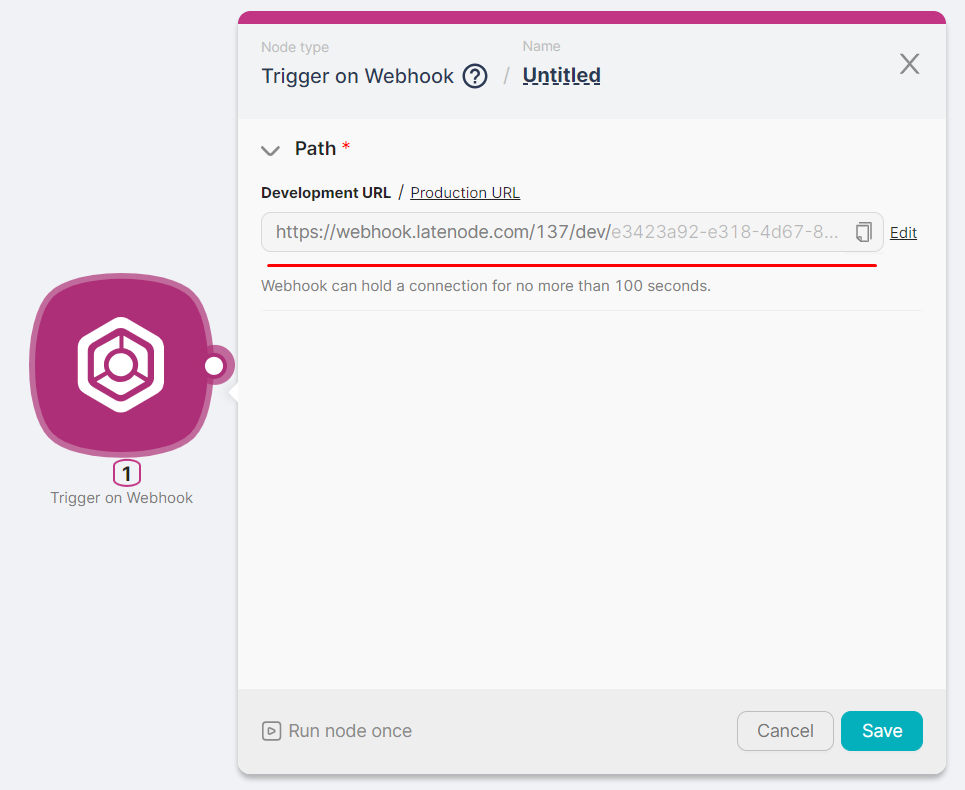
After adding the Trigger on Webhook node, two URL versions are automatically generated and displayed in the Path field:
- Production URL — requests can be sent continuously; the scenario keeps running until manually stopped or a critical error occurs.
- Development URL — the scenario runs once after a single request, then stops. Use this for testing and debugging.
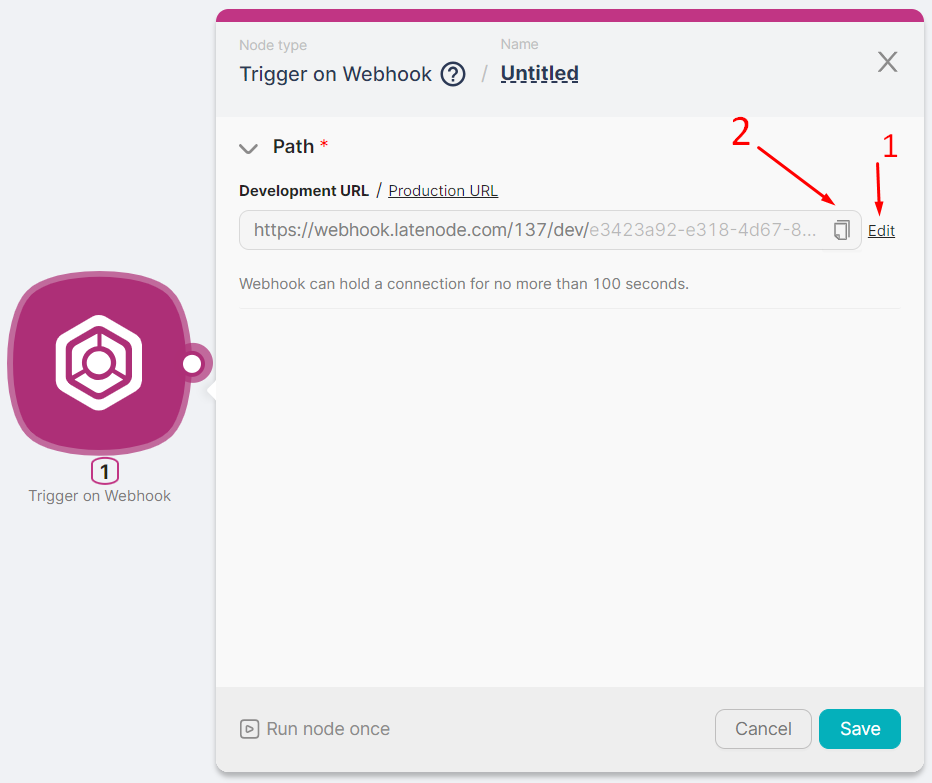
The generated URL can be partially modified (1) or copied (2) for use in requests.
You can send requests to the Trigger on Webhook node using the POST method (to transmit data) or the GET method (to trigger the scenario without a body).
Webhook Response Modes
The platform can reply to a webhook request in three ways:
- Default response (
200 OK): if your scenario has no Webhook Response node, the platform accepts the request and returns200 OKright away. If your account has reached the parallel execution limit, the scenario still runs once its turn comes. - Custom response: add a Webhook Response node to return a custom body, status code, and headers. The response is sent only after that node runs, so if the run is queued because of the parallel execution limit, the sender may time out before receiving it.
- Instant reply (fast mode) — if the sender expects an immediate response (for example, due to a short timeout), use fast mode via URL parameters. See Fast mode below.
Fast mode (asynchronous mode)
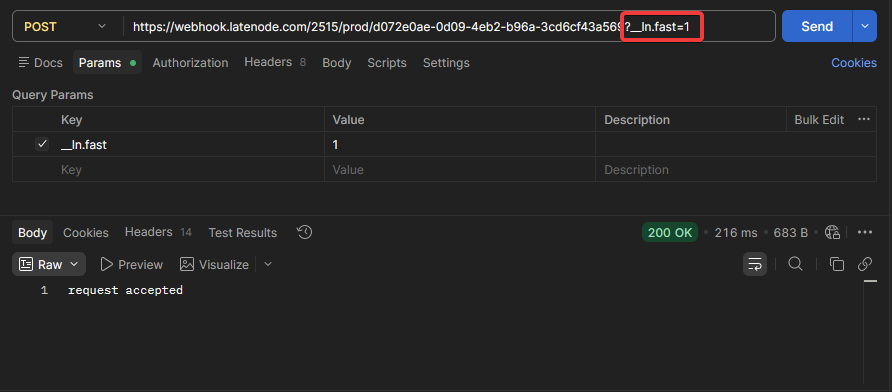
Fast mode runs the webhook asynchronously: it replies immediately while the scenario keeps running. This is useful when the sender expects a response very quickly and may close the connection before the scenario finishes.
__ln.fast=1 — Fast Mode
When __ln.fast=1 is set, the webhook returns a response immediately, before the scenario completes. In this mode, the Webhook Response node is not used for the webhook reply (it won’t run), because the response has already been sent to the sender.
Important
- In fast mode, the client sending the request may not see scenario errors, for example if the scenario is inactive and so on.
- If the webhook for requests with the
__ln.fast=1parameter is not found, the platform will still return200 OK.
Available __ln.* parameters
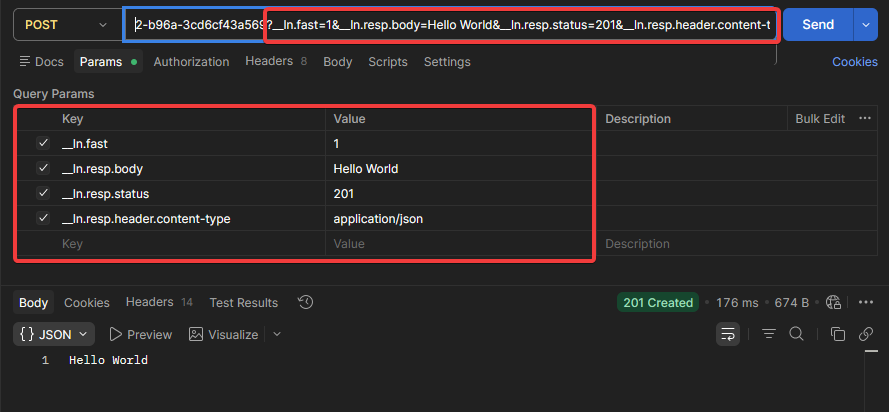
| Parameter | What it does | Example |
|---|---|---|
__ln.fast | Enables fast mode: Latenode replies immediately, before the scenario runs. | __ln.fast=1 |
__ln.resp.body | Response body for async replies (no Webhook Response node, or __ln.fast=1 enabled). | __ln.resp.body=Hello%20World |
__ln.resp.status | HTTP status code for async replies. | __ln.resp.status=201 |
__ln.resp.header.<header> | Response header for async replies. | __ln.resp.header.content-type=application/json |
Full URL Example
https://<your-webhook-url>?__ln.fast=1&__ln.resp.body=Hello%20World&__ln.resp.status=201&__ln.resp.header.content-type=application/jsonNeed Help? Ask the community
If something on this page is missing or unclear, post on the Latenode community forum. Our team and other users usually reply quickly.