
Telegram Bot

Telegram Bot nodes send and receive messages, work with media, manage chats, and react to updates using a bot you create in Telegram.
Creating a bot
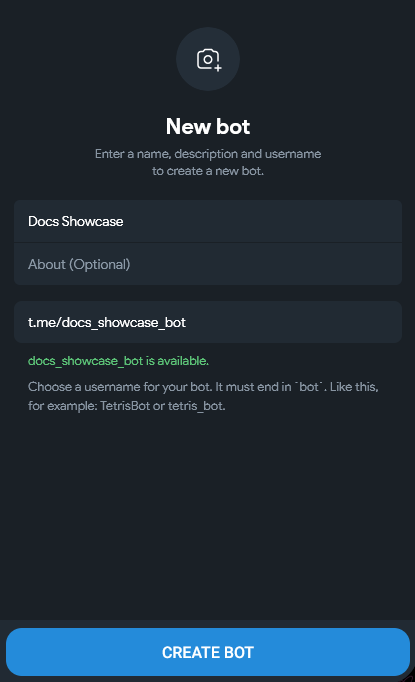
Bots are created with @BotFather.
Open BotFather
Search for @BotFather or open t.me/BotFather.
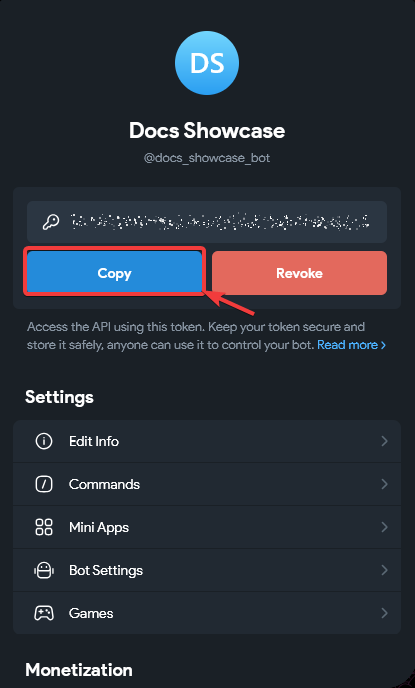
Keep the token secret
The token is your bot password. Do not post it publicly.
Connecting to Latenode
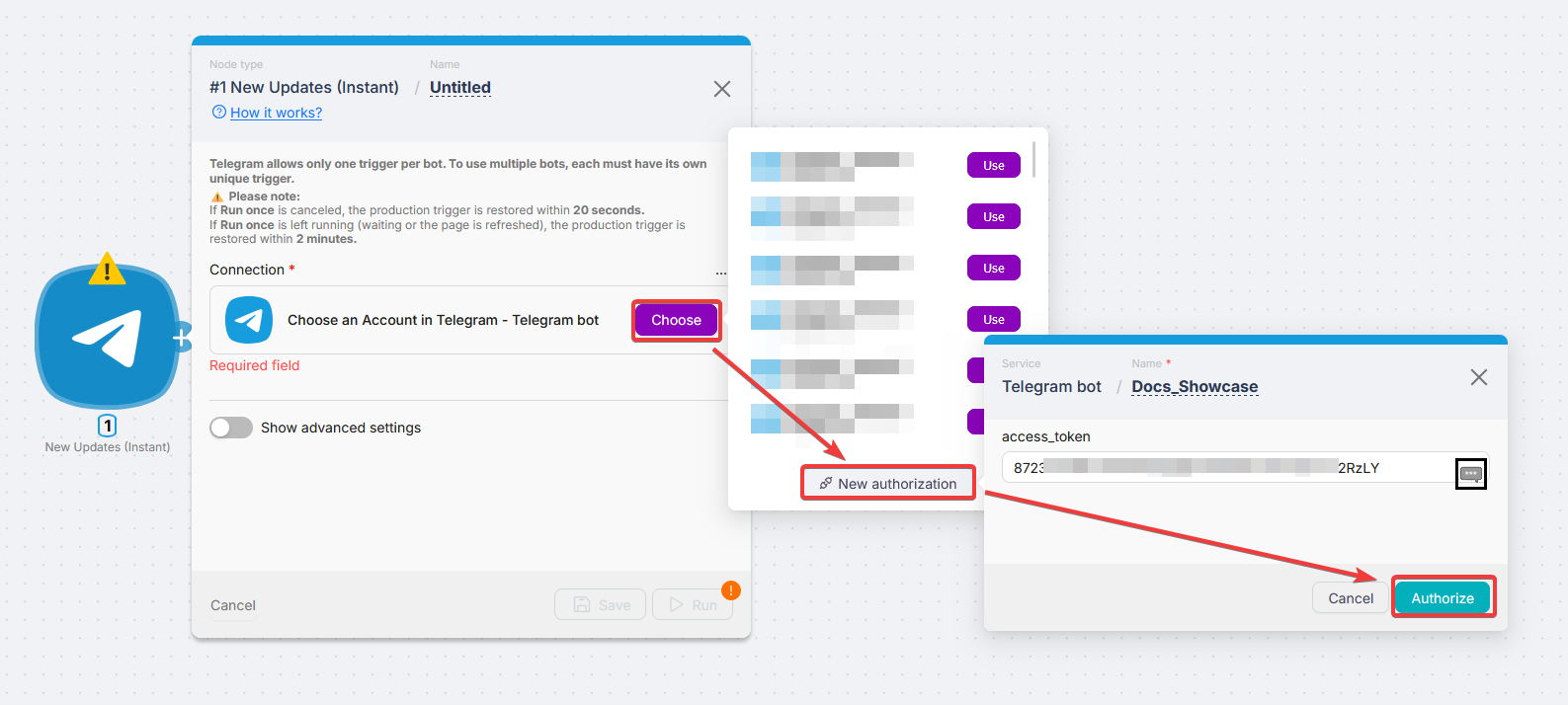
Open authorization
On any Telegram Bot module, click Create an authorization or Choose.
Enter name and token
Name the connection and paste the token from BotFather.
How to get a Chat ID
Most modules need Chat ID (chat, group, or channel).
Method 1: Trigger output (recommended)
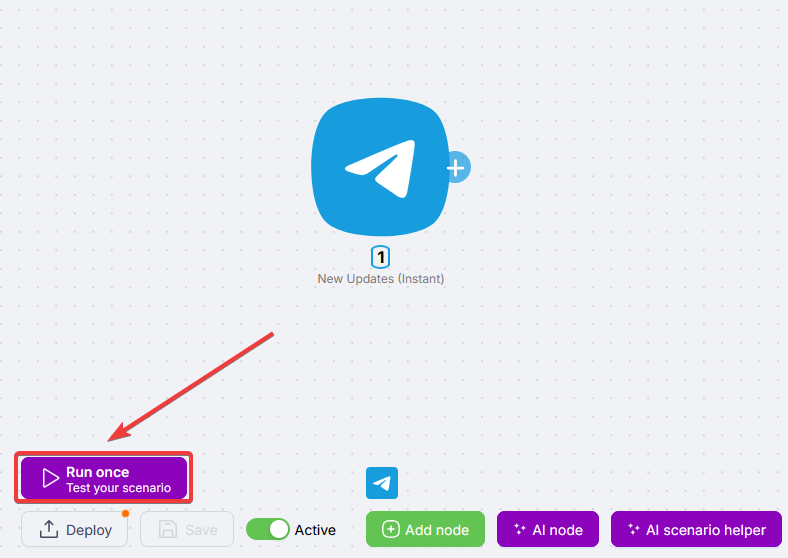
Add New Updates (Instant) and enable it
Turn the trigger Active on.
Message the bot and read output
Send any message to the bot. In the trigger output, read message.chat.id.
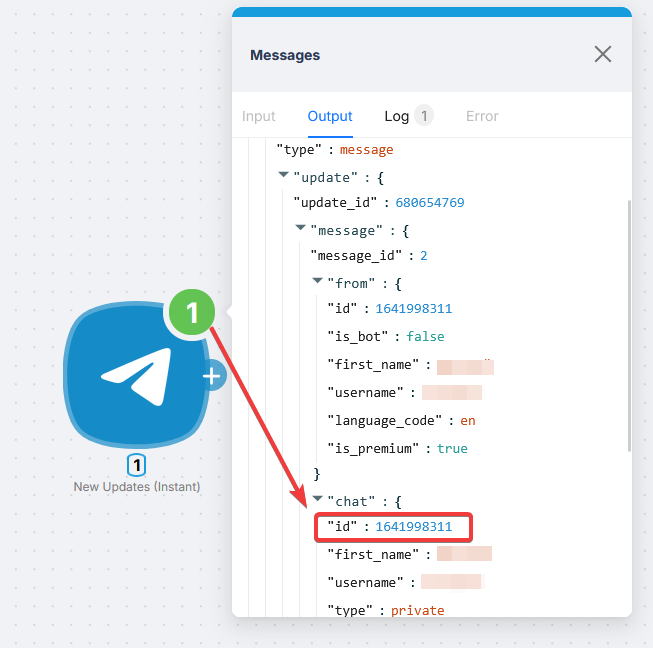
Map the value downstream
Use that id in later nodes.
Method 2: Private channel via web Telegram
Open web.telegram.org
Go to the private channel.
Read the URL
- Option A:
https://web.telegram.org/#/im?p=c1424271061_11793697872942794544→ take the number afterc, prefix-100→-1001424271061. - Option B: URL already like
https://web.telegram.org/a/#-1001833483575→ that value is the Chat ID.

For channels and supergroups the -100 prefix matters; without it sends can fail.
Adding a bot to a channel or group
Add the bot
Administrators (channels) or Members (groups) → add your bot.
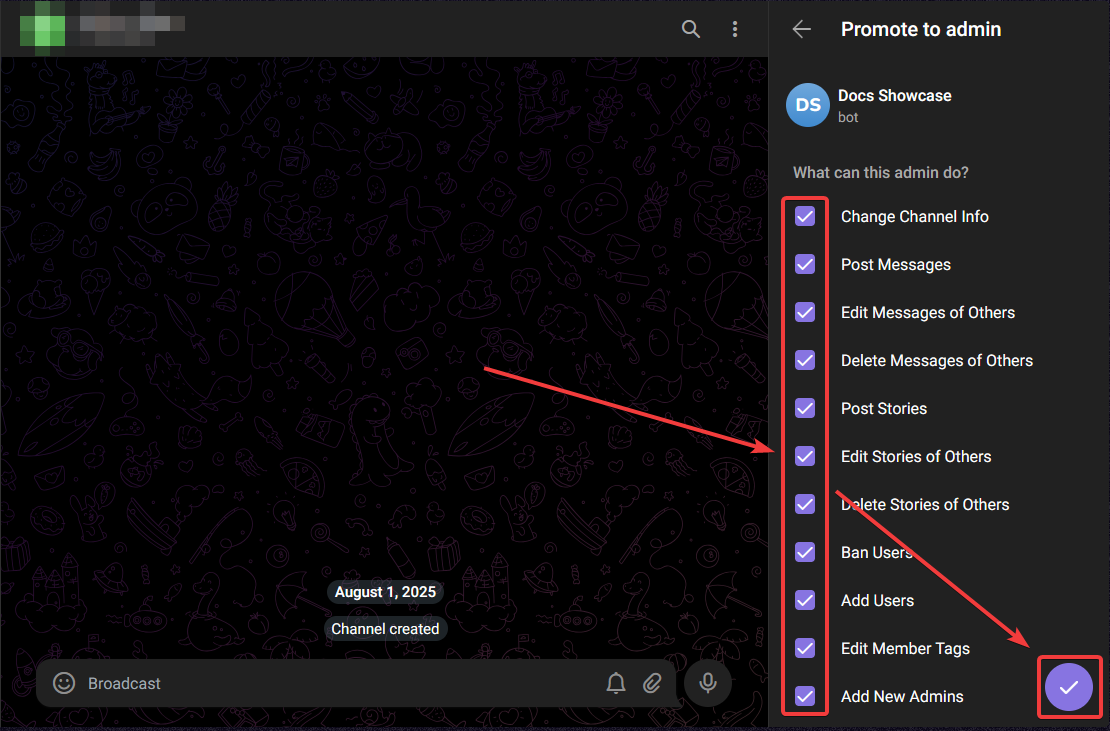
The bot must be a channel administrator to post in channels.
Triggers
New Updates (Instant)
Main trigger: fires on any bot update (messages, callbacks, inline queries, system events).
Choose Connection for the bot that receives updates.
One active trigger per bot
Telegram allows only one active trigger per bot. Split workflows with separate bots and connections.
- If Run once is canceled, production trigger restores in about 20 seconds.
- If Run once stays running or the page is refreshed, restore takes about 2 minutes.
| Field | Description |
|---|---|
| Connection | Pick your Telegram bot Connection from the dropdown. |
| Allowed Updates | Optional filter (messages, callbacks, …). Empty = all |
| Enable Raw Data Updates | Deliver backlog when the trigger was off |
| Enable System Messages | Join/leave, pins, etc. |
| Include Message Thread | Topic info for forum groups |
Reply Markup
Optional Reply Markup on send nodes: inline keyboard or reply keyboard.
Inline keyboard (URLs and callbacks):
{
  "inline_keyboard": [
    [
      { "text": "Open link", "url": "https://example.com" },
      { "text": "Confirm", "callback_data": "confirm" }
    ],
    [{ "text": "Cancel", "callback_data": "cancel" }]
  ]
}
Reply keyboard (sends button text as a message):
{
  "keyboard": [["Yes", "No"], ["Maybe"]],
  "resize_keyboard": true,
  "one_time_keyboard": true
}
Keyboards do not work in channels (only DMs and groups).
Actions
Most actions need Chat ID: numeric id, @username, or channel id. Type it, Map it from the trigger or another node, or Select when the UI offers a list. See How to get a Chat ID.
Connection is always your bot connection dropdown.
Troubleshooting
Rate limits
| Limit | Value |
|---|---|
| Same chat | About 1 message per second |
| All chats | About 30 messages per second |
| Same group | About 20 messages per minute |
Add delays or batch sends if you hit 429 Too Many Requests.
Bot not responding
Check the token (no spaces). If BotFather reissued the token, update the Latenode connection.
Bot is not a member of the channel
Add the bot as a channel administrator. See Adding a bot to a channel or group.
Chat not found
Wrong Chat ID, missing -100 for channels/supergroups, or the bot was removed. Group upgrades to supergroup change the Chat ID; refresh the stored id.
Speaknode
Connect Latenode to SpeakNode voice AI agents; automate calls, CRM updates, and workflows when sessions start or complete.
WhatsApp Business Cloud
Send messages, templates, and files over WhatsApp Cloud API; inbound events use a Webhook.
Need Help? Ask the community
If something on this page is missing or unclear, post on the Latenode community forum. Our team and other users usually reply quickly.