
If the app or action you need isn't available
Sometimes the app you need is not in the integrations list, or it is there but the specific endpoint you need is not among the ready-made nodes. That is not a problem - you can build the integration yourself in just a few minutes.
Step 1. Find the API documentation
Most services publish open REST API documentation. It lists every available operation with request examples.
Say you want to create a new card in Trello but there is no ready-made Trello integration. Search for "Trello REST API" or "Trello REST API create card". Following one of the first results, you will land on the Trello REST API documentation - the full list of API sections is in the left sidebar.
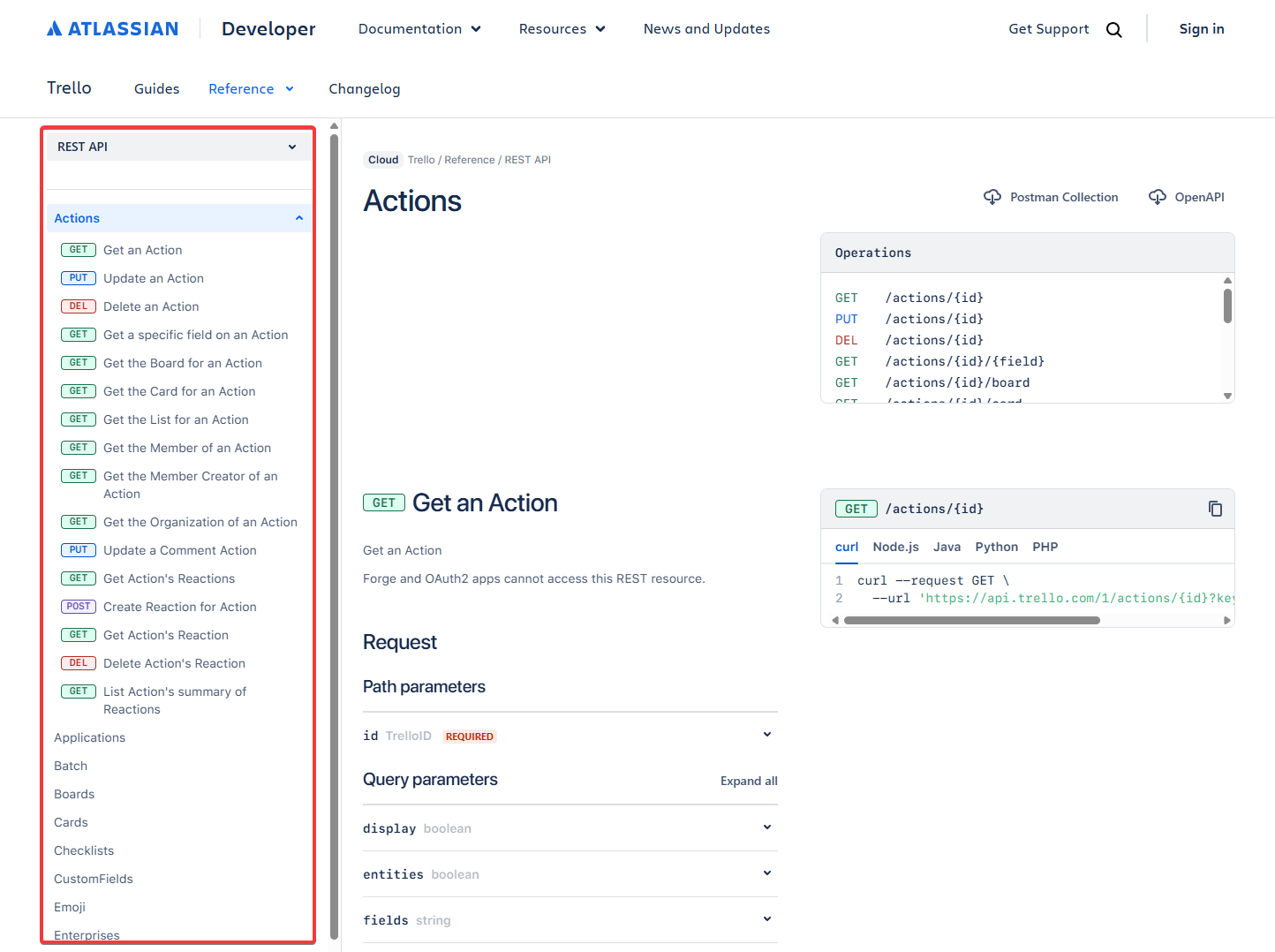
Step 2. Find the operation and copy the cURL
Browse or search the sidebar for the section you need. For Trello cards it is Cards, operation Create a new Card. On the operation page you will see a cURL example on the right - copy it.
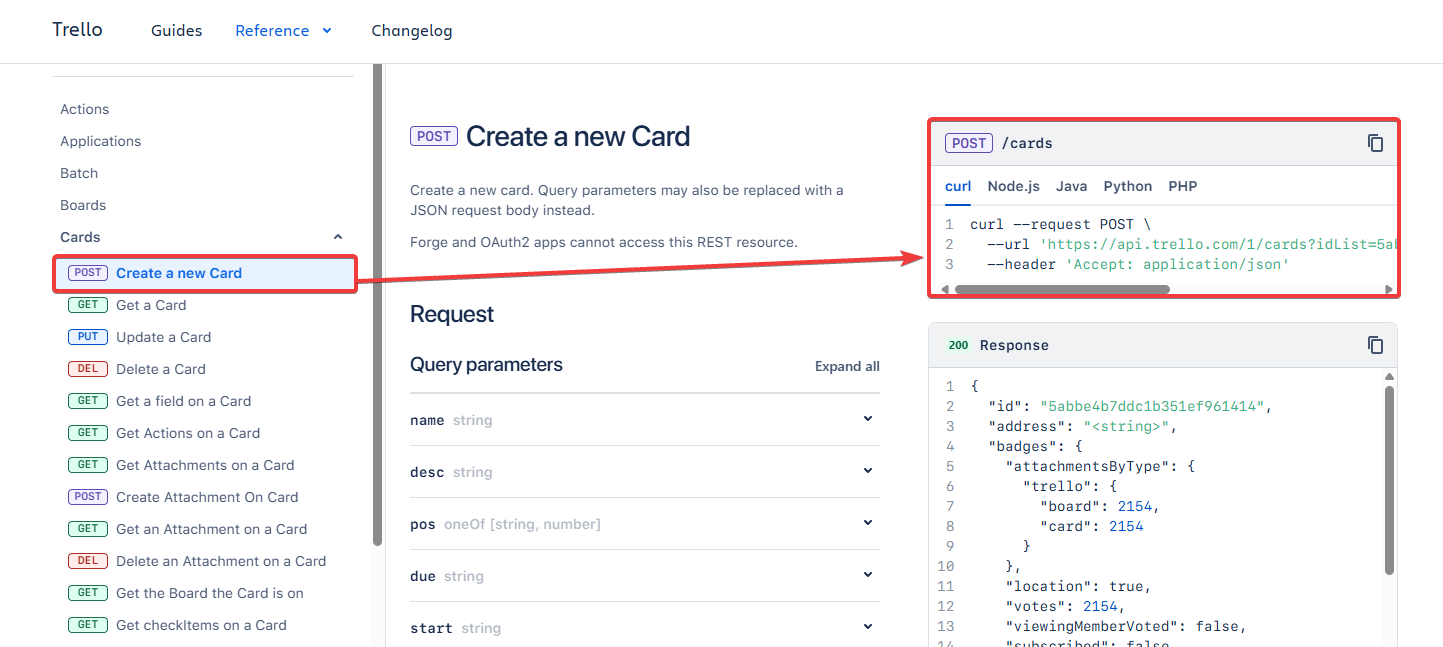
Don't want to search manually?
Just ask any AI with internet access: "Give me the cURL for creating a card via the Trello API". It finds the right request faster than browsing the docs yourself, and will also help you pick all the necessary parameters.
Step 3. Use the cURL in Latenode
There are two ways to turn this cURL into a working node.
Option 1. HTTP Request - no code
The HTTP Request node accepts a cURL and parses it into fields: method, URL, headers, and body.
- Add the HTTP Request node to the canvas
- Click Import from cURL and paste the copied request
- Click Generate - the request structure fills in automatically
- Replace all the necessary fields with your values: type them manually or map variables from upstream nodes
Option 2. JavaScript + AI
The AI assistant writes the code for you and generates all the required fields - no need to touch the code directly.
- Add the JavaScript node to the canvas
- Open the AI chat inside the builder
- Paste the cURL into the chat and click Send - the agent writes the code and generates all the necessary fields
- On the code block in the chat, click Replace - the code moves into the code editor
- Click Generate params - all required fields appear automatically
- Fill in the fields with your values - the integration is ready
Reusing an existing authorization
If you already have an authorization set up for a service and you have generated a specialized endpoint that is not in the regular nodes list, you do not need to create a new token. You can substitute the existing authorization directly into the field.
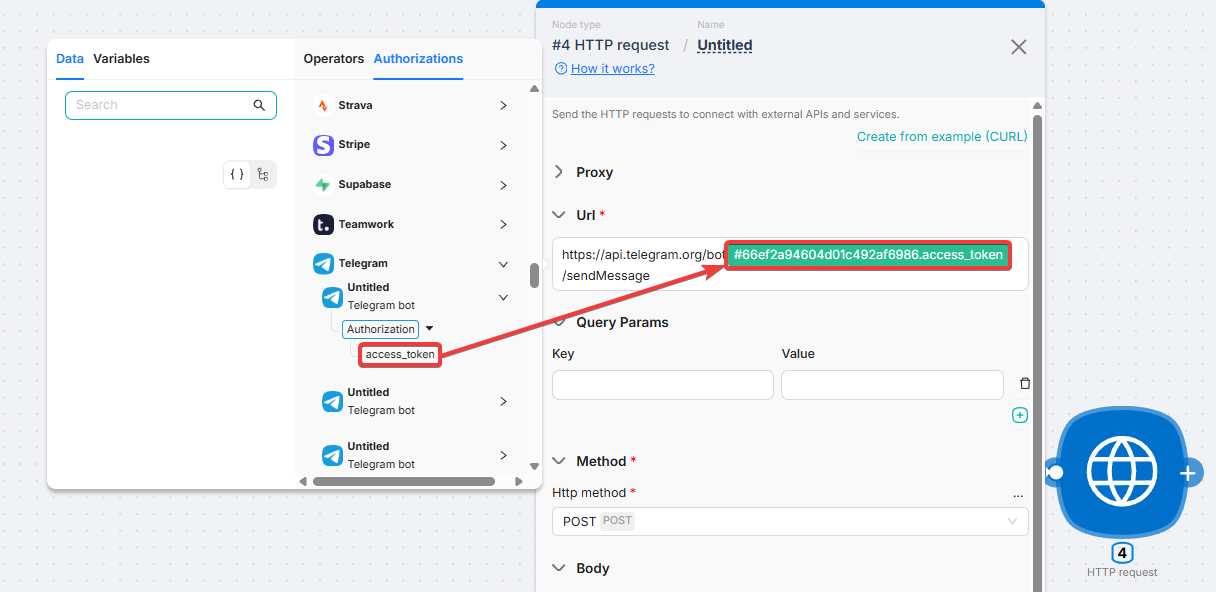
Click on any generated field. In the panel that opens, go to the Authorizations tab and select the authorization you need - its value will be inserted into the field automatically.
After connecting
Once you have imported the cURL or generated the code, you typically need to:
- Add an API token or key if authorization is not set up yet
- Map data from upstream nodes into the URL or request body
How to pass data between nodes: Building a scenario.
Want a ready-made integration?
Tell us which app you need: we add new integrations every week and prioritize based on user requests.
How to Build a Scenario
Adding nodes, connecting them, the build workflow, and passing data through the DATA tab
Scenario Types
Types of automation in Latenode - from simple linear flows to multi-agent systems
Need Help? Ask the community
If something on this page is missing or unclear, post on the Latenode community forum. Our team and other users usually reply quickly.