
App Authorization Instructions
Bitrix24
To use Bitrix24 nodes, you need to generate an incoming webhook in the application and get its address.
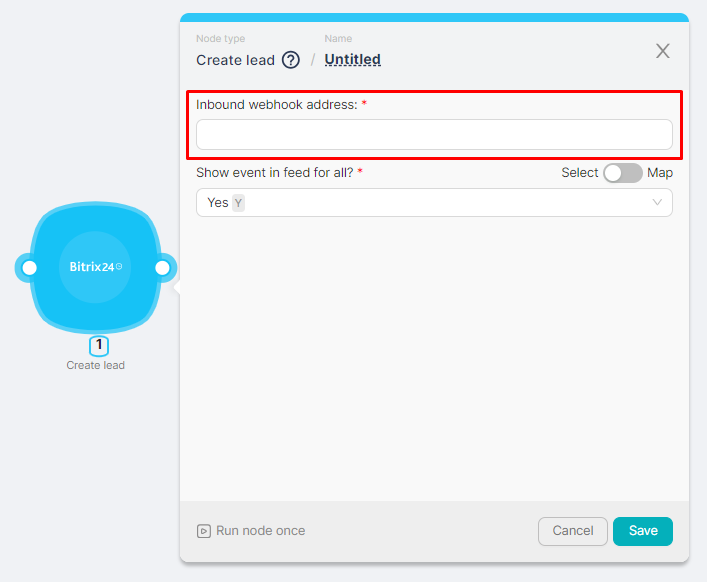
Obtaining a webhook address
To get the address of a webhook you need to:
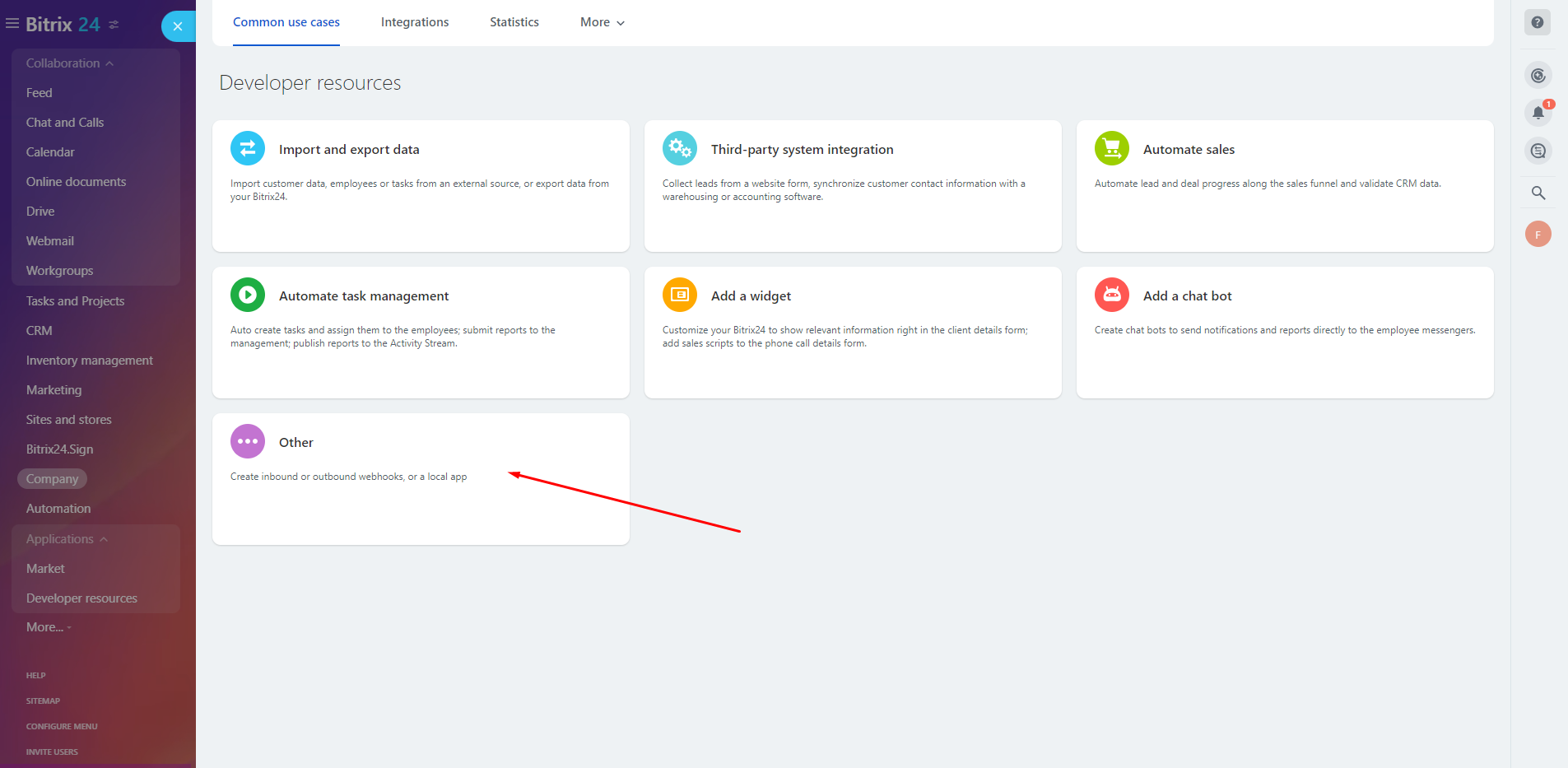
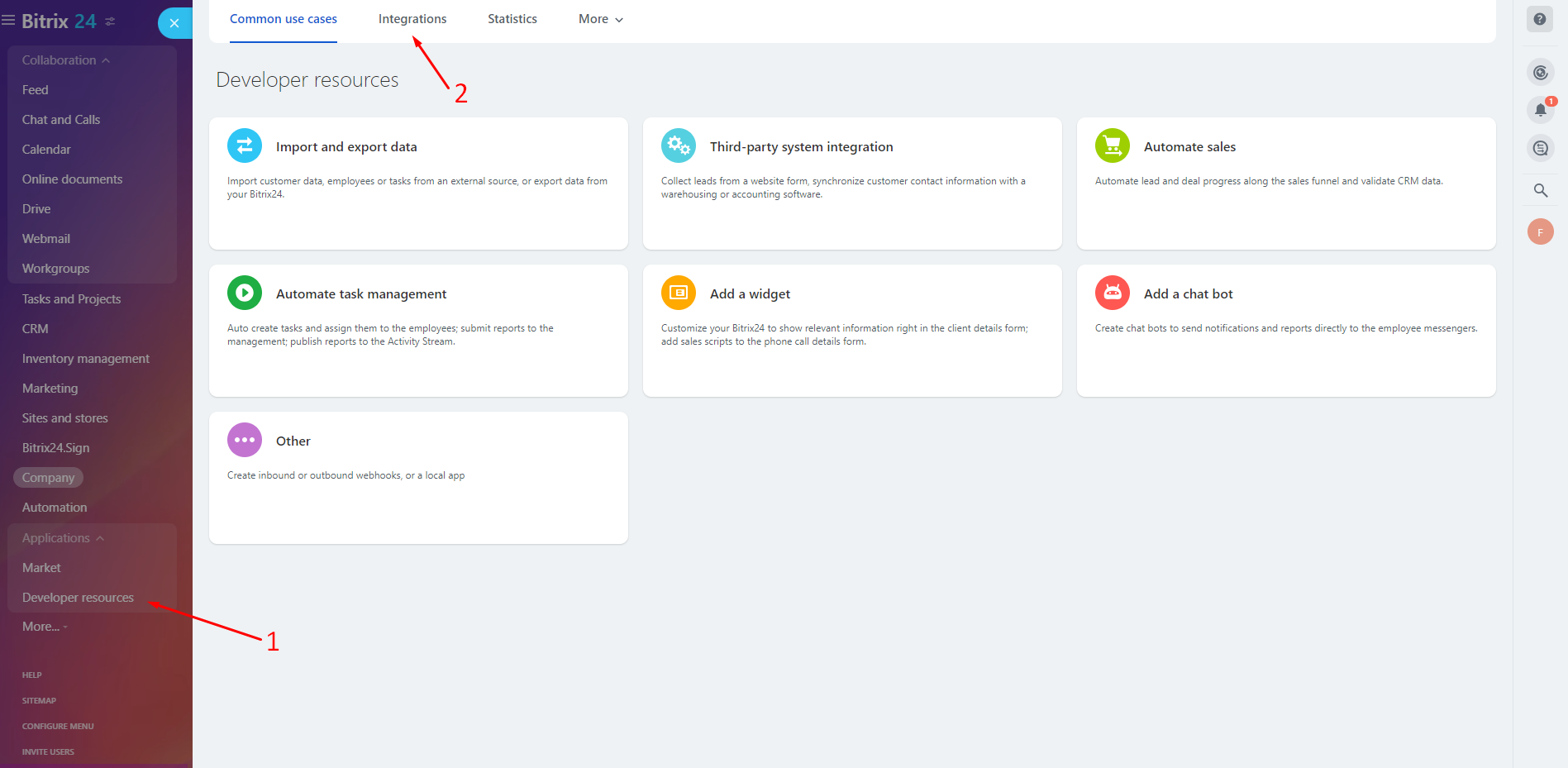
- Register in the Bitrix24 application and go to the application. On the Developer resources page, select Other:
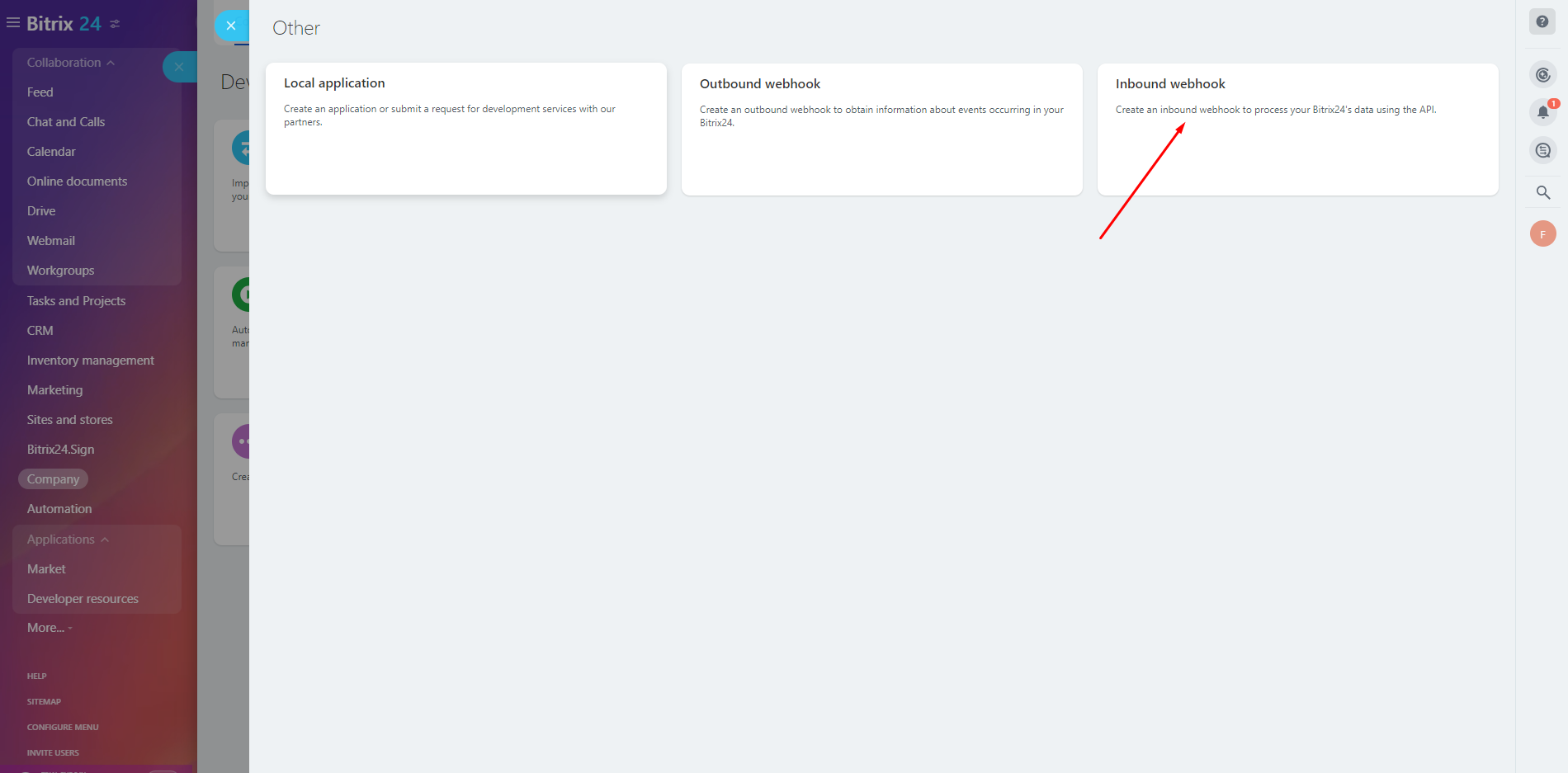
- On the Other page, select Inbound webhook;
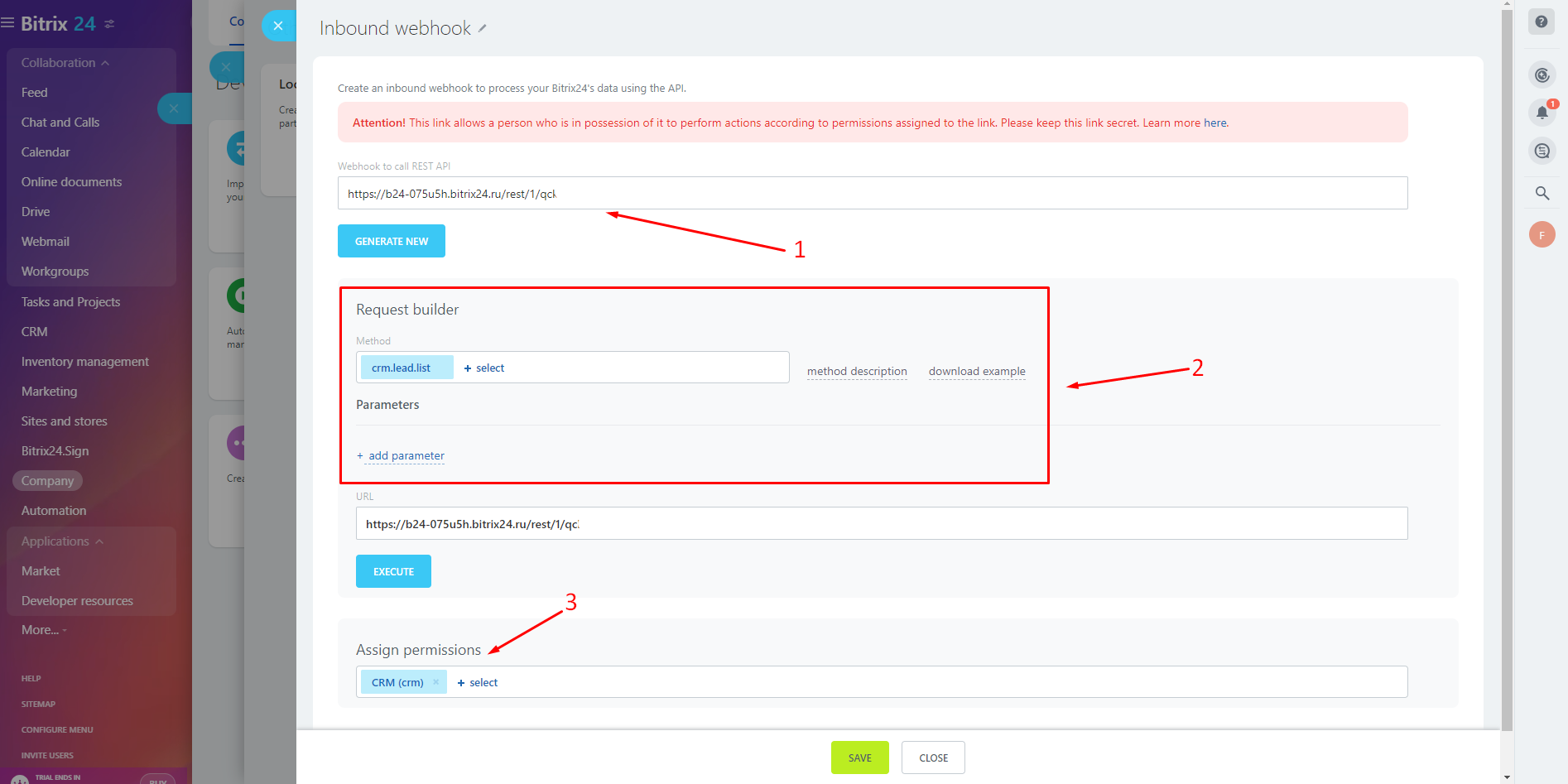
- On the Inbound webhook page:
- (1) Copy the automatically generated webhook address;
- (2) Select the desired webhook method and, if necessary, configure the parameters;
- (3) Configure the necessary permissions (the parameter can be filled in automatically).
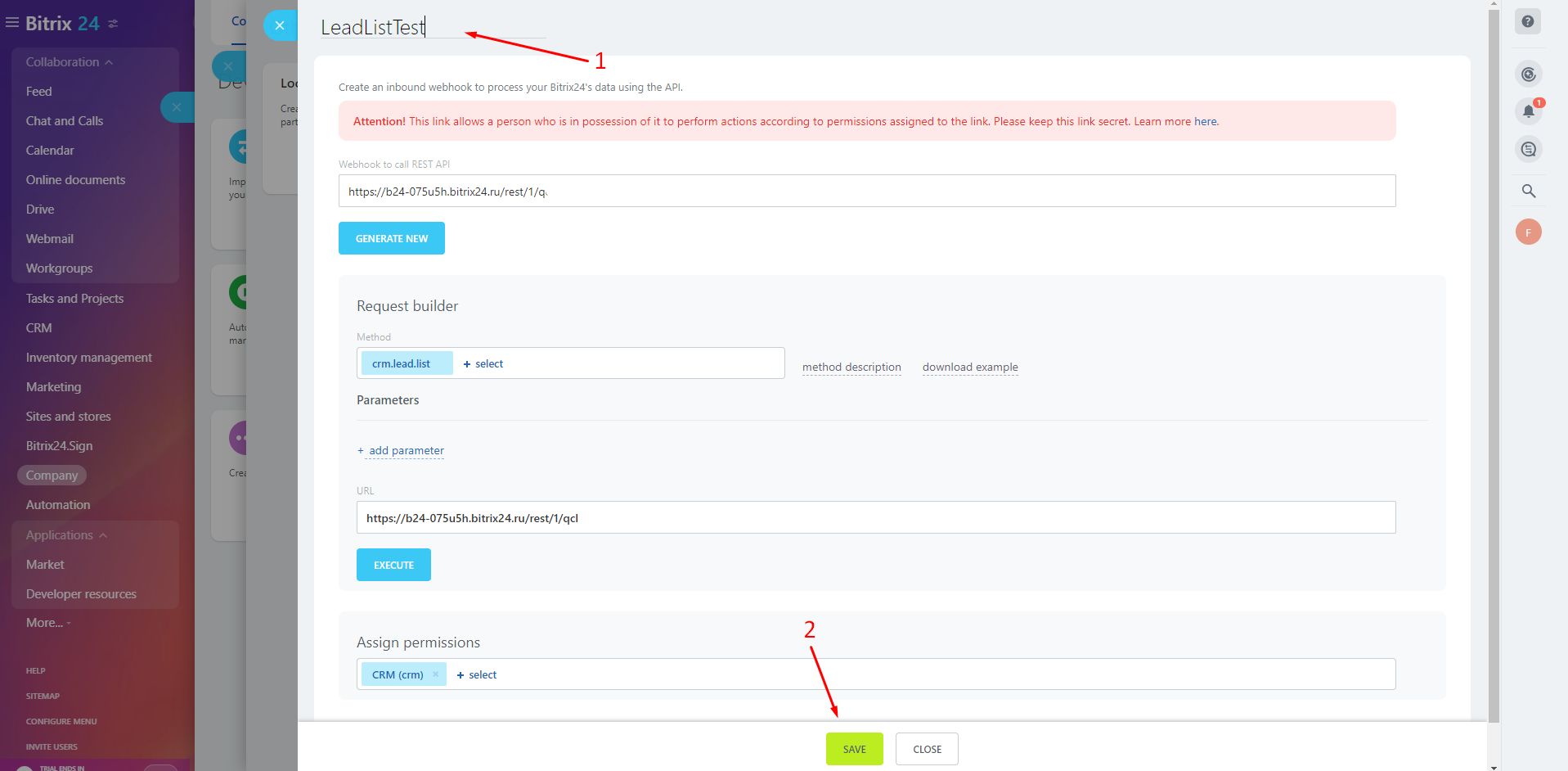
- Add the name of the inbound webhook (1) and save the changes (2).
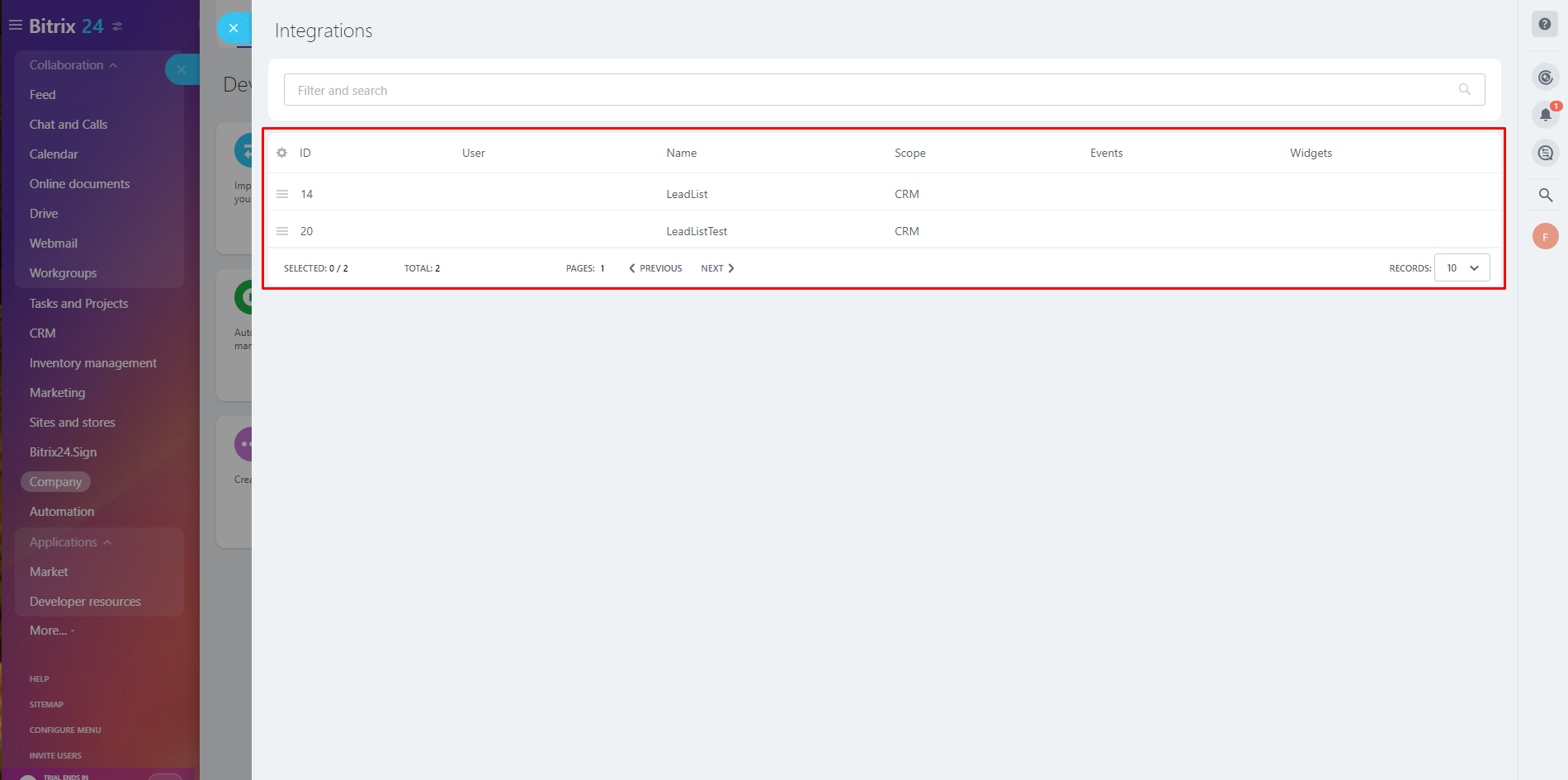
The list of created webhooks is available on the Integrations tab:
Instagram for Business (Personal Account)
Connecting and authorizing Instagram Business for automation.
Discord
Setting up automation for Discord messaging and server management.
Need Help? Ask the community
If something on this page is missing or unclear, post on the Latenode community forum. Our team and other users usually reply quickly.
0/100
0/2000