
App Authorization Instructions
Discord
For Discord bot group nodes to work, you need to get a token and perform authorization.
Receiving a token
To obtain a token you need to:
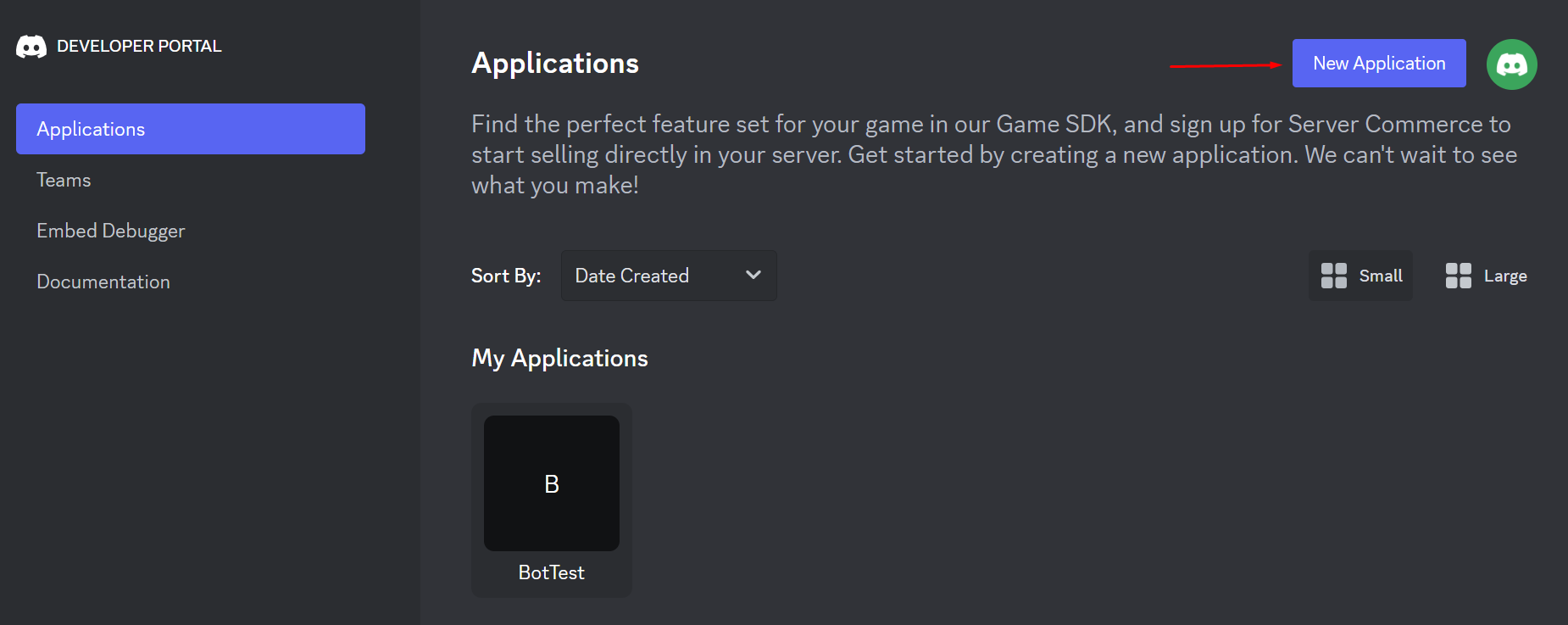
- Go to Discord Developer Portal and create an application by clicking on the New Application button;
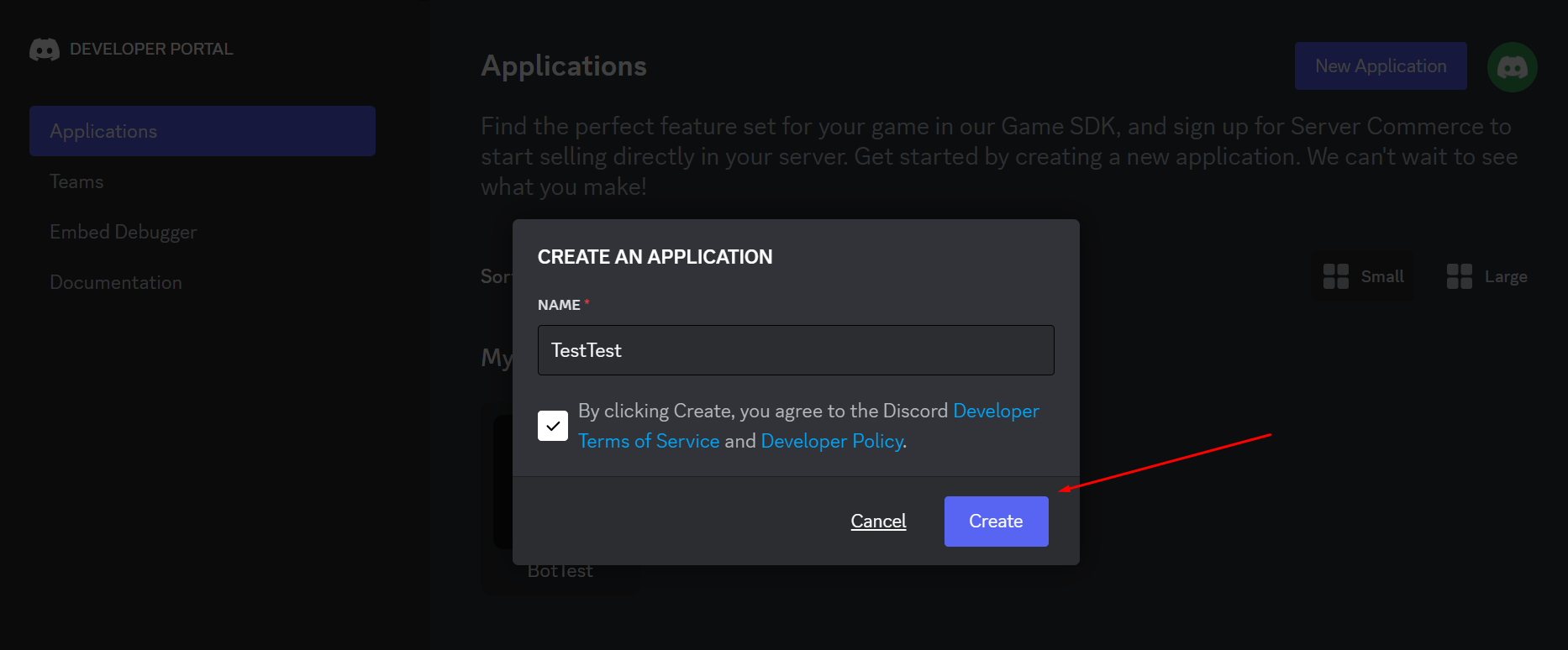
- Fill in the name of the application, agree to the terms and policies, and then click Create;
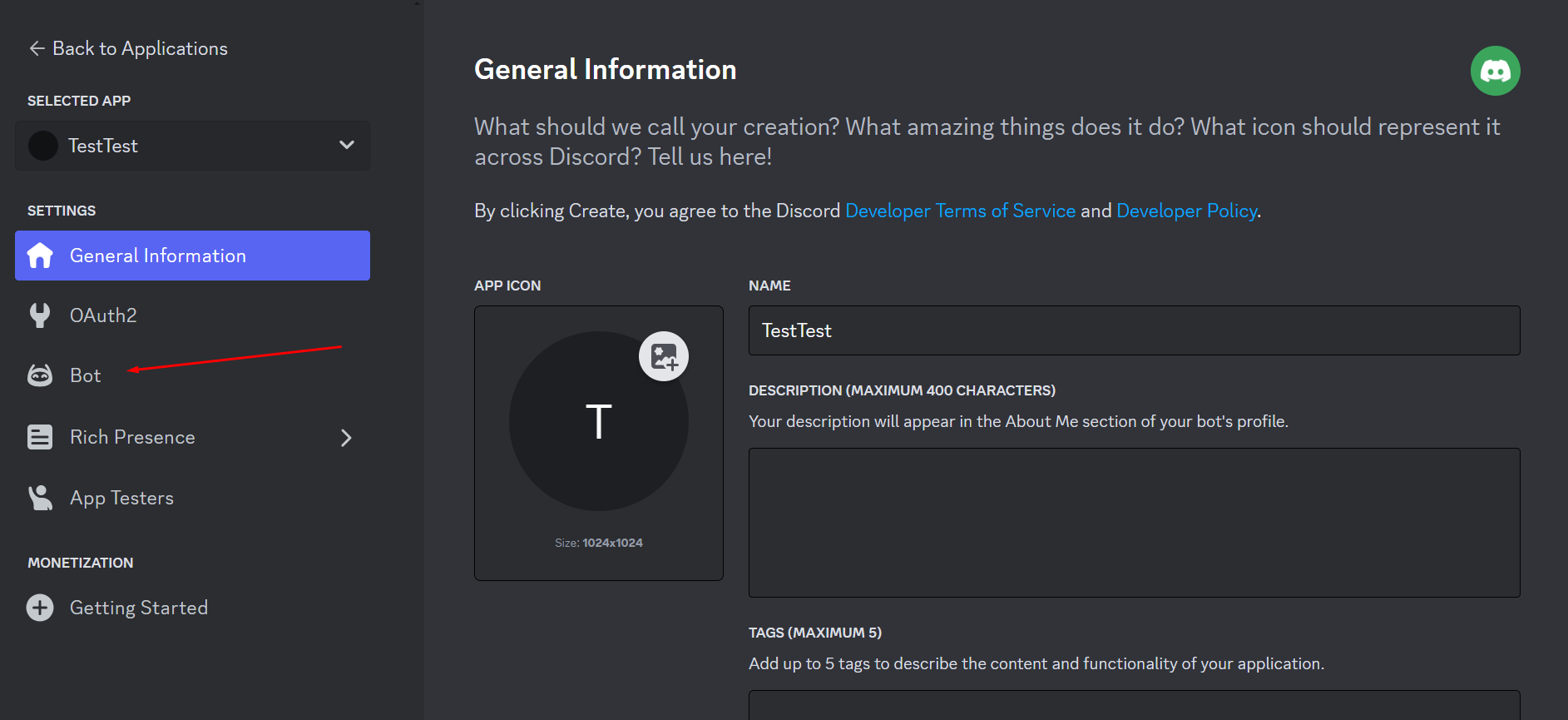
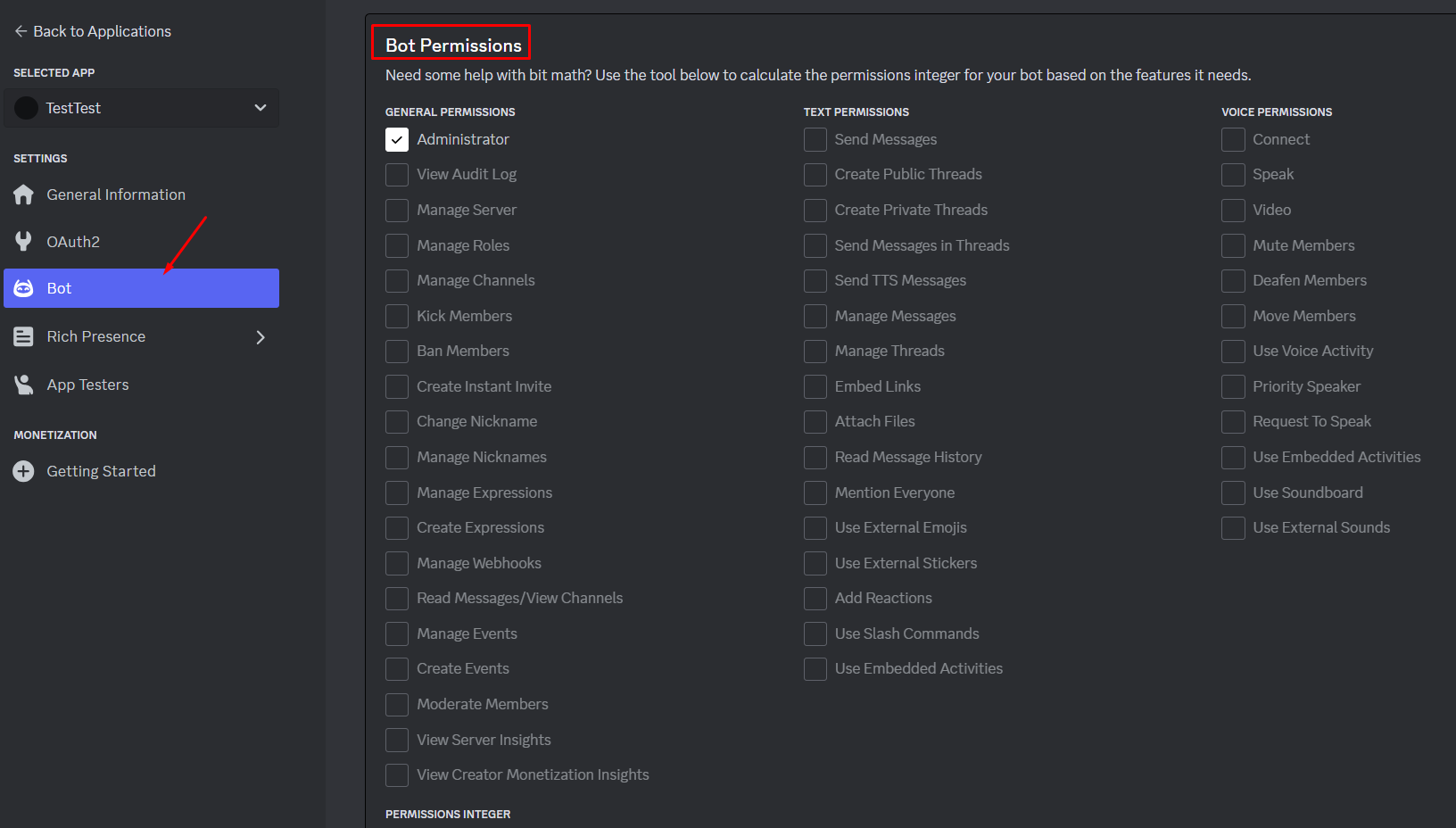
- On the opened application page, click the tab Bot;
- Check the privileges available for the bot (it is recommended to check MESSAGE CONTENT INTENT to display message content);
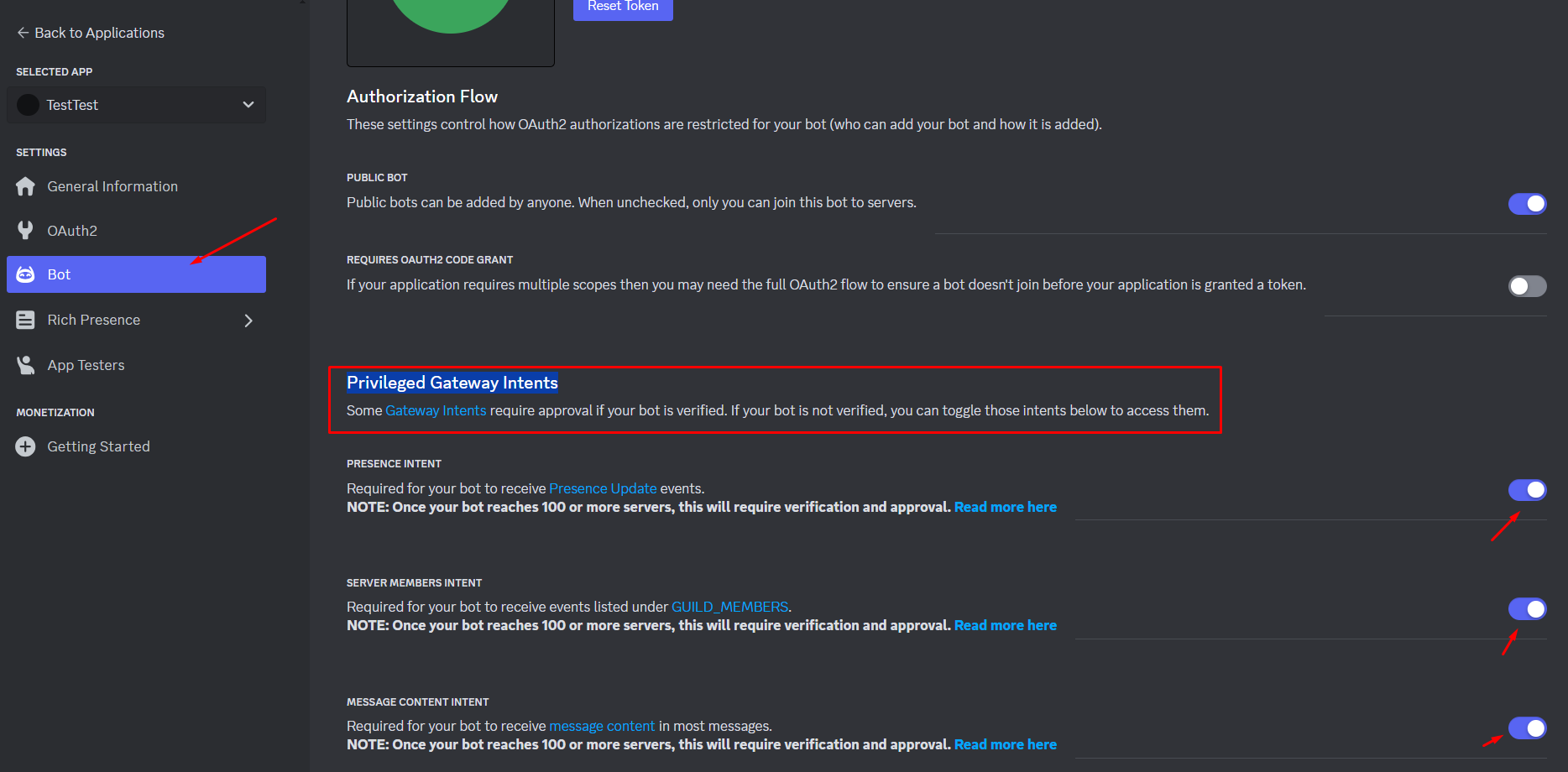
- Mark bot permissions and save the changes;
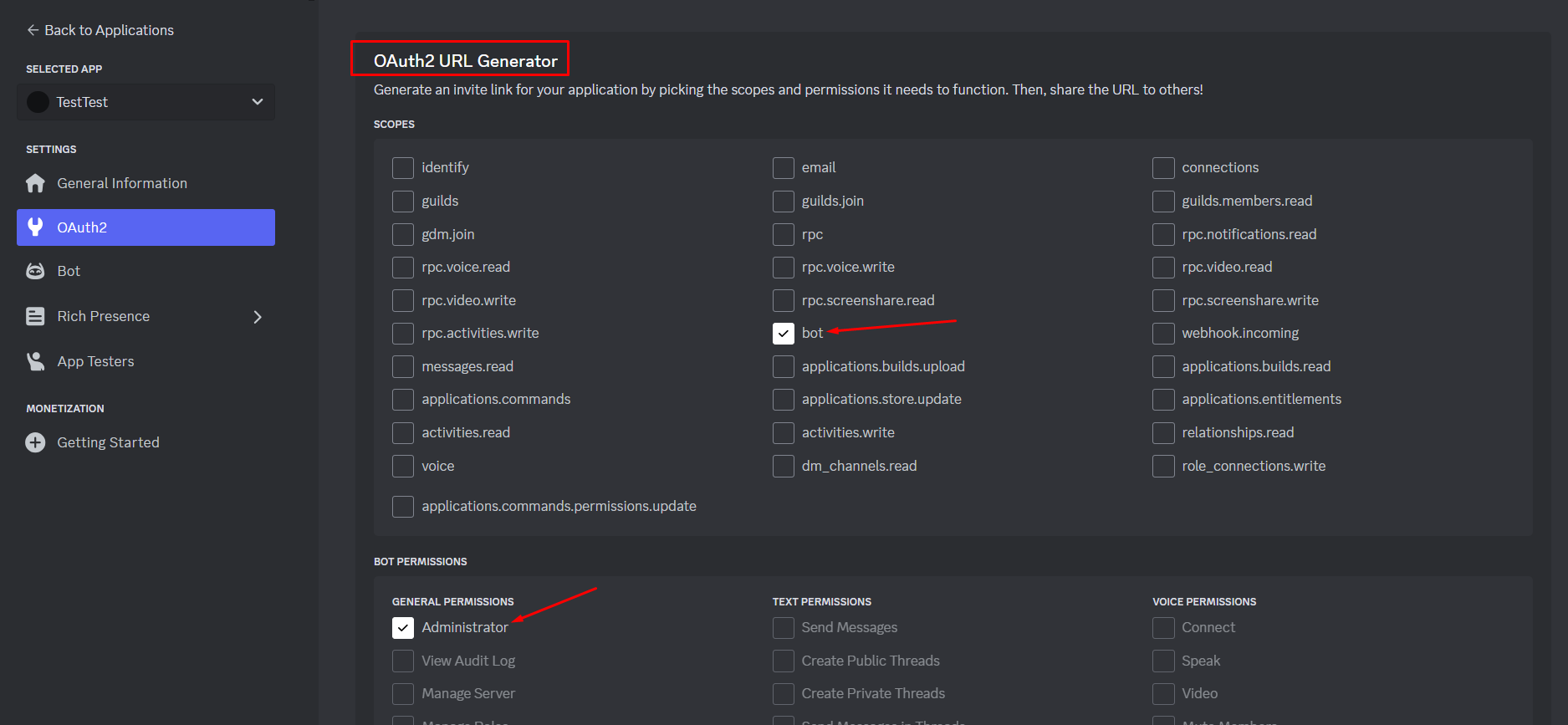
- On the OAuth2 tab, check the bot checkboxes and the permissions available to it;
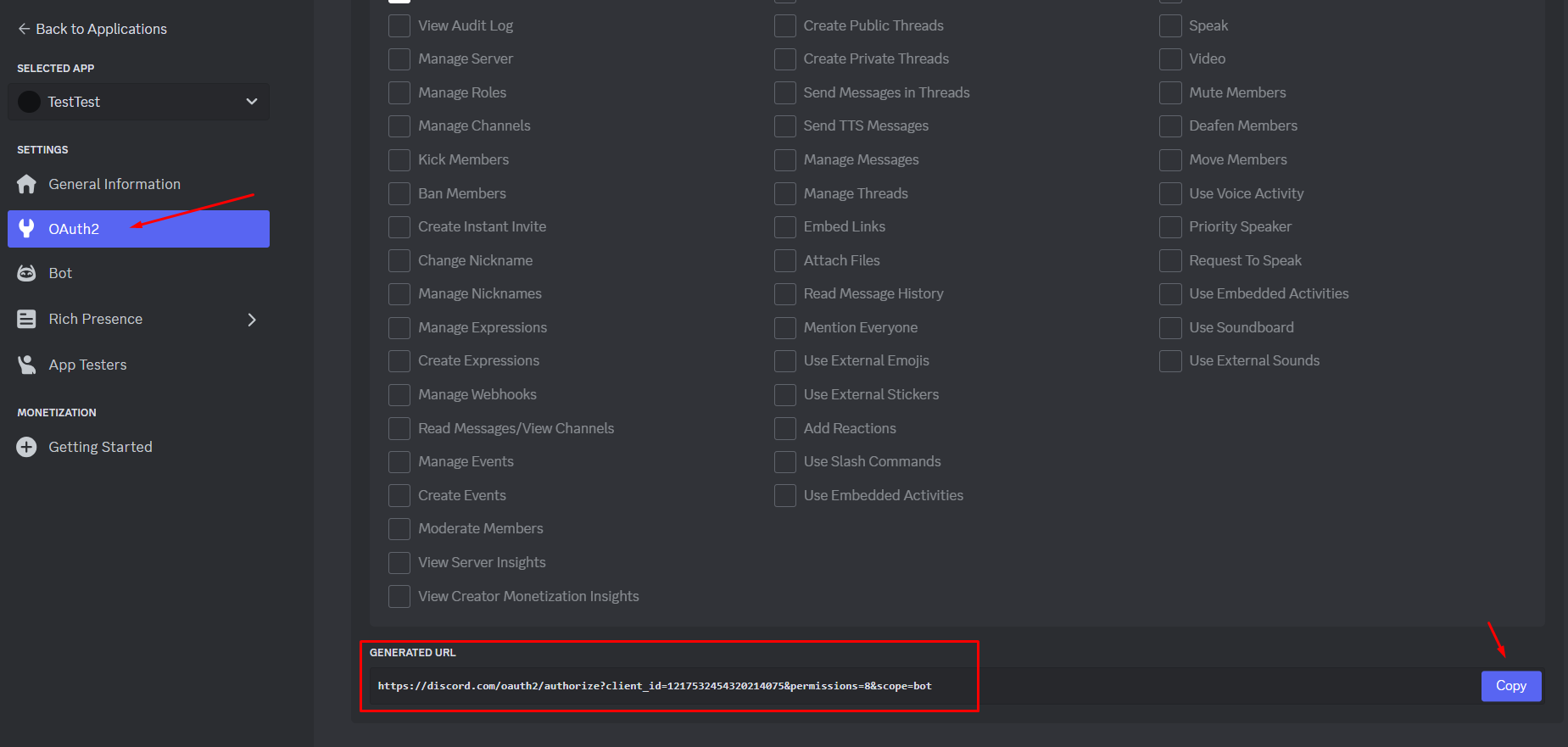
- Copy the generated URL and navigate to the address in a new browser tab;
- Select the server to which you want to add the bot and click Continue;
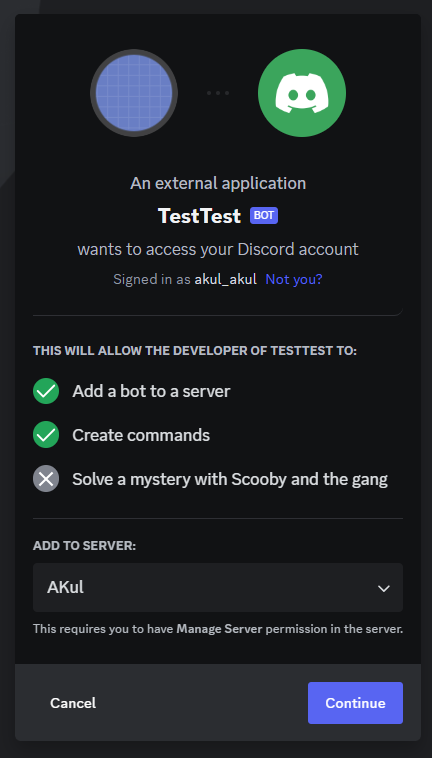
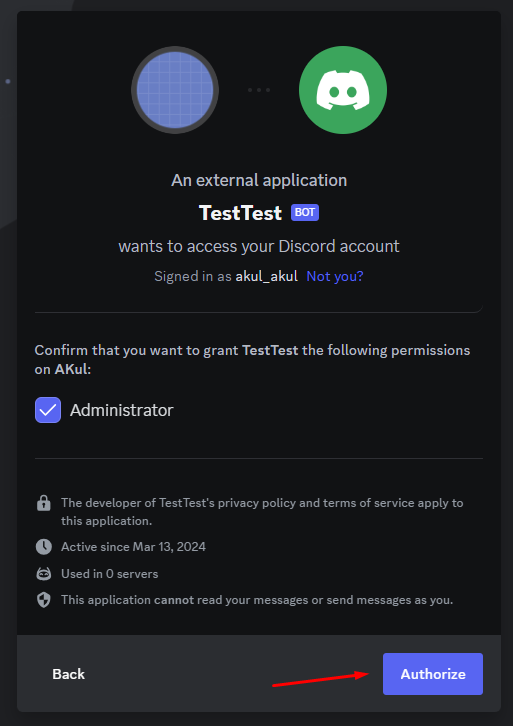
- Confirm the bot's rights and click on the Authorize button. After authorization the bot will be added to the selected server;
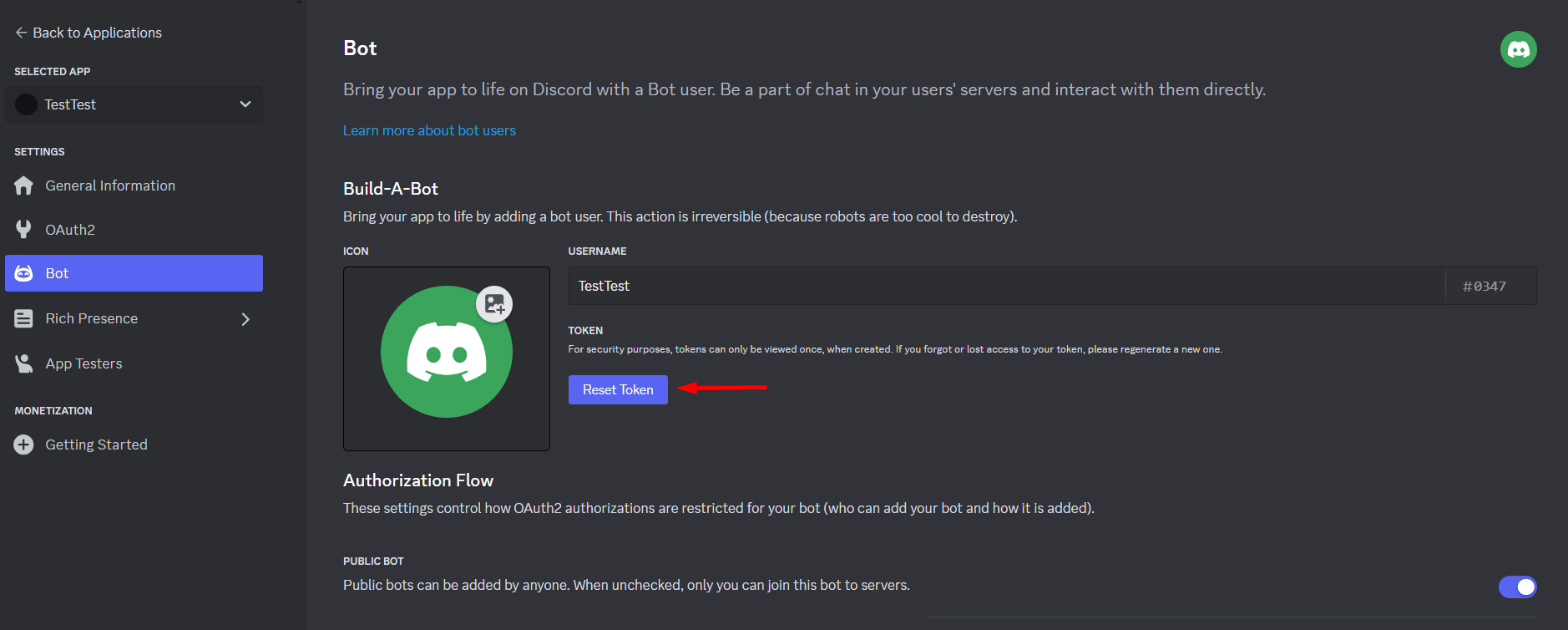
- Click the Reset Token button;
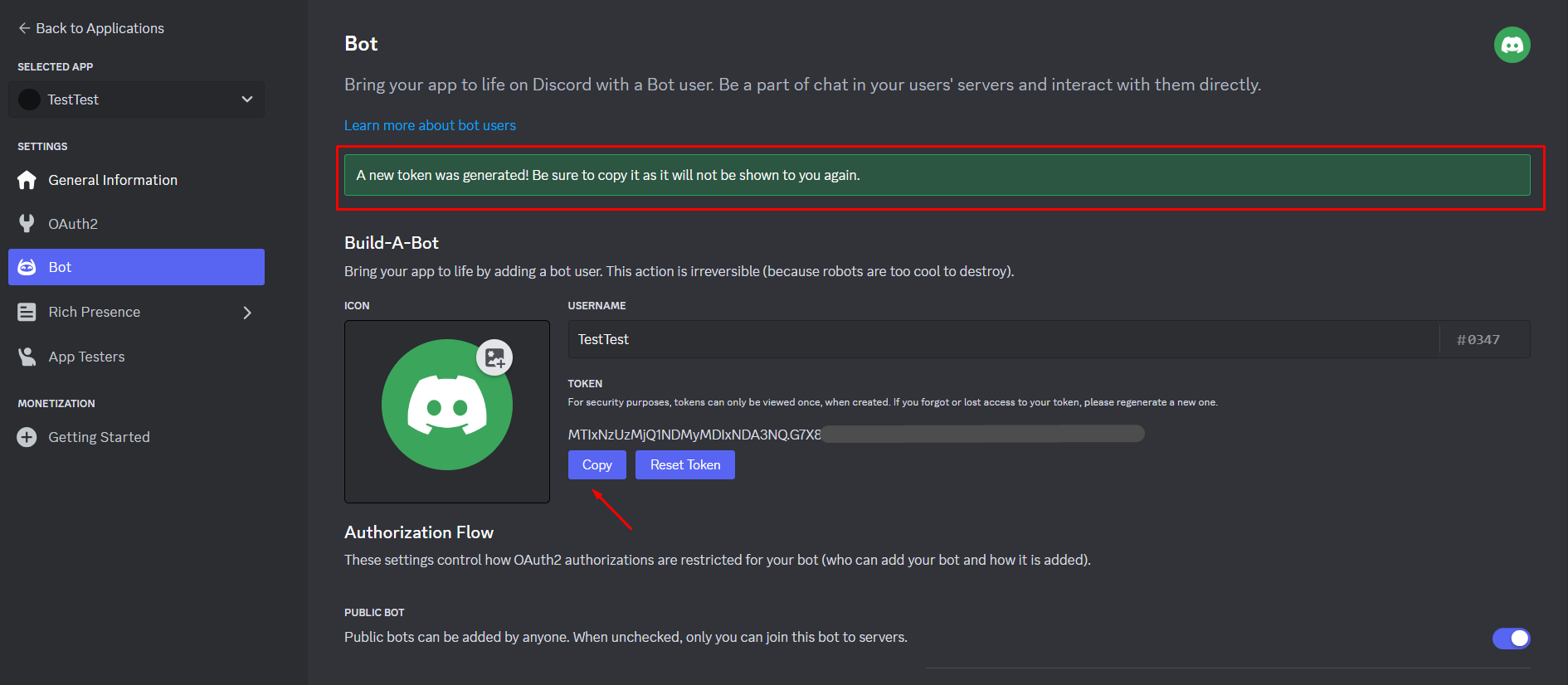
- Copy the generated token and save it for later use.
Bitrix24
Integrating Bitrix24 for workflow automation.
Automating Facebook page and post management.
Need Help? Ask the community
If something on this page is missing or unclear, post on the Latenode community forum. Our team and other users usually reply quickly.
0/100
0/2000