
App Authorization Instructions
Shopify
Instructions for Authorization in Shopify
To complete authorization, you need to obtain the Admin API Access Token and the Shop ID. Here's how to do it:
1. Admin API Access Token
- Navigate to your Shopify Admin.
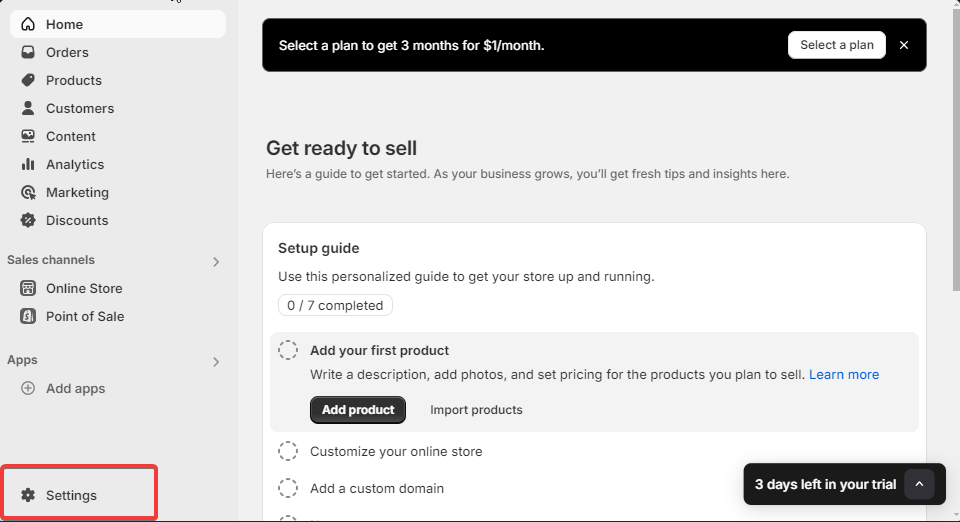
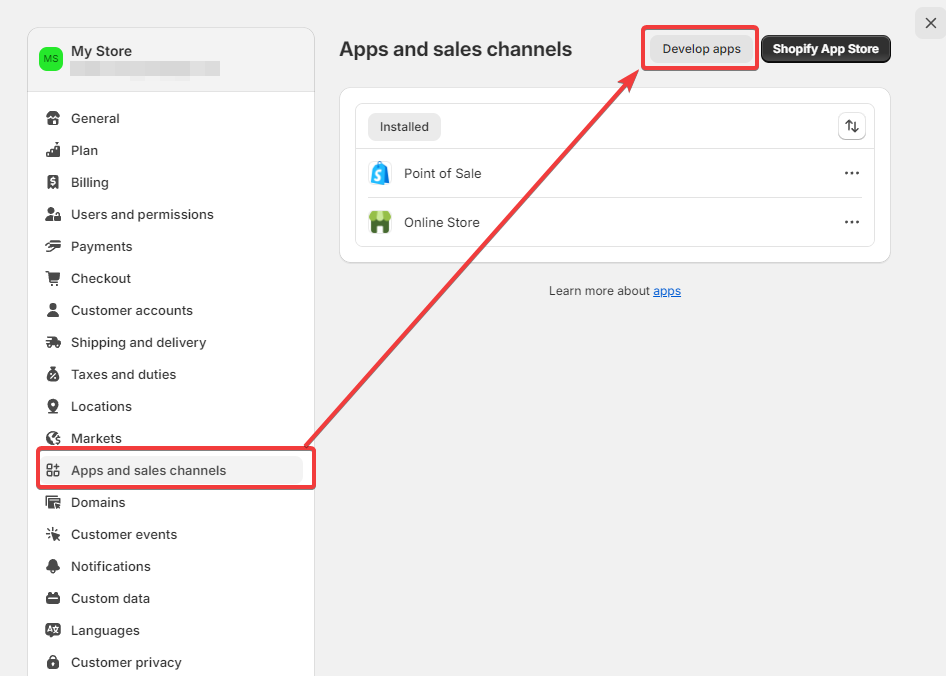
- Go to Settings > Apps and Sales Channels > Click Develop apps.
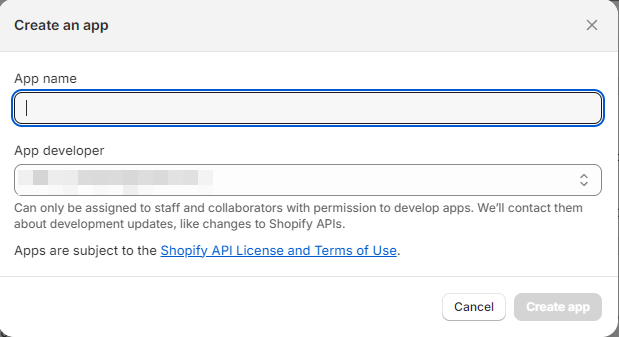
- Click Create a new app or select an existing app.

- Provide a name for the app and assign an app administrator.
- Proceed to the app setup screen.
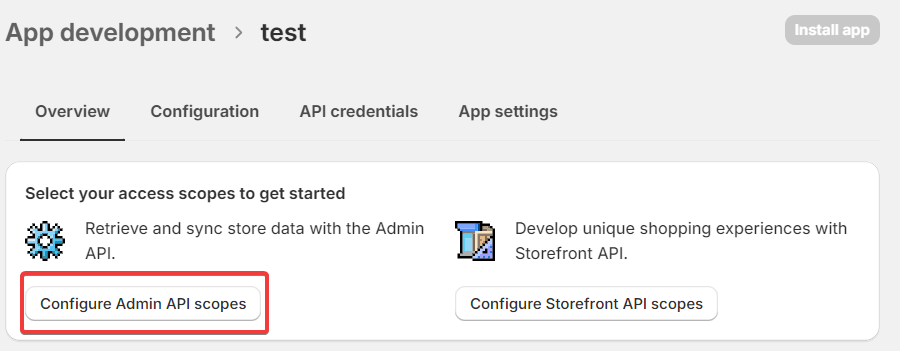
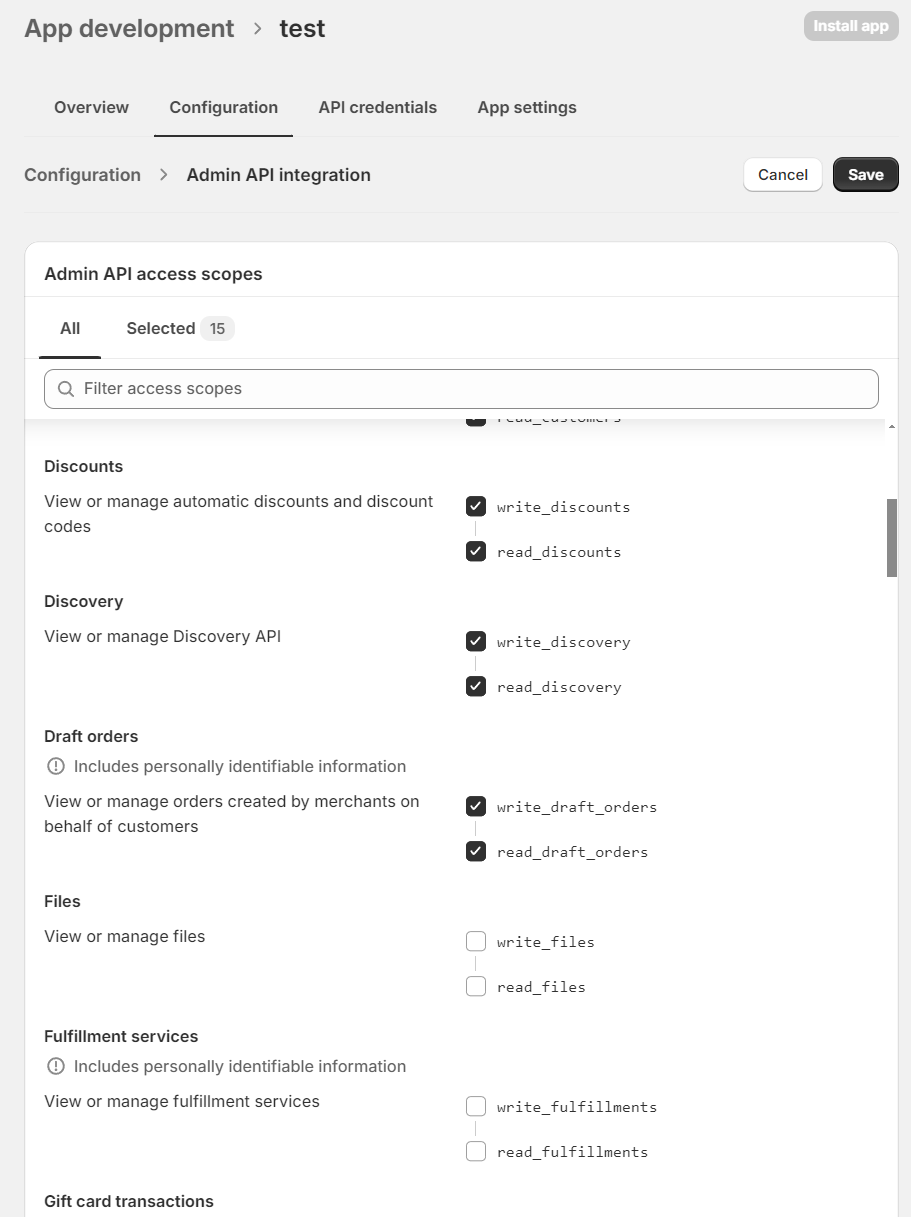
- Select the necessary scopes (permissions) and save your changes (the Save button is at the bottom of the page).
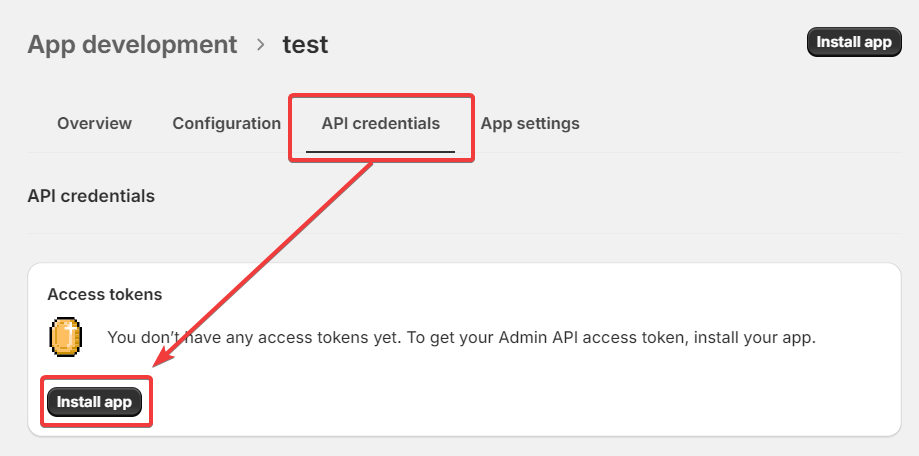
- Go to the API Credentials section, click Install App, and agree to the prompt.
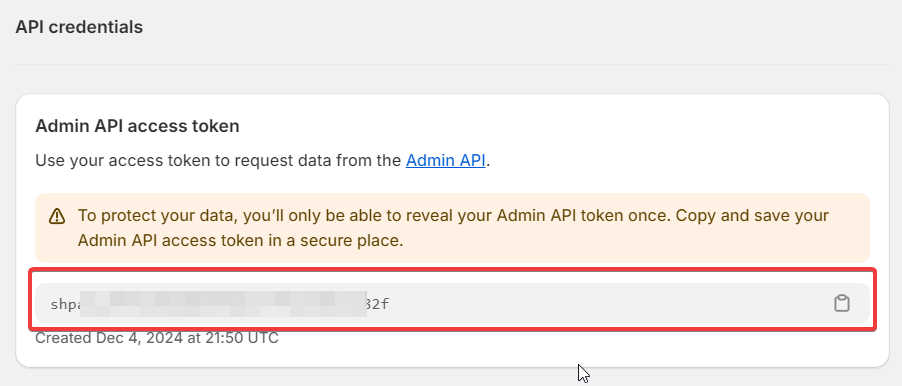
- Once installed, your Admin API Access Token will be available. Copy it for later use.
2. Shop ID
The Shop ID can always be found in the URL of your admin panel in your browser.

3. Authorization on Latenode
- Add the required node in Latenode and click New Authorization.
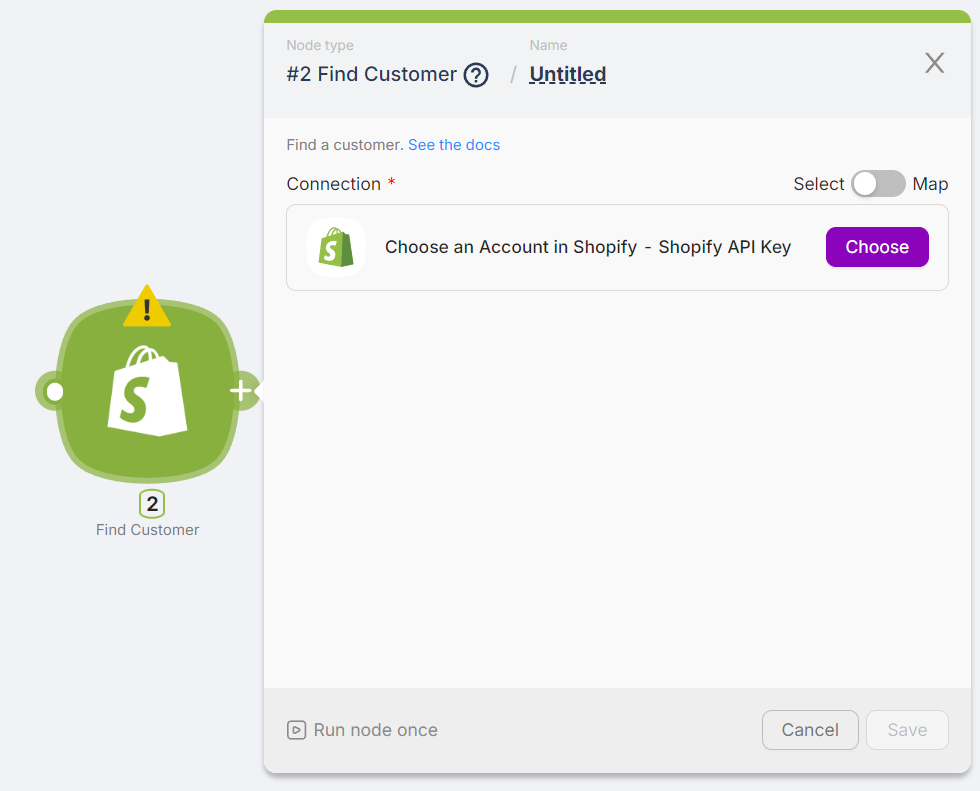
- Enter the obtained credentials (Admin API Access Token and Shop ID).
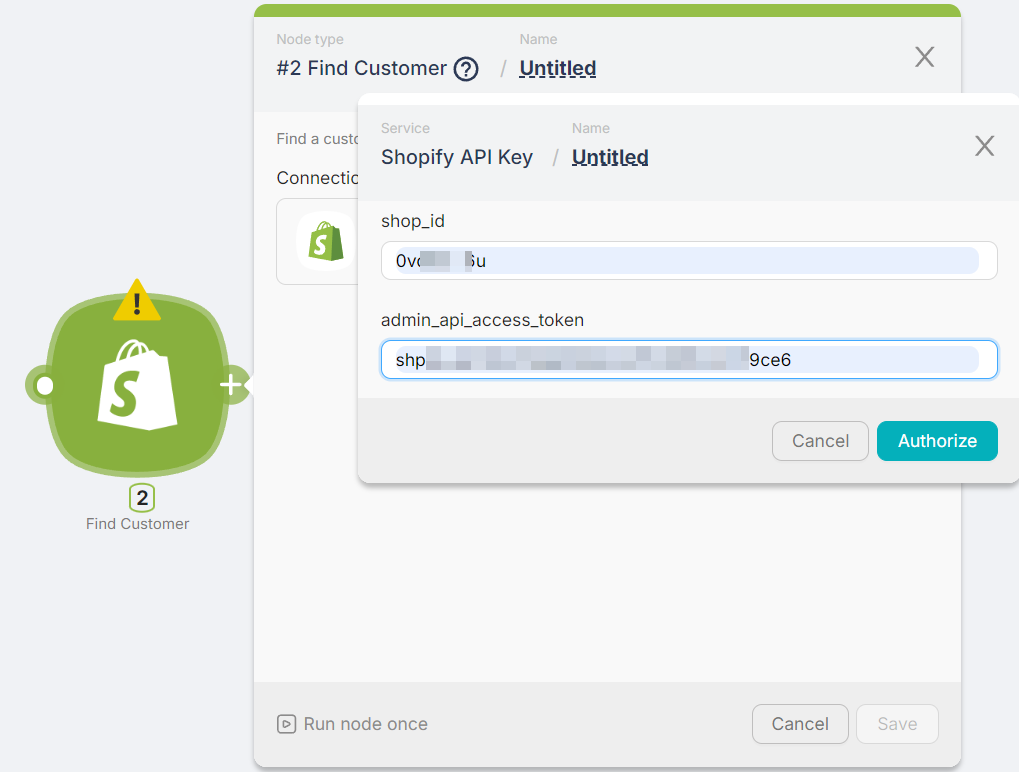
- That's it! You're authorized. Perform a test run to check the results.
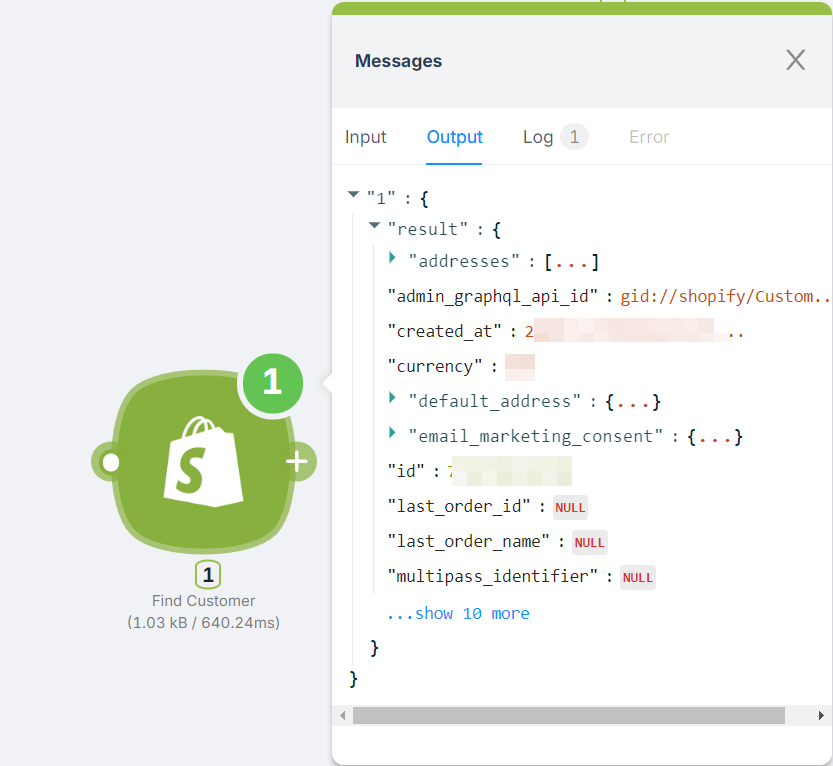
This process ensures that your Shopify and Latenode integration is set up correctly for seamless functionality.
Salesforce
Managing incident response automation with Salesforce.
Slack Bot
Automating Slack bot interactions.
Need Help? Ask the community
If something on this page is missing or unclear, post on the Latenode community forum. Our team and other users usually reply quickly.
0/100
0/2000