
App Authorization Instructions
Receiving a token
Before following the instructions, you need to sign up for Facebook.
For nodes of the Facebook group to work, it is necessary to get a token.
To obtain a token you need to:
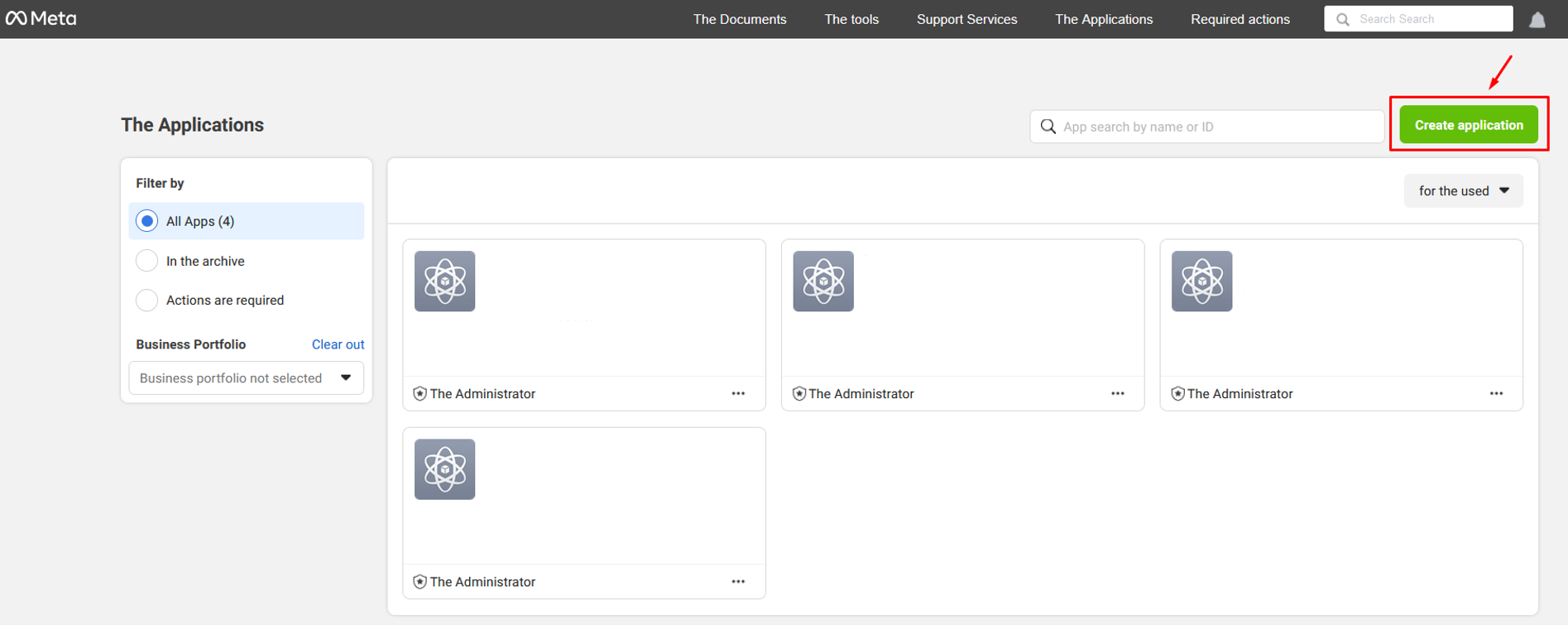
- Follow the link and click the Create application button;
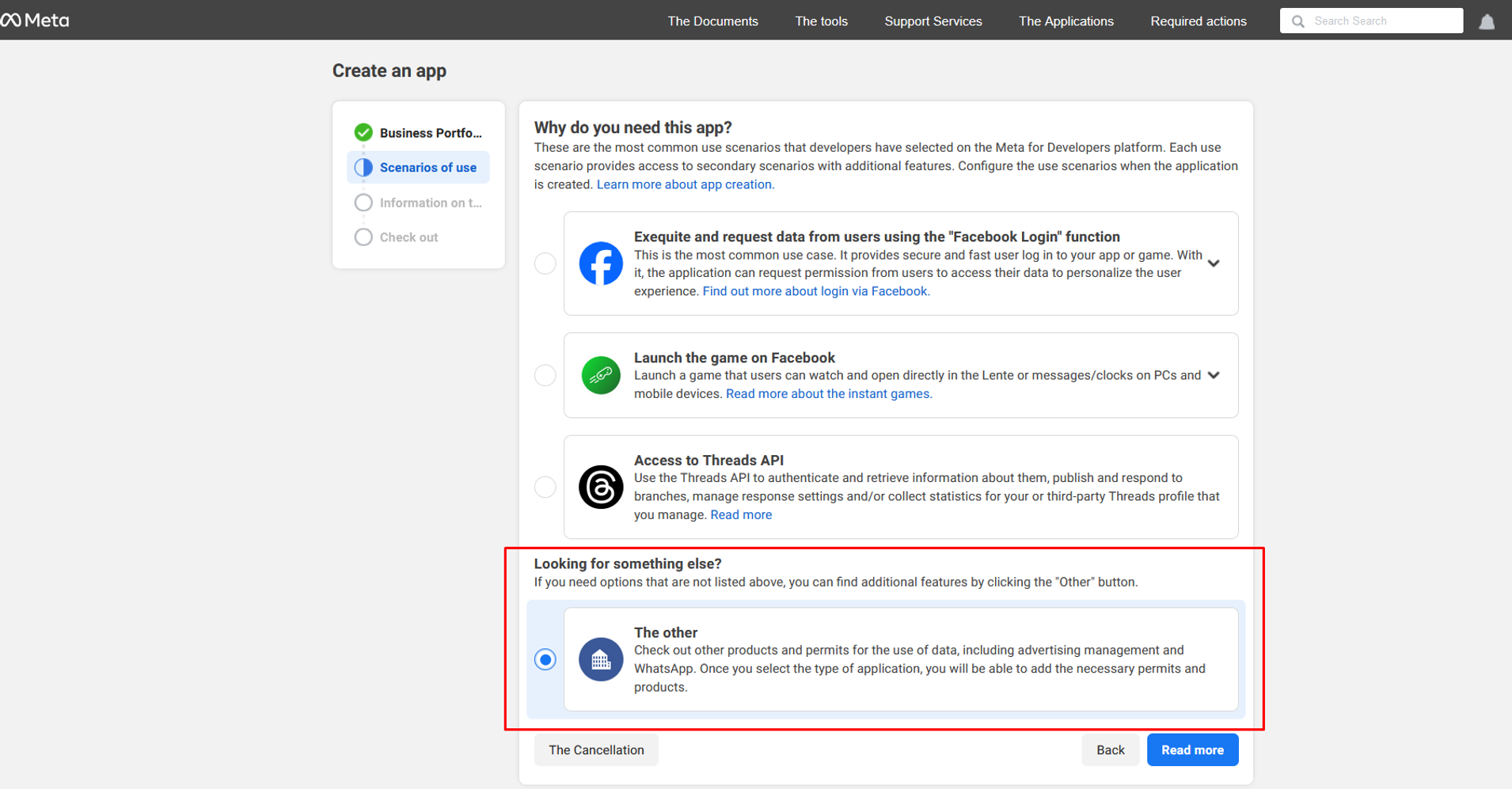
- On the Create an app page, select The other option and click Read more;
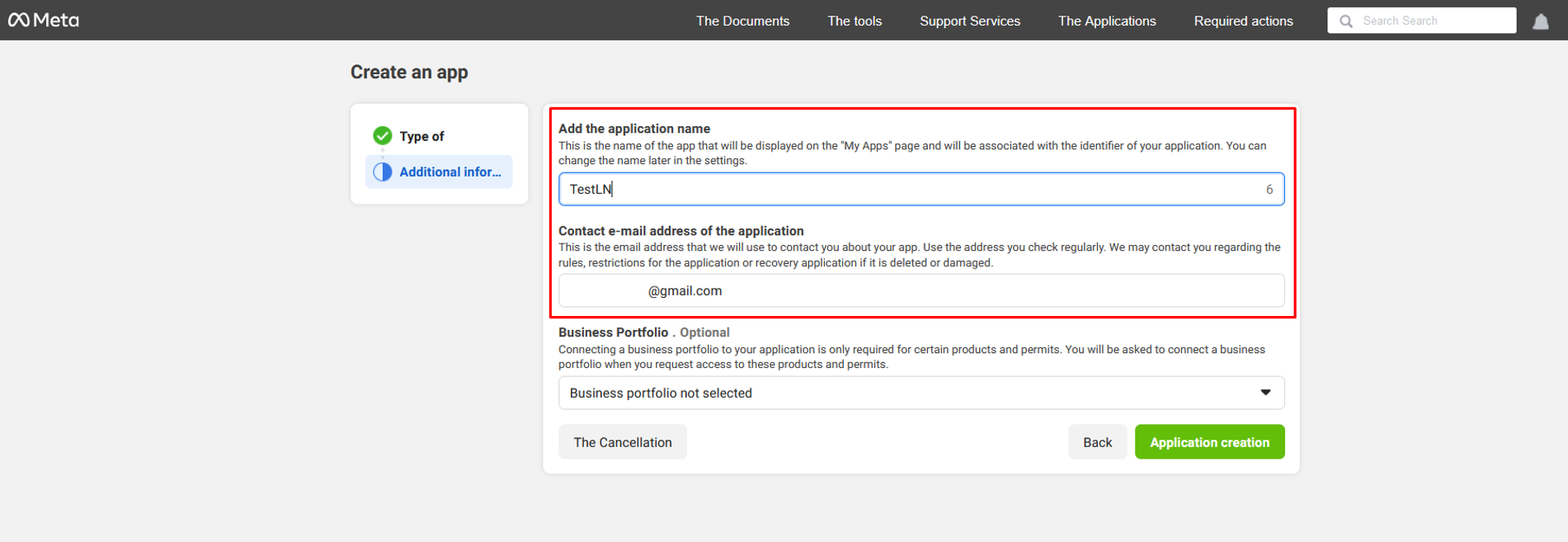
- Fill in the application name, email address, and click the Application creation button;
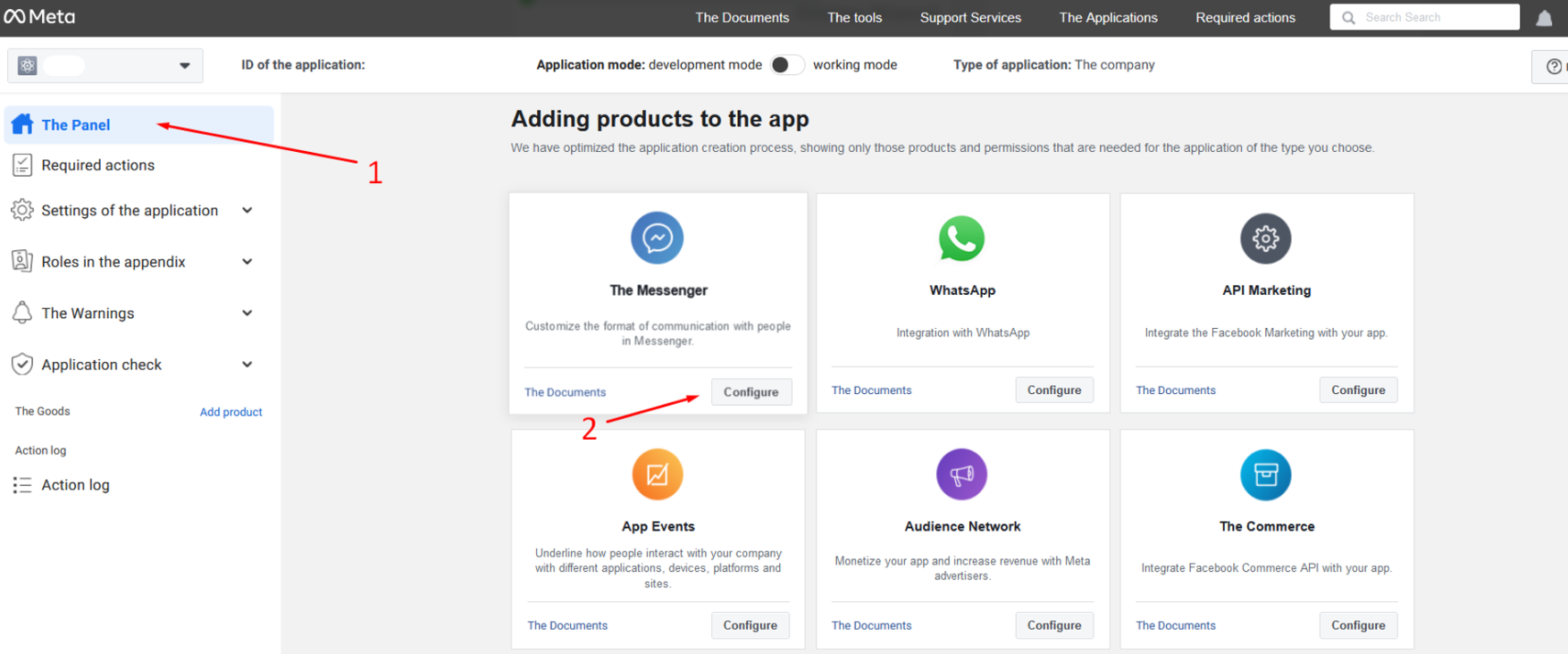
- On The Panel (1) application settings page, select The messenger and click Configure (2);
- On the Settings of Messenger API (1) page, go to section 2.2 and click the To connect button (2). In the dialog box that opens, choose the pages you want your app to access and click Continue and Save.
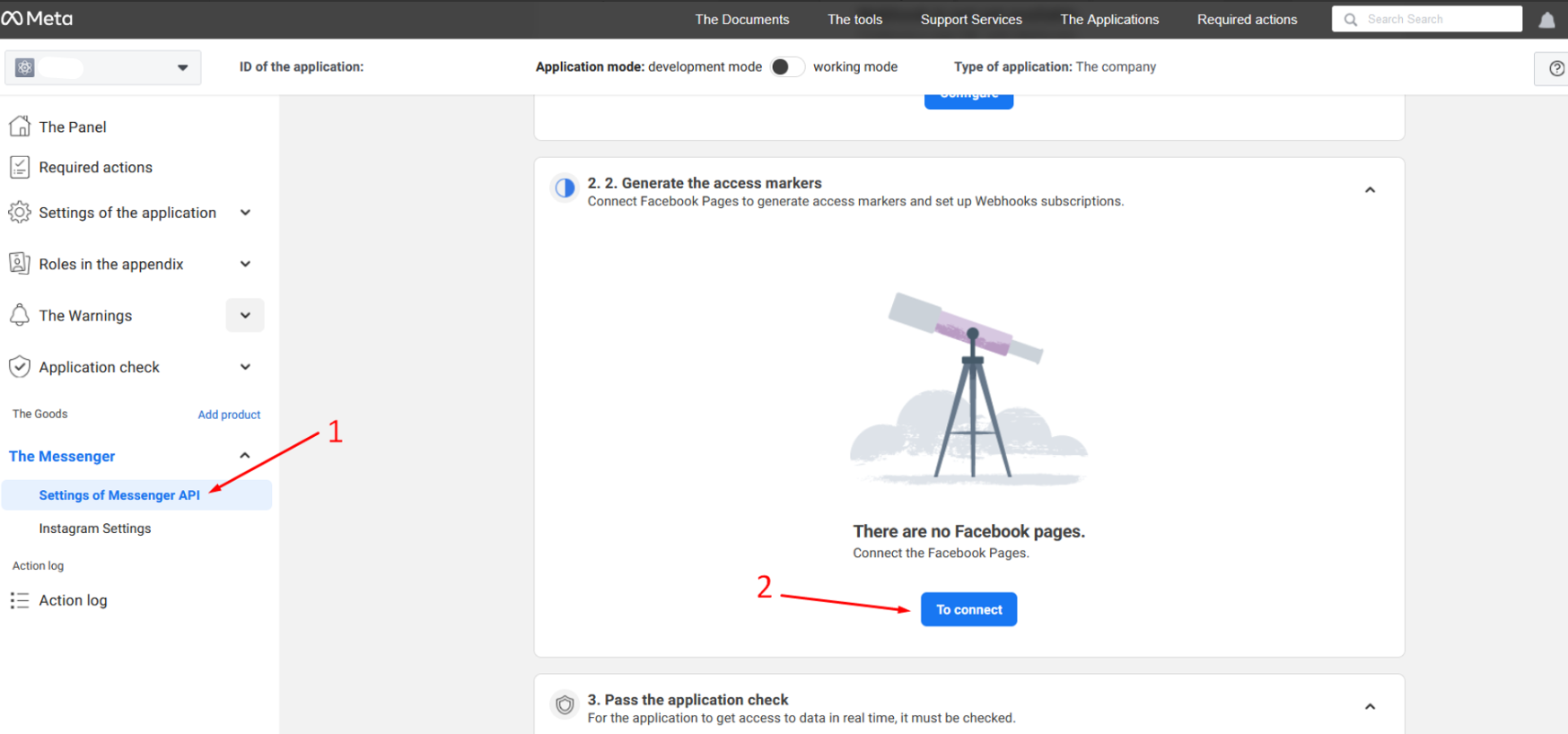
- On the Settings of Messenger API (1) page, in section 2.2, click the Generate button (2);
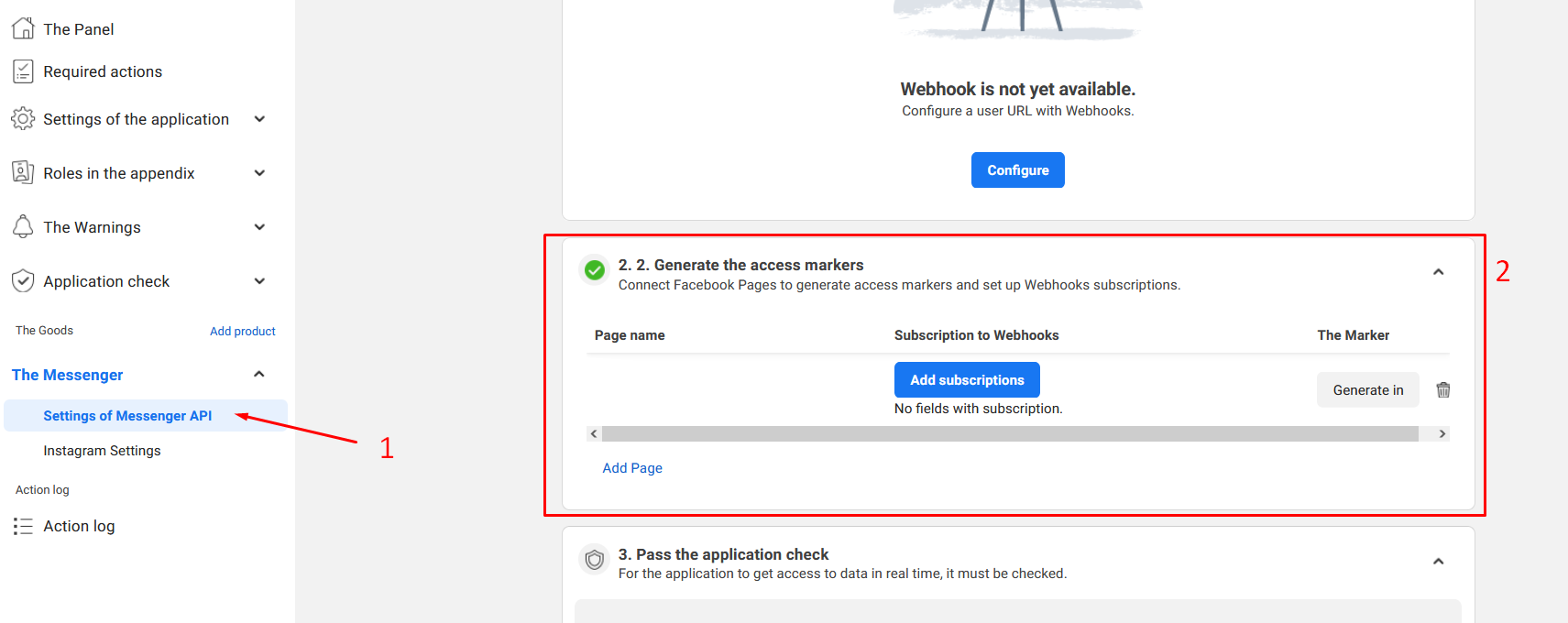
- In the Token Generated dialog box, confirm that you understand and then copy the token.
Discord
Setting up automation for Discord messaging and server management.
Fauna
Managing Fauna database operations.
Need Help? Ask the community
If something on this page is missing or unclear, post on the Latenode community forum. Our team and other users usually reply quickly.
0/100
0/2000